🚀 How I Maintain My Workstation for Faster Performance
Keeping my workstation running smoothly is a top priority for me, especially when every second counts in my workflow. 💻 From coding to content creation, efficiency is key! Here's a look at how I maintain my system to ensure it boots up faster and operates like a well-oiled machine.
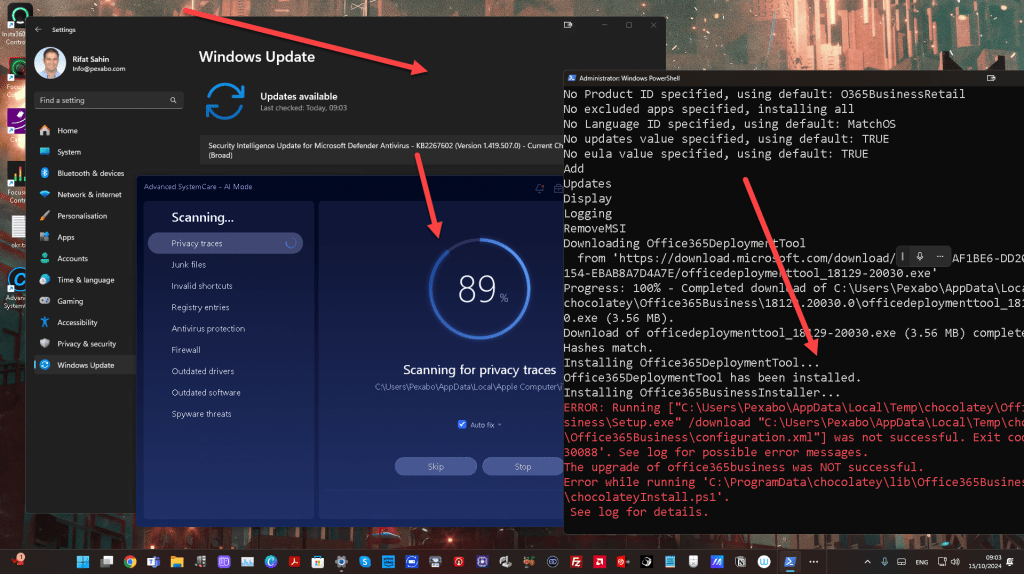
🛠️ Regular Updates with Chocolatey and Windows Update
To keep my system up-to-date and fast, I use a combination of Chocolatey and Windows Update. Here’s my process:
-
Update with Chocolatey (Choco)
-
Chocolatey is a fantastic package manager for Windows that helps me keep all my essential software updated with a single command. 📝 I regularly run the following commands:
bash choco upgrade all -y -
This ensures that all my apps and tools are running the latest versions, reducing security risks and improving performance.
-
Windows Updates
-
Keeping Windows updated is another critical step in maintaining a fast and secure workstation. I schedule updates to run automatically, but I also make sure to check manually from time to time:
bash Start-Process "ms-settings:windowsupdate-action" -
This command triggers Windows Update, allowing me to quickly see if any critical updates need to be installed.
🔄 Why Regular Updates Matter
-
Security: Outdated software can pose a security risk. Keeping my software up-to-date reduces vulnerabilities that could slow down my system or, worse, lead to malicious attacks.
-
Performance: Updates often come with performance enhancements, and regularly updating my system helps ensure it runs as smoothly and quickly as possible.
-
Compatibility: New software features and tools often require the latest updates. Ensuring my system is up-to-date keeps me compatible with new technologies and trends.
📈 Boosting Boot Times
Here’s how I make sure my system starts up faster:
-
Disable Unnecessary Startup Programs:
-
I manage my startup programs to ensure only the essential ones load at boot time. This reduces boot times and frees up system resources.
-
Disk Cleanup:
-
Running Disk Cleanup and removing temporary files helps prevent clutter and ensures my drives have enough free space to run optimally.
-
Defragmentation (on older systems):
-
For systems with mechanical drives, regular defragmentation can significantly boost speed. Thankfully, with SSDs, this isn't as necessary, but I still optimize my drives regularly to maintain peak performance.
📝 Final Thoughts
By consistently maintaining my workstation with Chocolatey and Windows Update, I’ve been able to keep it running at top speed. Regular maintenance doesn’t take much time, but it pays off with improved efficiency and a faster boot-up, allowing me to focus more on creating and less on waiting.
🔗 Connect with me:
-
💼 LinkedIn: https://www.linkedin.com/in/rifaterdemsahin/
-
🐦 Twitter: https://x.com/rifaterdemsahin
-
🎥 YouTube: https://www.youtube.com/@RifatErdemSahin
-
💻 GitHub: https://github.com/rifaterdemsahin
Stay productive and keep your systems fast! 🚀💡
Imported from rifaterdemsahin.com · 2026