Set Up a High-Tech, High-Touch Workstation
In today's fast-paced world, setting up an efficient workstation is crucial for maximizing productivity. A well-organized environment not only streamlines your workflow but also minimizes distractions, allowing you to focus on what truly matters. In this guide, we'll explore the mechanical aspects of enhancing productivity, provide a roadmap for creating a high-tech, high-touch workstation, and outline a checklist to ensure your setup is always ready for action.
🔧 Why Focus on the Mechanical Aspects? Addressing the mechanical components of your workstation—such as hardware configuration, software updates, and peripheral management—lays a solid foundation for efficient work processesBy optimizing these elements, you reduce technical interruptions and create a seamless working experience
🛠️ How to Set Up a High-Tech, High-Touch Workstation Creating a workstation that balances advanced technology with a personalized touch involves several key step
-
Ergonomic Arrangement Position your desk, chair, and monitor to promote good posture and reduce strai
-
Quality Hardware Invest in reliable hardware components that meet your performance need
-
Efficient Software Install software tools that enhance productivity and are tailored to your workflo
-
Personalization Customize your workspace with elements that inspire and motivate yo
📋 Workstation Setup Checklist
To ensure your workstation is always ready for optimal performance, consider the following routine checks:
-
*System Diagnostics: Regularly perform system checks to identify and resolve potential issues.
-
*Startup Optimization: Monitor and manage startup programs to reduce boot time.
-
*Peripheral Maintenance: Ensure all peripherals, such as keyboards and mice, are charged and functioning proper.
-
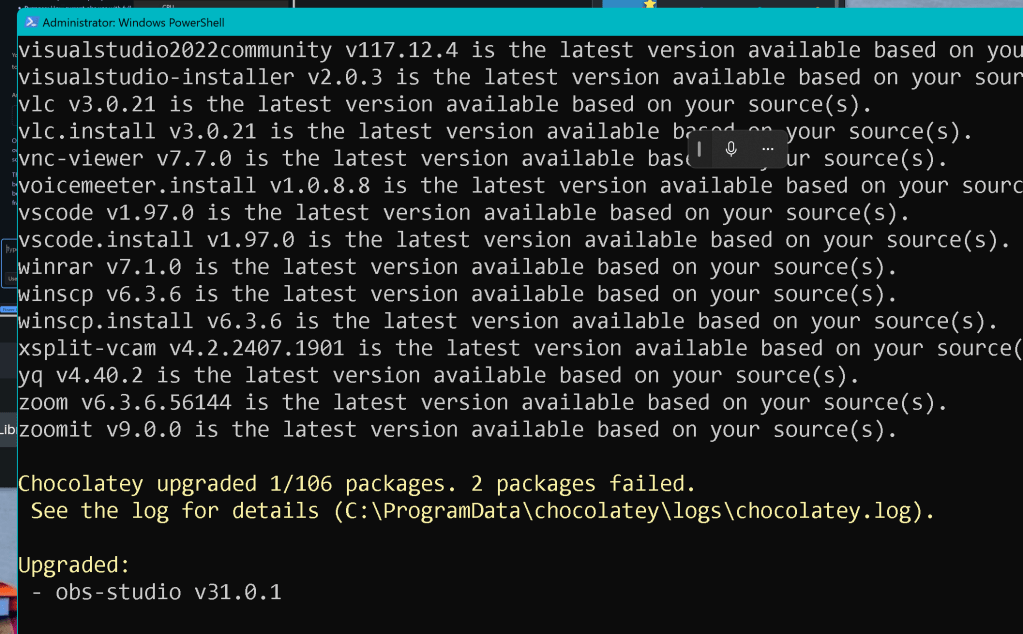
*Software Updates: Keep your software up-to-date to benefit from the latest features and security patch.( Choco )
-
*Application Launch: Start essential applications, like OBS Studio and language models, to prepare for your tasks.
🔗 Connect with Me
For more insights and updates, feel free to connect with me on my social media platforms:
-
💼 LinkedIn: https://www.linkedin.com/in/rifaterdemsahin/
-
🐦 Twitter: https://x.com/rifaterdemsahin
-
🎥 YouTube: https://www.youtube.com/@RifatErdemSahin
-
💻 GitHub: https://github.com/rifaterdemsahin
This blog post was generated with the assistance of an AI engine on February 11, 2025.
Imported from rifaterdemsahin.com · 2026