🌟 Automating Budget Reports with YAML and HTML Prompts
Managing budgets can be a chore, but with automation, it becomes an opportunity to streamline and simplify. In this blog post, I’ll guide you through using YAML and HTML prompts to create dynamic, organized budget reports that update automatically and present your financial data clearly. 🌟
By the end, you’ll be able to generate updated budget reports, complete with debt tracking, expense analysis, and income projections for the next 24 months—all with a few clicks. 🚀
📝 Key Steps in Automating Budget Reports
1️⃣ YAML Prompts: Update Financial Data Dynamically
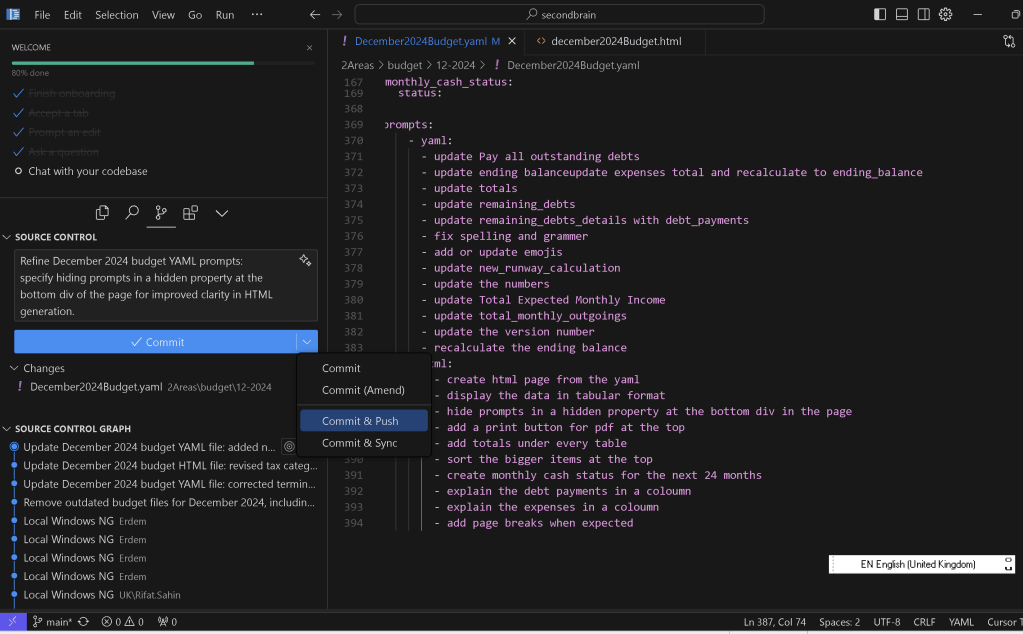
The YAML prompts allow you to input and update financial details, ensuring all calculations are accurate and reflect your current status. Here’s a typical prompt setup:
- update Pay all outstanding debts
- update expenses total and recalculate ending balance
- update totals
- update remaining_debts
- update remaining_debts_details with debt_payments
- fix spelling and grammar
- add or update emojis 😃
- update new_runway_calculation
- update Total Expected Monthly Income
- update total_monthly_outgoings
- recalculate the ending balance 💰
👉 What this achieves:
These prompts ensure every detail—from debt breakdowns to monthly income—is accounted for and recalculated.
Hide them at the bottom div to help others
2️⃣ HTML Prompts: Design a User-Friendly Interface
The HTML section focuses on displaying your YAML data interactively and professionally:
- create html page from the yaml
- display the data in tabular format 📊
- hide prompts in a hidden property at the bottom 🔒
- add a print button for PDF at the top 🖨️
- add totals under every table
- sort the bigger items at the top ⬆️
- create monthly cash status for the next 24 months 📆
- explain the debt payments in a column 💳
- explain the expenses in a column 🛒
- add page breaks where expected 📄
👉 What this achieves:
-
A structured and printable HTML page that organizes your data neatly.
-
Easy readability with a breakdown of debts, expenses, and future projections.
🚀 Adding a Screenshot Pause
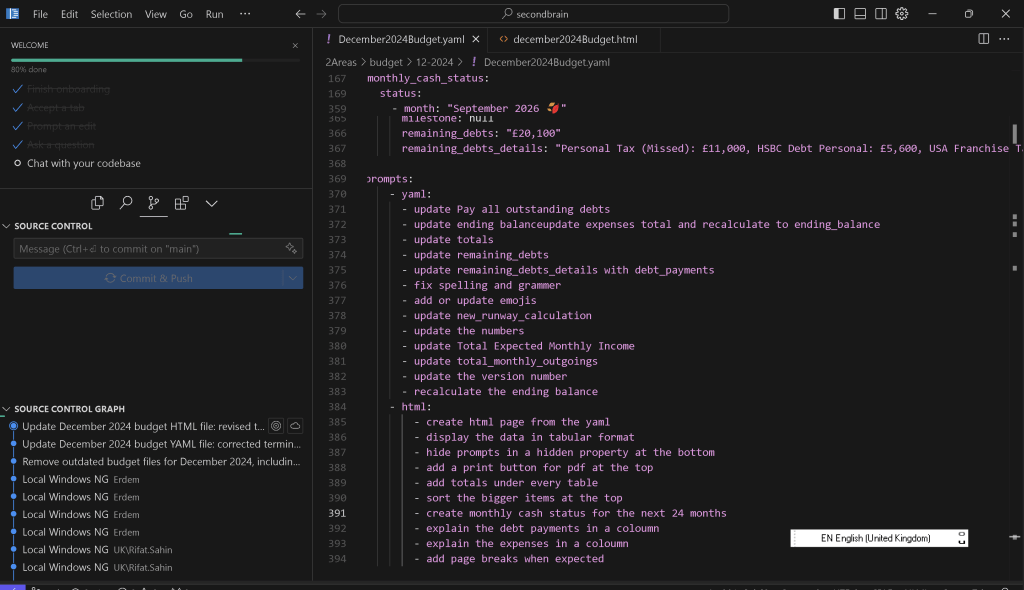
Here’s how you can enhance your workflow by adding screenshot pauses at key points in the automation process.
- pause to take a screenshot 📸
- label screenshots with timestamps
- integrate screenshots into the HTML for visual tracking 🖼️
💡 Tip: Screenshots can be used for progress tracking, team reviews, or for creating tutorial-style documentation.
🔢 How It All Comes Together
When you run your YAML and HTML scripts:
-
Your financial data gets updated dynamically.
-
A professional HTML report is generated with detailed tables and explanations.
-
You can print the report as a PDF, making it easy to share or archive.
Sample Output Preview:
CategoryAmountDetailsRemaining Debts 💳£24,000Includes loan and credit cardMonthly Expenses 🛒£3,500Rent, utilities, and groceriesEnding Balance 💰£1,500After income minus expenses
🛠️ Automating for the Next 24 Months
Imagine tracking cash flow, debt payments, and savings across two years with no extra effort. Just run the script, and voila! A monthly cash status table appears, complete with charts and projections. 📊
🔗 Connect with Me for More Insights:
Let me know how automation helps you streamline your workflow! 💡
Imported from rifaterdemsahin.com · 2026