🚀 Elevate Your MVP Presentation with Storybook: A Developer's Guide
🔮 Why Embrace Storybook for Your MVP?
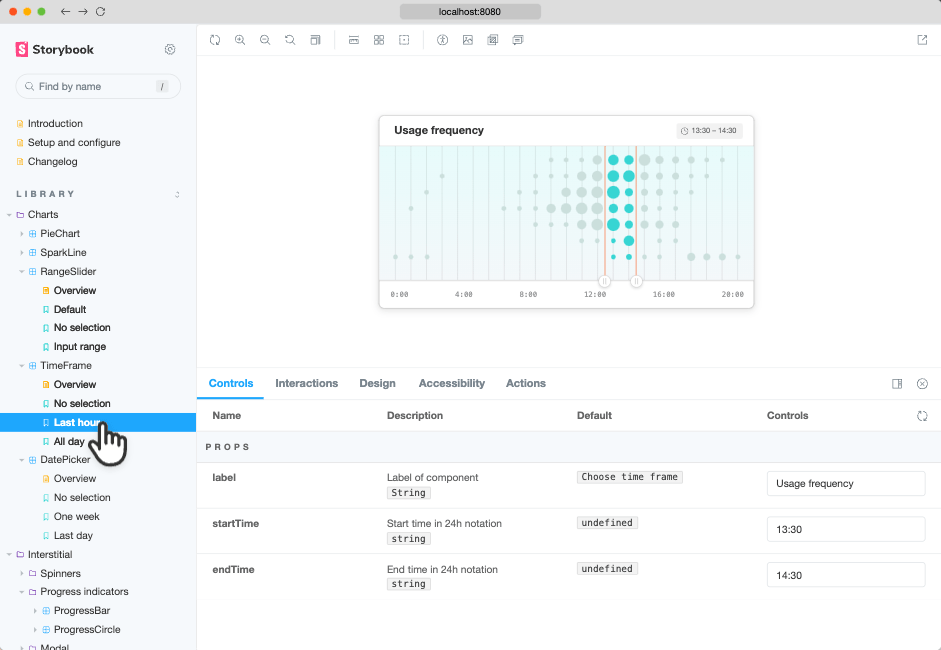
In the fast-paced world of software development, presenting a Minimum Viable Product (MVP) that is both functional and visually appealing is crucial. Storybook offers a dynamic environment to build, test, and showcase UI components in isolation, ensuring each element performs flawlessly before integration. This isolation facilitates a focused development process, allowing developers to concentrate on individual components without the overhead of the entire application context.
🎯 How to Leverage Storybook Effectively
To harness the full potential of Storybook, consider the following roadmap:
-
High Touch, High Tech: Engage deeply with Storybook's interactive interface to fine-tune components, ensuring they meet high-quality standards.
-
Tools and Processes: Integrate Storybook into your development workflow alongside other essential tools. Utilize add-ons for enhanced functionality, such as controls, actions, and backgrounds, to simulate various user interactions and environments.
-
Latest Environment: Keep your Storybook environment updated to leverage the latest features and improvements, ensuring compatibility and optimal performance.
🗺 Key Steps to Present Your MVP Using Storybook
-
Set Up Storybook: Install and configure Storybook in your project. Begin by developing new components in isolation within Storybook, allowing for focused refinement. citeturn0search7
-
Create Stories: Develop stories for each component, representing different states and interactions. This practice not only documents the component's behavior but also serves as a visual test case. citeturn0search9
-
Utilize Canvas and Docs: Use Storybook's Canvas to interact with components and the Docs panel to generate comprehensive documentation. This dual approach ensures that both developers and stakeholders have a clear understanding of the component's functionality and usage.
-
Integrate Add-ons: Enhance your Storybook setup with add-ons like controls and actions to simulate user interactions and test component responses in various scenarios. citeturn0search1
-
Deploy and Share: Once your components are thoroughly tested and documented, deploy your Storybook instance to share with team members and stakeholders, providing a transparent view of your MVP's UI components.
By following these steps, you can create a compelling presentation of your MVP, showcasing each component's functionality and design in a structured and interactive manner.
✨ This post was generated with [AI engine] on February 11, 2025.
🔗 Connect with Me:
-
💼 LinkedIn: https://www.linkedin.com/in/rifaterdemsahin/
-
🐦 Twitter: https://x.com/rifaterdemsahin
-
🎥 YouTube: https://www.youtube.com/@RifatErdemSahin
-
💻 GitHub: https://github.com/rifaterdemsahin
Imported from rifaterdemsahin.com · 2026