🛠️ Updating YAML in OpenShift Using Vim: Why It’s Essential for DevOps
In the world of DevOps, handling YAML files is central to managing infrastructure and applications. OpenShift environments are no exception, where YAML files define configurations, deployment settings, and network policies. While many tools automate YAML updates, knowing how to edit YAML files manually—especially with Vim—can save time, improve control, and ensure accuracy in development pipelines.
This guide explores why mastering YAML updates with Vim is a must-have skill for DevOps engineers working with OpenShift.
💡 Why YAML Editing Matters in OpenShift
OpenShift heavily relies on YAML for its configuration files, such as:
-
DeploymentConfigs: Define how applications are deployed and managed.
-
Routes: Expose services externally.
-
Secrets and ConfigMaps: Store configuration data and secrets.
Quickly editing and validating these files is critical to:
-
🔄 Apply fixes in real time for configurations.
-
🛠️ Adapt to unique environments with tailored settings.
-
🚀 Reduce automation dependencies by using direct editing.
🖥️ Step-by-Step Guide: Editing YAML Files in OpenShift with Vim
🎯 Step 1: Open the YAML File with Vim
To update a resource like a DeploymentConfig in OpenShift, first retrieve and open it in Vim:
oc get dc
vim deployment.yaml
🎯 Step 2: Navigate and Edit Efficiently in Vim
-
Search: Press
/followed by a keyword (e.g.,/replicas) to locate specific configurations. -
Insert Mode: Press
ito enter Insert mode for editing. -
Save and Exit: Once done, press
Esc, then type:wqto save and close the file.
Make necessary edits based on your needs, such as:
-
Updating replica counts.
-
Modifying image versions.
-
Adding or changing environment variables.
🎯 Step 3: Apply the Updated YAML to OpenShift
After making changes, use oc apply or oc replace to update the configuration in OpenShift:
oc replace -f deployment.yaml
🎯 Step 4: Verify the Update
To ensure the changes were successful, check the status of your deployment:
oc get dc
Confirm that your edits appear as expected and the application functions correctly in the environment.
🚀 Benefits of Manual YAML Editing for DevOps
-
Flexibility and Control: Mastering Vim gives you the flexibility to make precise edits, often faster than other editors.
-
Troubleshooting: When troubleshooting in production, a quick Vim edit is invaluable.
-
Independence from Automation: Automated scripts are powerful but having manual editing skills serves as a reliable fallback when scripts fail.
🖼️ Screenshot Example
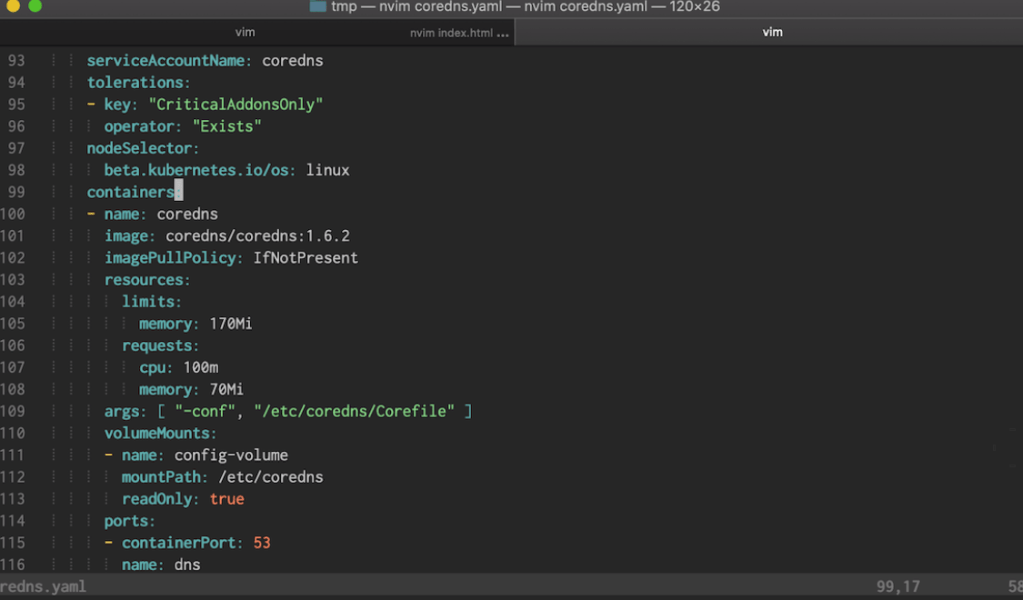
🔗 Connect with me
For more insights on DevOps, OpenShift, and automation, connect with me:
Mastering Vim for YAML edits gives you a versatile, reliable tool for making fast, accurate changes in OpenShift, a skill every DevOps engineer should have.
Imported from rifaterdemsahin.com · 2025