🌟 Understanding .vs and .vscode Folders in Your IDE
As a developer, you've probably noticed two folders that often appear in your project directories: .vs and .vscode. These folders are essential for managing your development environment, but they serve different purposes. Let's break them down! 🚀
🗂️ What is the .vs Folder?
The .vs folder is created by Visual Studio, and it contains configuration settings specific to your project. It usually includes files like:
-
Solution User Options (
***.suo**): Stores user-specific settings, like breakpoints and window layouts. -
ApplicationHost.config: For web projects, this file manages the local IIS Express settings.
-
Temporary Data: Files for debugging or profiling sessions.
⚠️ Pro Tip: Avoid committing the .vs folder to your version control system. It’s user-specific and can cause conflicts.
🗂️ What is the .vscode Folder?
The .vscode folder is used by Visual Studio Code to store workspace-specific settings and configurations. Some common files include:
-
**settings.json**: Customize editor settings, like font size or tab spacing. -
**tasks.json**: Define tasks, such as building or testing your project. -
**launch.json**: Configure debugging settings for your app. -
Extensions (
**extensions.json**): Suggest extensions for your workspace.
🔧 Example: settings.json
{
"editor.tabSize": 2,
"files.autoSave": "afterDelay",
"editor.fontFamily": "Fira Code"
}
💡 Quick Tip: Keep .vscode in version control if the settings are meant to be shared among team members.
🚀 Why These Folders Matter
-
The
.vsfolder is all about personalizing Visual Studio for your development experience. -
The
.vscodefolder helps you customize and streamline your workflow in Visual Studio Code.
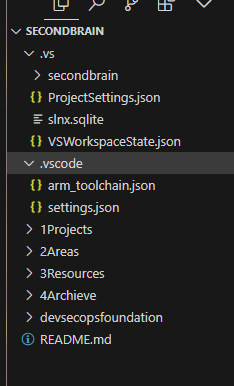
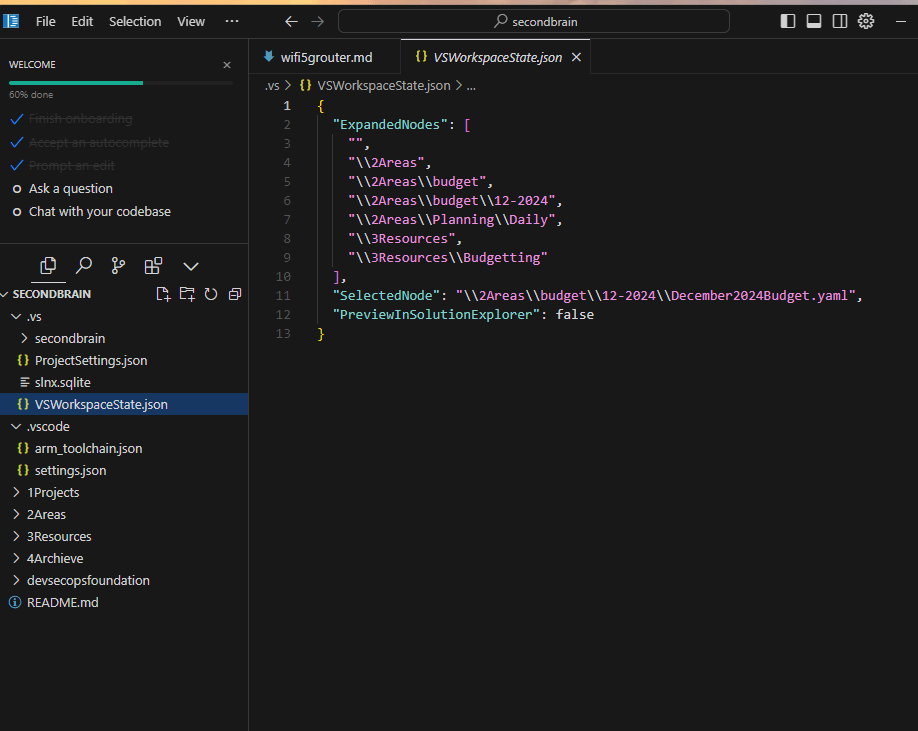
Screenshot Pause 📸
-
Open your project in VS Code.
-
Check the
.vscodefolder in the file explorer: -
Explore
settings.jsonorlaunch.jsonfor hands-on understanding!
🌐 Let’s Connect!
Feel free to reach out and share your thoughts or questions about .vs and .vscode folders. Let’s make coding more efficient together! 🎉
🔗 Connect with me:
-
💼 LinkedIn: https://www.linkedin.com/in/rifaterdemsahin/
-
🐦 Twitter: https://x.com/rifaterdemsahin
-
🎥 YouTube: https://www.youtube.com/@RifatErdemSahin
-
💻 GitHub: https://github.com/rifaterdemsahin
Imported from rifaterdemsahin.com · 2025