📝 How I Proofread YAML Using GPT and Cursor.ai for Enhanced Workflow
As a content creator and developer, maintaining accurate YAML structures while creating consistent, engaging content can be a challenge. Here’s how I tackle proofreading YAML files and mitigate misalignment issues using GPT and Cursor.ai.
🚀 The Problem: YAML Numbering Misalignment
One of the recurring problems I face is that YAML numbering doesn’t always line up correctly when generating content with GPT. This misalignment can lead to structural errors or formatting inconsistencies in my final output.
To solve this, I’ve developed a simple yet effective process:
1️⃣ Open two tabs side by side in Cursor.ai.
2️⃣ Use GPT to help generate and validate YAML while manually cross-referencing between tabs.
🛠️ My Proofreading Workflow
💡 Step 1: Generate YAML with GPT
Start by using GPT to create the initial YAML structure. Prompt it for clarity and avoid ambiguity in your desired output.
💡 Step 2: Open Two Tabs in Cursor.ai
This allows you to view the generated YAML and edit it simultaneously. The side-by-side layout minimizes the chances of missing misalignments.
💡 Step 3: Validate Numbers and Indents
Carefully cross-check the numbers and indentation levels. Cursor.ai’s split-screen view makes it easy to track these details without switching tabs.
💡 Step 4: Final Proofread
Once aligned, copy the YAML back into GPT for a final validation. Ask GPT to point out any inconsistencies or errors it detects.
📸 Screenshot Example
🚀 Pause here to visualize the workflow!
Take a screenshot showing:
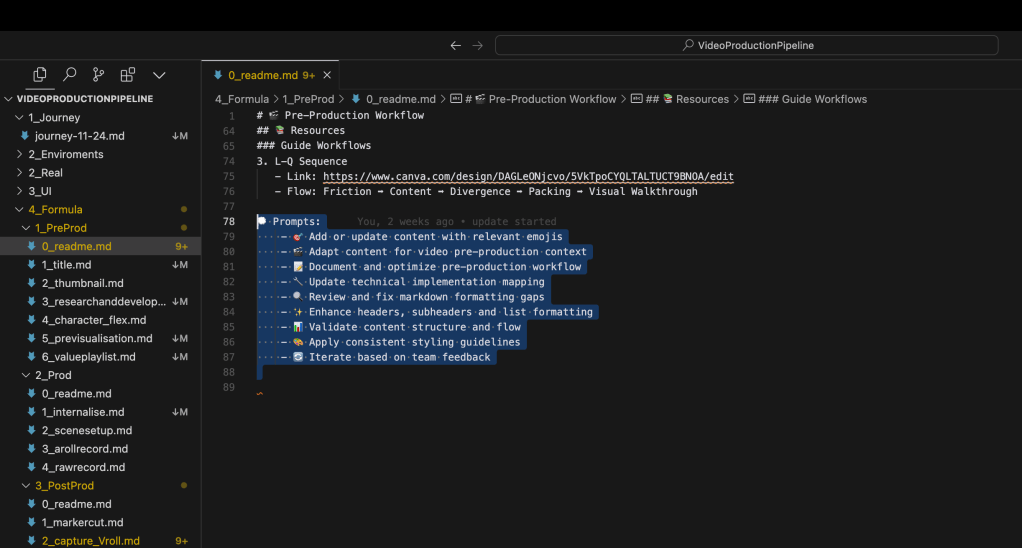
-
GPT at the bottom generating YAML at top
-
Cursor.ai tabs open side-by-side with YAML in one tab and Markdown in another.
✅ Results Achieved
-
Fewer errors in YAML formatting
-
Increased efficiency in content creation
-
Better alignment across tools
🔗 Connect with me
I’m always excited to share tips and hear how others approach these challenges. Let’s connect and exchange ideas!
💼 LinkedIn
🐦 Twitter
🎥 YouTube
💻 GitHub
Do you have tips or tools to improve YAML workflows? Let me know in the comments! 👇✨
Imported from rifaterdemsahin.com · 2025