🗂 Why Commit History Still Matters After Changing Folder Structures 🕰
In software development, change is constant. Whether it’s refactoring your project, reorganizing your folder structure, or renaming files, your commit history remains your golden timeline 🧵.
Even if you shuffle files around, Git ensures you can trace back every change in the project’s history. Let’s dive into why this matters and how you can still reference the timeline!
💡 What’s the Problem?
Imagine you’ve spent months working on a project. You decide it’s time to tidy things up:
-
You change file names.
-
You move folders to improve project structure.
-
You delete unused files.
Now, you wonder:
“Will I lose the history of these files after renaming or moving?”
Short answer: 🚀 No!
🔍 Why Does Commit History Matter?
- 📜 Reference to Past Work
Commit history is like a time machine 🕰. It lets you see:
Who made changes to a file. - When changes were made.
- Why those changes were necessary.
Even if the file’s location changes, Git preserves this history.
- 🛠 Debugging and Troubleshooting
Let’s say a bug appears. You want to find the root cause. With commit history, you can:
Track how the file evolved.
-
Pinpoint which commit introduced the issue.
-
Even after moving the file, Git connects the dots!
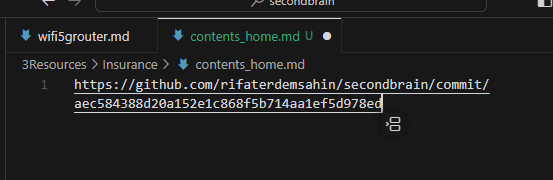
🚀 Screenshot Pause: Show git log or git blame on a moved file to display commit history intact.
- 🔄 Refactoring Without Fear
Refactoring can feel risky: What if something breaks?
Git reassures you that you can rollback changes anytime.
- The timeline of changes stays intact, even after renaming or moving files.
🚀 Screenshot Pause: Use git mv to demonstrate renaming and retaining history.
git mv old-folder/file.txt new-folder/file.txt
git commit -m "Refactored project structure: moved file.txt"
🧩 How Does Git Do This?
Git tracks changes in content, not file names. When you move or rename files, Git compares the content before and after. If the content is similar, it connects the history automatically! 🔗
💪 The Power of Commit History
Even after re-organizing a project:
-
You can view old versions of the file 📅.
-
You can track contributions 👥.
-
You can debug changes 🐞.
This is why commit history is one of the most powerful tools in a developer’s toolkit. 🛠
🌟 Final Tip
When moving or renaming files:
-
Use
git mvfor cleaner history tracking. -
Always commit your changes with meaningful messages 📝.
🔗 Connect with me:
-
💼 LinkedIn: https://www.linkedin.com/in/rifaterdemsahin/
-
🐦 Twitter: https://x.com/rifaterdemsahin
-
🎥 YouTube: https://www.youtube.com/@RifatErdemSahin
-
💻 GitHub: https://github.com/rifaterdemsahin
What do you think? Does commit history help you when reorganizing your projects? Let me know! 🚀
Imported from rifaterdemsahin.com · 2025