📝 How to Use GPT to Update Your CV: A Step-by-Step Guide 🚀
In today’s fast-paced job market, having an updated CV is crucial for standing out to potential employers. But how can you leverage the power of AI to enhance your CV effectively? 🤔 In this blog post, I’ll show you how to use GPT to update your CV by asking for trending words and summarizing your skills. Let’s get started! 💡
Step 1: Gather Your Current CV
Before diving into the updates, ensure you have your current CV on hand. This will serve as the foundation for our enhancements. 📄
Step 2: Identify Trending Keywords
Use GPT to ask for trending keywords in your industry. Here’s how you can phrase your query:
“What are the current trending keywords in [Your Industry] for CVs?”
Once you receive the response, note down the keywords that resonate with your skills and experience. 🔍
Example Output:
Step 3: Summarize Your Skills
Next, ask GPT to help summarize your skills using the keywords you gathered. You can use a prompt like:
“Based on these keywords, can you summarize my skills and experiences related to [specific job role]?”
This will provide you with a concise summary that incorporates the latest industry trends. ✨
Example Output:
Step 4: Update Your CV
With the summarized skills and trending keywords, it’s time to update your CV. Integrate the new information into the relevant sections, ensuring it flows naturally. Aim for a clean, professional layout that highlights your strengths. 🖊️
Example CV Section:
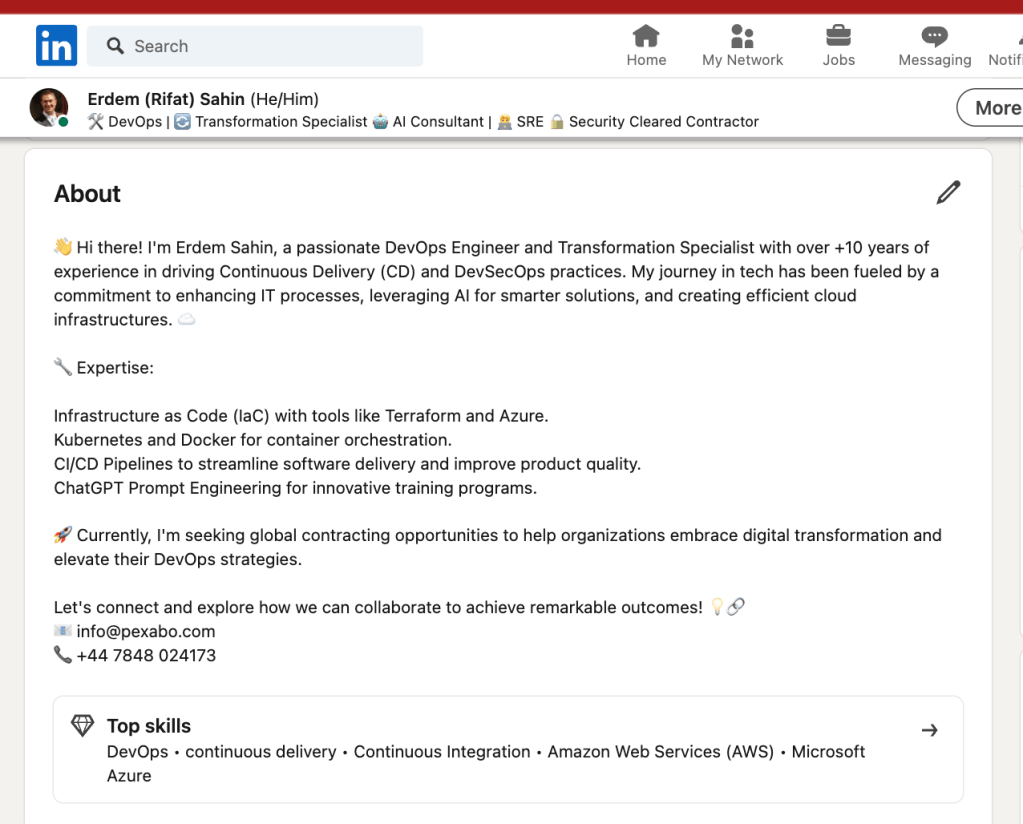
Professional Summary:
A highly skilled DevOps Engineer with over 10 years of experience in driving Continuous Delivery (CD) and DevSecOps practices. Proficient in Infrastructure as Code (IaC) with Terraform and Azure, Kubernetes and Docker, and optimizing CI/CD pipelines for enhanced software delivery. 🚀
Step 5: Review and Polish
Finally, review your updated CV for clarity, grammar, and formatting. It might be helpful to run it through GPT one last time for a final review. Just ask:
“Can you review my CV for any improvements or errors?”
This ensures your CV is polished and ready to impress potential employers! ✨
Conclusion
Using GPT to update your CV can save time and help you stay relevant in your job search. By leveraging trending keywords and summarizing your skills, you can create a compelling CV that stands out from the crowd. So, what are you waiting for? Start updating your CV today! 🌟
🔗 Connect with me:
-
💼 LinkedIn: https://www.linkedin.com/in/rifaterdemsahin/
-
🐦 Twitter: https://x.com/rifaterdemsahin
-
🎥 YouTube: https://www.youtube.com/@RifatErdemSahin
-
💻 GitHub: https://github.com/rifaterdemsahin
Feel free to replace the screenshot links with actual links to your screenshots when you're ready to publish!
Imported from rifaterdemsahin.com · 2025