"Why Running Programs as Administrator Can Cramp Your Style: The Security Behind the Scenes!"
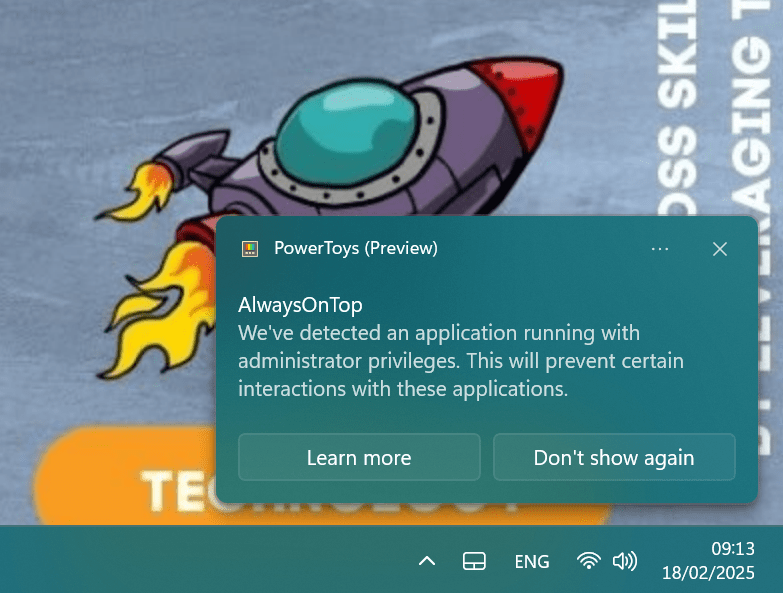
Windows programs running with administrator privileges can prevent certain interactions with other applications due to security measures implemented in the Windows operating system. This behavior occurs for several reasons:
-
Security isolation: Applications running with elevated privileges (as administrator) are isolated from standard user-level processes to prevent potential security risks[1][7].
-
User Account Control (UAC): UAC is a Windows security feature that creates a separation between standard user activities and administrative activities, limiting the potential impact of malicious software[4].
-
Integrity levels: Windows uses integrity levels to control access between processes. Processes running with administrator privileges have a higher integrity level, which restricts interactions with lower-level processes[6].
-
Drag and drop limitations: One common interaction that doesn't work between standard and elevated processes is drag and drop functionality[7].
-
Inter-process communication restrictions: Elevated processes may not be able to communicate freely with non-elevated processes, affecting features like hotkeys or window management utilities[1][2].
These restrictions are in place to enhance system security by preventing potential vulnerabilities that could arise from unrestricted interactions between processes with different privilege levels. While this can sometimes be inconvenient, it helps protect the system from unauthorized access and potential malware attacks[4][7].
Citations:
[1] https://www.reddit.com/r/WindowsHelp/comments/p85z6y/detected_an_application_running_with/
[2] https://superuser.com/questions/472082/prevent-specific-applications-from-being-run-as-administrator
[3] https://www.diskinternals.com/partition-recovery/please-login-with-administrator-privileges-and-try-again/
[4] https://answers.microsoft.com/en-us/windows/forum/all/problem-with-apps-that-running-as-administrator/b894def3-817b-47c4-8273-7c48422358be
[5] https://learn.microsoft.com/en-us/answers/questions/746510/windows-10-permissions-denied-and-strange-errors-e
[6] https://github.com/microsoft/PowerToys/issues/30973
[7] https://www.tenforums.com/general-support/19213-windows-10-admin-privileges-causing-issue.html
[8] https://learn.microsoft.com/en-us/answers/questions/747748/can-i-give-certain-applications-administrator-perm
[9] https://github.com/microsoft/PowerToys/issues/3296
Answer from Perplexity: pplx.ai/share
Imported from rifaterdemsahin.com · 2025