📓 Why Taking Notes with Loop is a Game-Changer
Taking notes is an art, especially in the fast-paced world of productivity. With Microsoft Loop, I’ve found a new way to make note-taking not just efficient but transformative. Here’s why Loop is my go-to tool for capturing ideas and turning them into action.
🎯 What Makes Loop Unique?
Loop isn’t just another note-taking app. It’s a dynamic workspace where every idea becomes a living entity. Here’s what stands out:
-
🔗 Collaborative Freedom: Notes are instantly shareable and editable by teammates in real time. Forget the hassle of version control—Loop keeps everyone on the same page.
-
✨ Copilot Magic: With Copilot integration, Loop helps you summarize, draft, and refine notes, saving time and elevating quality.
-
🌐 Public Accessibility: Sharing notes with a wider audience? Loop’s public mode makes it easy to turn private insights into community resources.
🔄 Seamless Workflow Integration
I’ve used Loop to:
-
Brainstorm Ideas: Create flexible, freeform canvases for brainstorming sessions.
-
Capture Meeting Highlights: Collaboratively document key points in meetings with colleagues.
-
Share Insights: Publish public-facing notes to share learnings with my audience.
Loop notes grow as your thoughts evolve, bridging the gap between raw ideas and polished deliverables.
📈 Why Public Copilot Notes Are a Big Deal
Imagine this: your notes are no longer confined to your desktop. By enabling public access, you can:
-
🔊 Amplify Your Voice: Share your insights with a broader audience.
-
🚀 Scale Collaboration: Crowdsource ideas and feedback to refine your work.
-
⚙️ Build in Public: Transparency builds trust and invites others into your creative process.
Loop’s seamless integration with Copilot means every public note is polished and ready to make an impact.
🙌 Take a Pause, Save a Screenshot
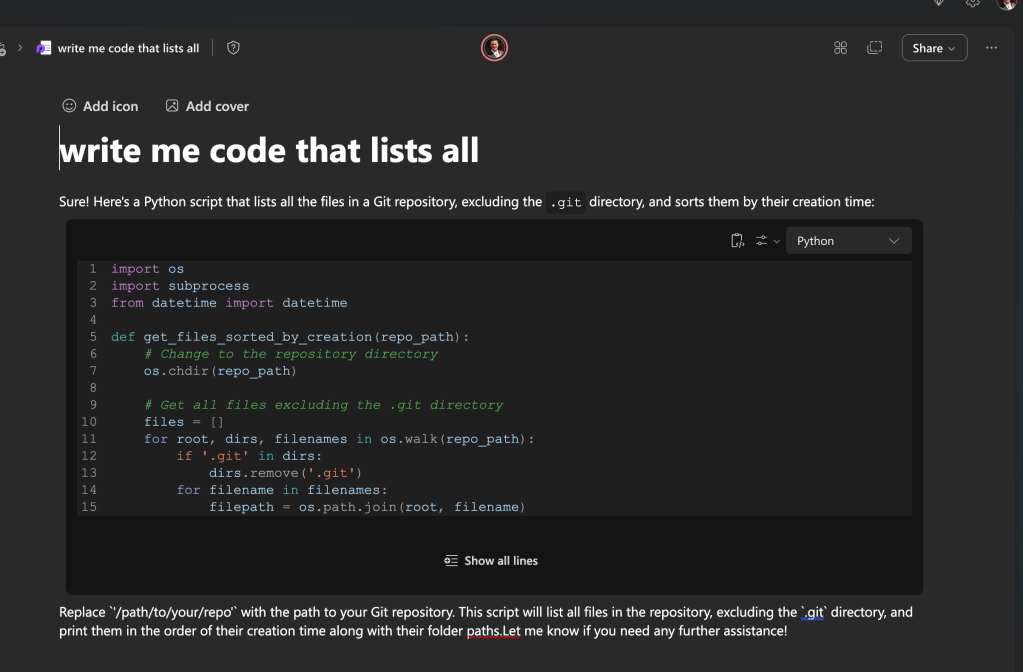
A little visual context can go a long way. One of my favorite Loop features is the ability to pause and take a screenshot directly in the workspace. Use this to:
-
Document important moments during brainstorming.
-
Share a visual timeline of your work.
-
Keep everyone in the loop (pun intended!) with a single glance.
🎨 Emoji Game Strong
Emoji aren’t just fun; they’re functional! Using emojis in Loop notes adds clarity, emotion, and personality.
📚 Ready to Try Loop?
Whether you’re looking to boost team collaboration or create a digital brain for yourself, Loop’s dynamic capabilities will transform the way you take notes.
Let’s connect! If you want to learn more about Loop or share how you use it, feel free to reach out. I’d love to hear your thoughts!
🔗 Connect with me:
-
💼 LinkedIn: https://www.linkedin.com/in/rifaterdemsahin/
-
🔟 Twitter: https://x.com/rifaterdemsahin
-
🎥 YouTube: https://www.youtube.com/@RifatErdemSahin
-
💻 GitHub: https://github.com/rifaterdemsahin
Imported from rifaterdemsahin.com · 2025