🚀 How to Use Git as Your Second Brain to Converge Ideas 💡
🚀 💡
In today's fast-paced digital world, managing information effectively is crucial. Using Git as your second brain can help you capture, organize, and evolve your ideas, allowing them to converge and grow over time. Whether you’re a developer, creator, or entrepreneur, Git’s version control capabilities can boost your productivity and creative process.
🔍 Why Use Git as a Second Brain?
Git isn’t just for code—it’s a powerful tool for organizing thoughts, tracking progress, and documenting ideas. With its branching features, you can easily test different concepts, iterate on ideas, and even revisit previous thoughts. It provides an organized way to track the evolution of your ideas and ensure nothing is lost in the process.
🧠 How to Capture and Store Ideas in Git
-
Start a New Repository: Create a new Git repository dedicated solely to storing your ideas. You can structure this with folders for different projects, concepts, or themes.
-
Example: Create a
brainrepository with folders like "business_ideas," "personal_growth," and "technology_trends." -
Branch Out for Exploration: Use Git branches to explore new ideas without disrupting your main flow. Each branch could represent a different approach to a single idea.
-
Example: Create branches like
feature-idea-v1orpivot-idea-v2. -
Commit Regularly: As new thoughts, insights, or updates come to mind, commit them to your repository. This will help you track the growth and development of your ideas over time.
-
Tip: Use descriptive commit messages, such as
Added a new marketing strategy for product launch.
📊 Evolving Ideas with Git
Git's history and comparison tools are perfect for comparing iterations of an idea. Use git diff to compare versions and reflect on the evolution of your thoughts. It helps you:
-
Track Progress: See how your ideas have changed and why.
-
Refine Concepts: Merge branches that work, discard ones that don’t.
🔗 Integrate Git with Other Tools
Link Git with tools like GitHub, Obsidian, or Notion to create a seamless workflow where ideas flow between your second brain and your project management tools.
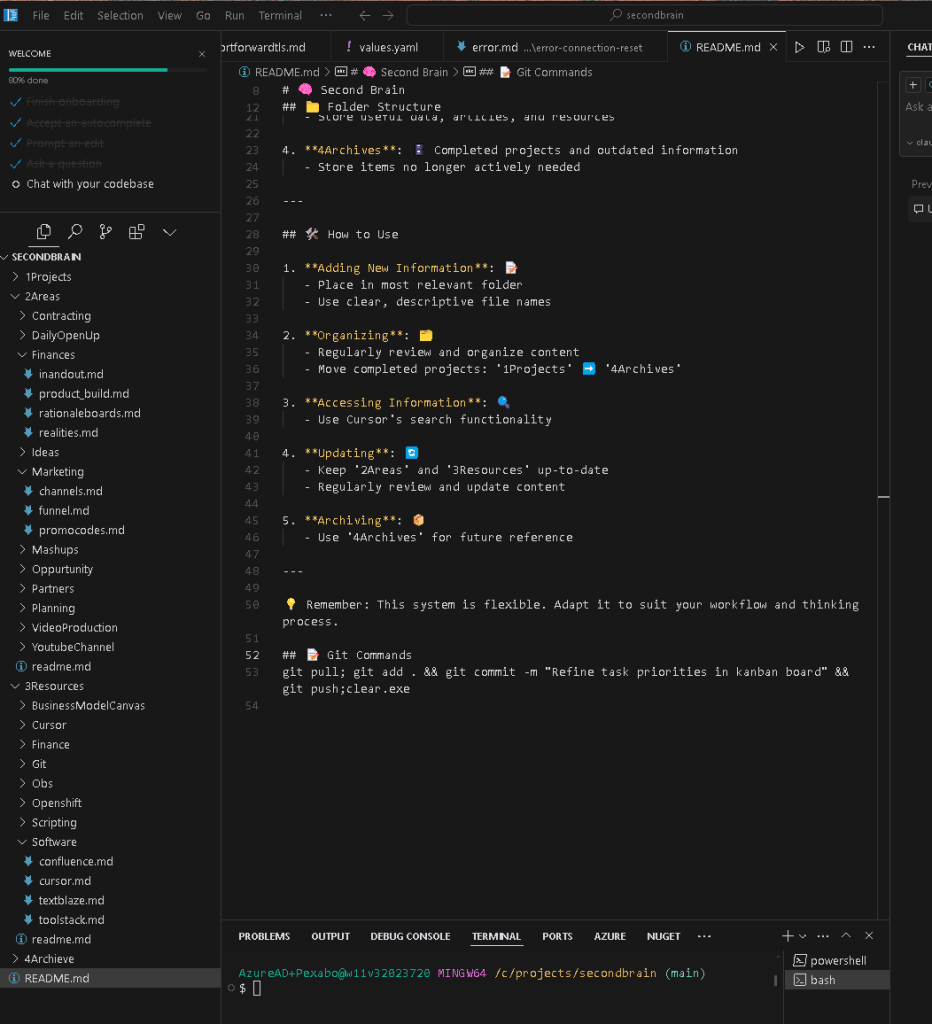
🚀 Example Workflow: Pausing to Reflect 📸
💡 Conclusion:
Using Git as your second brain allows for a structured, trackable, and iterative approach to managing ideas. It fosters creativity while ensuring that you never lose sight of your best insights. Whether it’s for projects, self-improvement, or professional development, Git can serve as a powerful ally in your journey.
🔗 Connect with me:
-
💼 LinkedIn: https://www.linkedin.com/in/rifaterdemsahin/
-
🐦 Twitter: https://x.com/rifaterdemsahin
-
🎥 YouTube: https://www.youtube.com/@RifatErdemSahin
-
💻 GitHub: https://github.com/rifaterdemsahin
Imported from rifaterdemsahin.com · 2025