🔒 LastPass vs. Google Password Manager: Which One Should You Choose? 🚀
In today’s digital world, managing passwords is a critical part of staying secure online. With so many accounts to keep track of, using a password manager is no longer optional—it’s essential. Two popular options are LastPass and Google Password Manager. But which one is right for you? Let’s dive in and compare these two tools to help you decide! 💡
📌 Overview of LastPass and Google Password Manager
LastPass 🛡️
LastPass is a dedicated password manager that offers a wide range of features, including secure password storage, password generation, and cross-platform syncing. It’s available as a browser extension, desktop app, and mobile app, making it a versatile choice for users who need robust password management.
Google Password Manager 🌐
Google Password Manager is a free, built-in tool for users of Google Chrome and Android devices. It integrates seamlessly with your Google account, allowing you to save and autofill passwords across devices. While it’s not as feature-rich as LastPass, it’s a convenient option for those already embedded in the Google ecosystem.
🚀 Key Features Comparison
FeatureLastPassGoogle Password ManagerPassword StorageEncrypted vault with master passwordSaved in Google AccountCross-Platform SyncYes (desktop, mobile, browser)Yes (Chrome, Android)Password GeneratorYesYesTwo-Factor Auth (2FA)YesLimited (relies on Google account)Secure SharingYesNoEmergency AccessYesNoPricingFree and Premium plansFree
🖼️ Screenshot Comparison
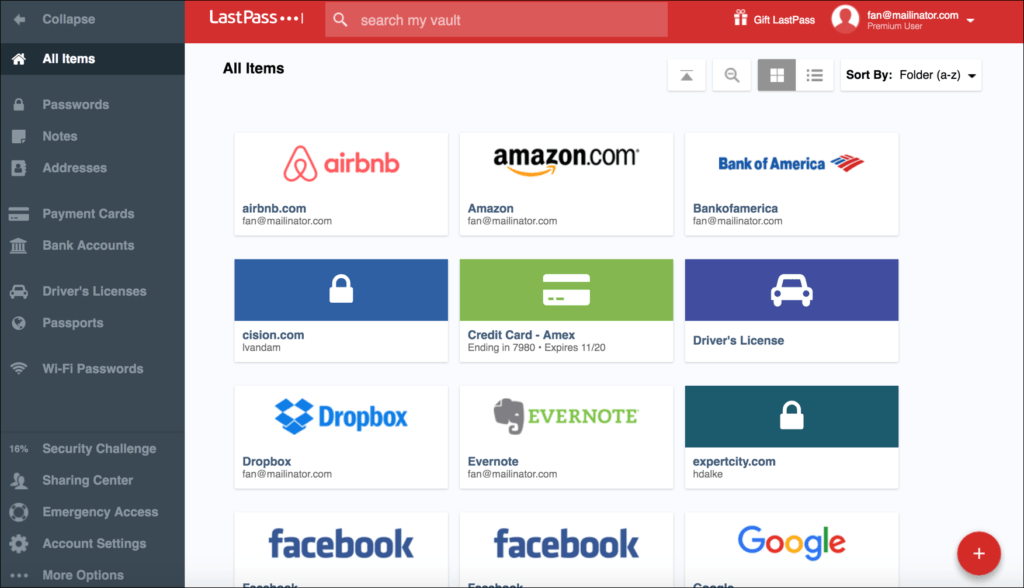
LastPass Interface
^
LastPass offers a user-friendly dashboard with advanced features like secure sharing and emergency access.
Google Password Manager Interface
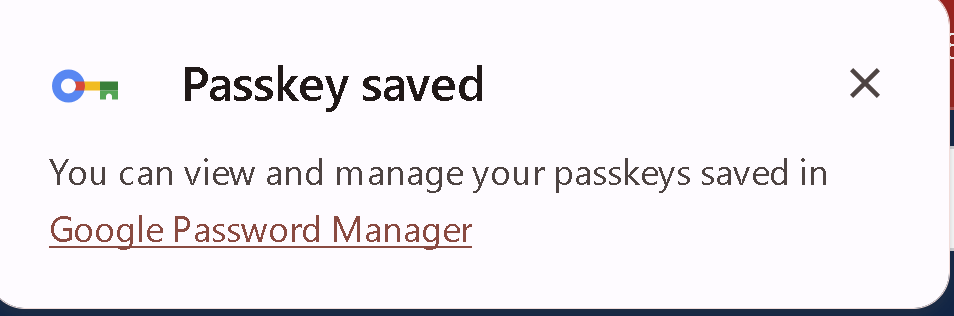
Google Password Manager is simple and integrated directly into Chrome and Android settings.
💡 What I Want to Achieve
My goal is to help you understand the strengths and weaknesses of both LastPass and Google Password Manager so you can make an informed decision. Whether you’re looking for advanced features or simplicity, this comparison will guide you to the right choice.
🚀 Pros and Cons
LastPass
✅ Pros:
-
Advanced features like secure sharing and emergency access.
-
Works across all platforms and browsers.
-
Strong encryption and security measures.
❌ Cons:
-
Free version has limitations (e.g., one device type).
-
Premium plans can be expensive for some users.
Google Password Manager
✅ Pros:
-
Completely free and easy to use.
-
Seamless integration with Chrome and Android.
-
No additional software required.
❌ Cons:
-
Limited features compared to dedicated password managers.
-
Relies heavily on your Google account security.
🎯 Who Should Use Which?
-
Choose LastPass if:
-
You need advanced features like secure sharing or emergency access.
-
You use multiple devices and browsers.
-
You’re willing to pay for premium features.
-
Choose Google Password Manager if:
-
You’re already deeply integrated into the Google ecosystem.
-
You want a simple, free solution for basic password management.
-
You primarily use Chrome and Android devices.
🔗 Connect with Me
If you found this comparison helpful, let’s stay connected! I’d love to hear your thoughts or answer any questions.
-
💼 LinkedIn: Rifat Erdem Sahin
-
🐦 Twitter: @rifaterdemsahin
-
🎥 YouTube: Rifat Erdem Sahin
-
💻 GitHub: rifaterdemsahin
🚀 Final Thoughts
Both LastPass and Google Password Manager have their strengths, and the best choice depends on your specific needs. If you’re looking for a robust, feature-rich solution, LastPass is the way to go. But if you prefer simplicity and integration with Google services, Google Password Manager is a solid choice.
What’s your go-to password manager? Let me know in the comments below! 👇
Stay secure, and happy password managing! 🔒✨
lastpass alternative ?
Google PassKey has a Pin Set
Imported from rifaterdemsahin.com · 2025