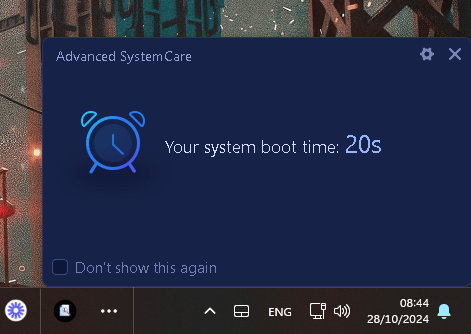
Faster turn on times
Last 2 months
After the operating system and AMD updates 60 seconds are cut off
I suspect it is the AMD errors coming up in the pipeline in the event manager
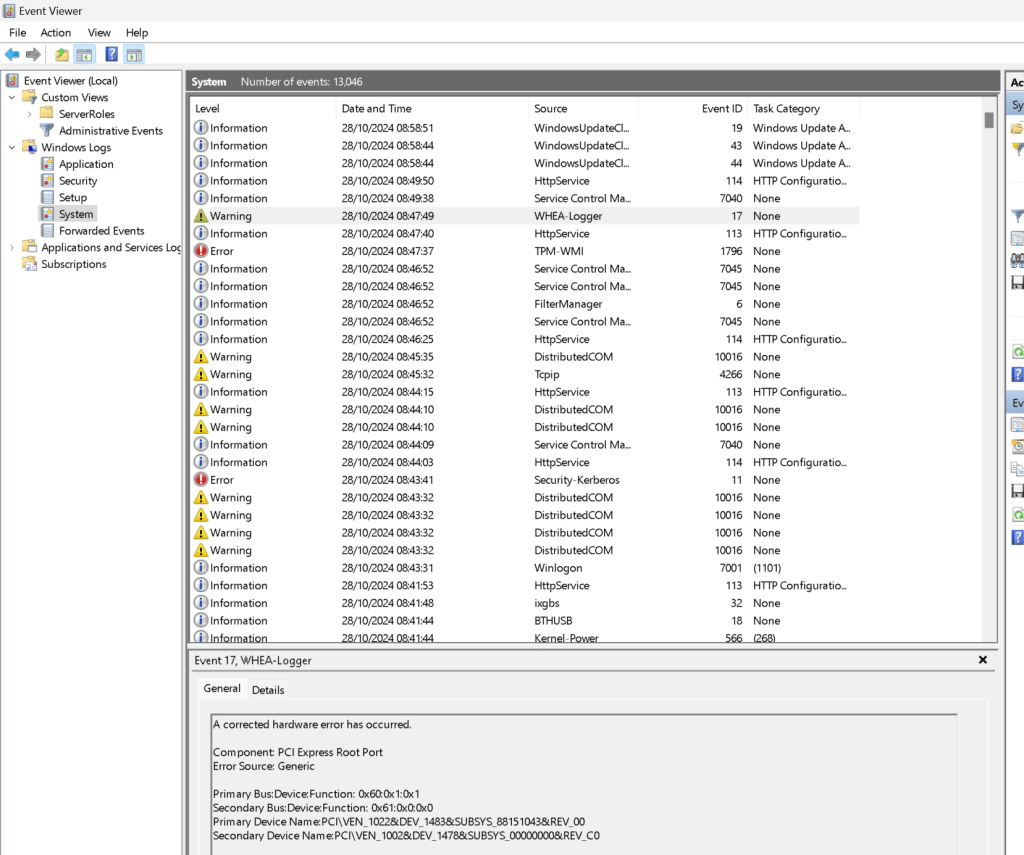
All errors at the start
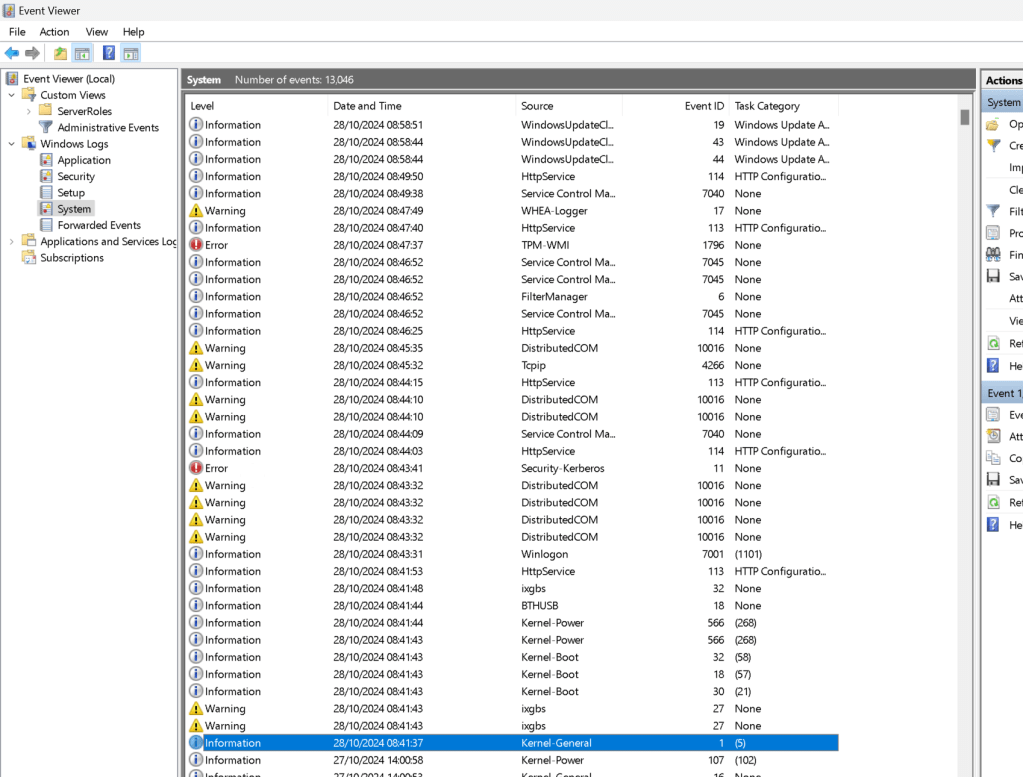
More of these piles up it is harder to operate the workstation
A corrected hardware error has occurred.
Component: PCI Express Root Port
Error Source: Generic
Primary Bus:Device:Function: 0x60:0x1:0x1
Secondary Bus:Device:Function: 0x61:0x0:0x0
Primary Device Name:PCI\VEN_1022&DEV_1483&SUBSYS_88151043&REV_00
Secondary Device Name:PCI\VEN_1002&DEV_1478&SUBSYS_00000000&REV_C0
OTHER ERRORS IN THE LOGS FOR TODAY
The Secure Boot update failed to update a Secure Boot variable with error Secure Boot is not enabled on this machine.. For more information, please see https://go.microsoft.com/fwlink/?linkid=2169931
The application-specific permission settings do not grant Local Activation permission for the COM Server application with CLSID
{2593F8B9-4EAF-457C-B68A-50F6B8EA6B54}
and APPID
{15C20B67-12E7-4BB6-92BB-7AFF07997402}
to the user AzureAD\Pexabo SID (S-1-12-1-3102557801-1208929803-3040610963-574407058) from address LocalHost (Using LRPC) running in the application container MicrosoftWindows.Client.WebExperience_524.24900.130.0_x64__cw5n1h2txyewy SID (Unavailable). This security permission can be modified using the Component Services administrative tool.
A request to allocate an ephemeral port number from the global UDP port space has failed due to all such ports being in use.
The application-specific permission settings do not grant Local Activation permission for the COM Server application with CLSID
{2593F8B9-4EAF-457C-B68A-50F6B8EA6B54}
and APPID
{15C20B67-12E7-4BB6-92BB-7AFF07997402}
to the user AzureAD\Pexabo SID (S-1-12-1-3102557801-1208929803-3040610963-574407058) from address LocalHost (Using LRPC) running in the application container Unavailable SID (Unavailable). This security permission can be modified using the Component Services administrative tool.
The application-specific permission settings do not grant Local Activation permission for the COM Server application with CLSID
{2593F8B9-4EAF-457C-B68A-50F6B8EA6B54}
and APPID
{15C20B67-12E7-4BB6-92BB-7AFF07997402}
to the user AzureAD\Pexabo SID (S-1-12-1-3102557801-1208929803-3040610963-574407058) from address LocalHost (Using LRPC) running in the application container BlazeToday.52169F61F0DB6_1.9.8.0_x64__3nd135t0j0xhc SID (Unavailable). This security permission can be modified using the Component Services administrative tool.
The Distinguished Name in the subject field of your smart card logon certificate does not contain enough information to identify the appropriate domain on an non-domain joined computer. Contact your system administrator.
The application-specific permission settings do not grant Local Activation permission for the COM Server application with CLSID
{6B3B8D23-FA8D-40B9-8DBD-B950333E2C52}
and APPID
{4839DDB7-58C2-48F5-8283-E1D1807D0D7D}
to the user NT AUTHORITY\LOCAL SERVICE SID (S-1-5-19) from address LocalHost (Using LRPC) running in the application container Unavailable SID (Unavailable). This security permission can be modified using the Component Services administrative tool.
The application-specific permission settings do not grant Local Activation permission for the COM Server application with CLSID
{6B3B8D23-FA8D-40B9-8DBD-B950333E2C52}
and APPID
{4839DDB7-58C2-48F5-8283-E1D1807D0D7D}
to the user NT AUTHORITY\LOCAL SERVICE SID (S-1-5-19) from address LocalHost (Using LRPC) running in the application container Unavailable SID (Unavailable). This security permission can be modified using the Component Services administrative tool.
The application-specific permission settings do not grant Local Activation permission for the COM Server application with CLSID
{6B3B8D23-FA8D-40B9-8DBD-B950333E2C52}
and APPID
{4839DDB7-58C2-48F5-8283-E1D1807D0D7D}
to the user NT AUTHORITY\LOCAL SERVICE SID (S-1-5-19) from address LocalHost (Using LRPC) running in the application container Unavailable SID (Unavailable). This security permission can be modified using the Component Services administrative tool.
The application-specific permission settings do not grant Local Activation permission for the COM Server application with CLSID
{6B3B8D23-FA8D-40B9-8DBD-B950333E2C52}
and APPID
{4839DDB7-58C2-48F5-8283-E1D1807D0D7D}
to the user NT AUTHORITY\LOCAL SERVICE SID (S-1-5-19) from address LocalHost (Using LRPC) running in the application container Unavailable SID (Unavailable). This security permission can be modified using the Component Services administrative tool.
Intel(R) Ethernet Controller X550 #2
Network link is disconnected.
Intel(R) Ethernet Controller X550
Network link is disconnected.
It sounds like you're encountering several issues in the Event Viewer that could be causing system instabilities or errors. Here’s a breakdown of the steps to address each issue:
1. Secure Boot Error:
-
This error typically appears if Secure Boot is not enabled in the system’s BIOS or UEFI settings.
-
To resolve this, follow these steps:
Restart your computer and access the BIOS/UEFI (usually by pressing keys like F2, F10, DEL, or ESC during startup).
-
Look for a Secure Boot option in the Security or Boot settings.
-
Enable Secure Boot and save the settings.
-
Restart your computer to apply the changes.
-
If Secure Boot is already enabled, try toggling it off, restarting, then enabling it again.
2. COM Server Application Permissions (CLSID & APPID Issues):
-
These errors relate to application-specific permissions that can be modified using Component Services.
-
Here’s how to grant Local Activation permission:
Open Component Services by searching for it in the Start menu.
-
In the left pane, go to Component Services > Computers > My Computer > DCOM Config.
-
Locate the CLSID or APPID given in the error log (you may have to match the CLSID or APPID numbers manually).
-
Right-click the application, select Properties, then go to the Security tab.
-
In Launch and Activation Permissions, click Edit, then add the user or group specified in the error (like
AzureAD\PexaboorLOCAL SERVICE), and grant Local Activation permission. -
Click OK to save the changes and restart the system if necessary.
3. Ephemeral Port Exhaustion Error:
-
This error suggests that all available UDP ports are in use, often caused by a high number of active connections or applications holding ports open.
-
To resolve this:
Restart the computer to release all ephemeral ports.
-
Use the command prompt to check active ports with
netstat -ano | findstr :<port_number>. -
If specific applications are monopolizing ports, consider restarting or reconfiguring those services.
-
Increase the ephemeral port range:
Open a command prompt as an administrator.
- Run the command:
shell netsh int ipv4 set dynamicport udp start=1024 num=64512
4. Smart Card Logon Certificate Error:
-
If you’re not using a domain-joined computer or if there are no issues with smart card logon, this error can be safely ignored.
-
Otherwise, you may need to install the appropriate certificate on the client machine, matching the requirements of the domain.
5. Network Link Disconnection (Intel Ethernet Controller X550):
-
This error often indicates a physical disconnection, a driver issue, or a problem with the network cable.
-
Check the following:
Ensure the network cable is securely connected.
-
Update the network driver by going to Device Manager > Network adapters > Intel(R) Ethernet Controller X550. Right-click and select Update driver.
-
Test a different network cable or port on the router if available.
Address each error one at a time, starting with the highest priority based on your system needs. If issues persist after these steps, some could be safely ignored, especially if they do not impact system performance.
Imported from rifaterdemsahin.com · 2025