Why You Should Always Add an Image at the Top of Your WordPress Blog Posts When Auto-Publishing to LinkedIn
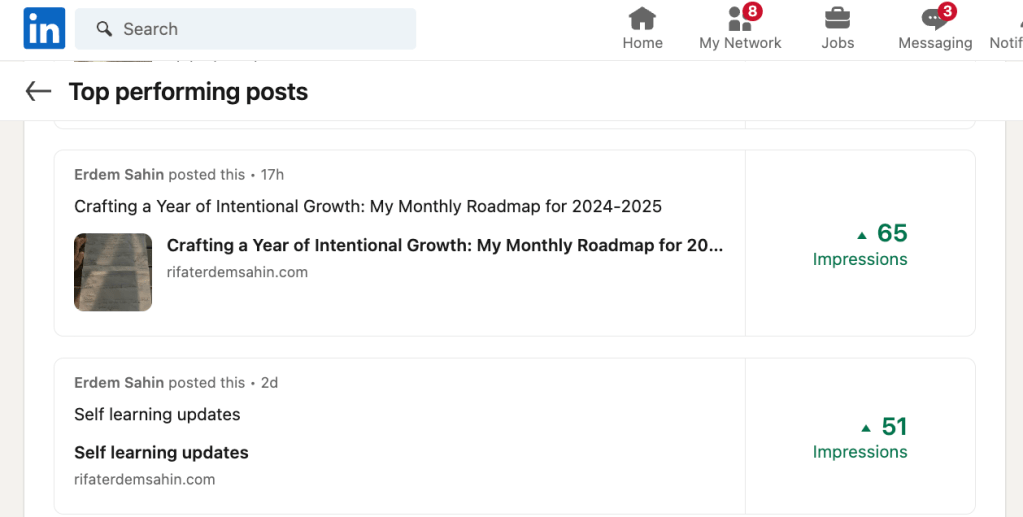
When creating and publishing content on your WordPress site, maximizing its impact and reach is critical. If you’re auto-publishing your blog posts to LinkedIn, one small yet powerful tweak can make a big difference: always include an image at the top of your blog posts. Here’s why this practice can significantly enhance your content’s performance on LinkedIn.

Image Source: Your site or relevant source (always ensure you have the rights to use the image)
1. First Impressions Matter: Visuals Capture Attention
LinkedIn is a highly visual platform. When users scroll through their feeds, posts with images are far more likely to catch their eye than those without. By placing a relevant and engaging image at the top of your WordPress blog post, you ensure that when the post is shared on LinkedIn, it includes a thumbnail image. This thumbnail becomes the visual hook that can stop users from scrolling and encourage them to click on your post.
2. Enhanced Engagement and Click-Through Rates
Studies have shown that posts with images on LinkedIn receive significantly higher engagement rates—up to 2x more comments and 30% higher click-through rates than text-only posts. The image serves as a preview of what’s inside your blog post, enticing viewers to learn more. Whether it’s a custom graphic, a photograph, or an infographic, the right image can increase the likelihood that your audience will interact with your content.
3. Improved Content Consistency Across Platforms
Auto-publishing tools streamline the process of sharing your content across multiple platforms. However, the way content is presented can vary from one platform to another. By always including an image at the top of your WordPress posts, you ensure that your content looks polished and consistent when it appears on LinkedIn. This consistency helps build brand recognition and makes your posts look more professional.
4. SEO and Metadata Benefits
Including images in your blog posts can also benefit your search engine optimization (SEO) efforts. Properly tagged images with relevant alt text and titles can enhance your content’s visibility in search engines. When your post is shared on LinkedIn, the image’s metadata (like alt text) may be used by LinkedIn to provide context to visually impaired users or even influence how the post is indexed by LinkedIn’s search algorithms.
5. Maximizing Social Media Real Estate
On LinkedIn, posts that include images occupy more space in the feed, making them more noticeable. This increased real estate can be the difference between a post that gets ignored and one that sparks a conversation. By always adding an image at the top of your blog post, you make the most of the available space on LinkedIn, ensuring your content stands out.
Conclusion
If you’re already taking the time to craft valuable content on your WordPress blog, it’s worth going the extra mile to optimize how that content is shared on LinkedIn. Always adding an image at the top of your blog posts is a simple but effective strategy to boost engagement, enhance visual appeal, and drive more traffic back to your site. As you continue to auto-publish from WordPress to LinkedIn, make sure your content is primed for maximum impact by leveraging the power of imagery.
Action Steps:
-
Choose High-Quality Images: Make sure the images you use are high-resolution and relevant to your content.
-
Optimize Image Metadata: Use descriptive alt text and titles to boost SEO and accessibility.
-
Test and Analyze: Monitor the performance of your LinkedIn posts and adjust your image strategy accordingly.
By following these steps, you’ll be well on your way to making your content not just seen, but remembered on LinkedIn.
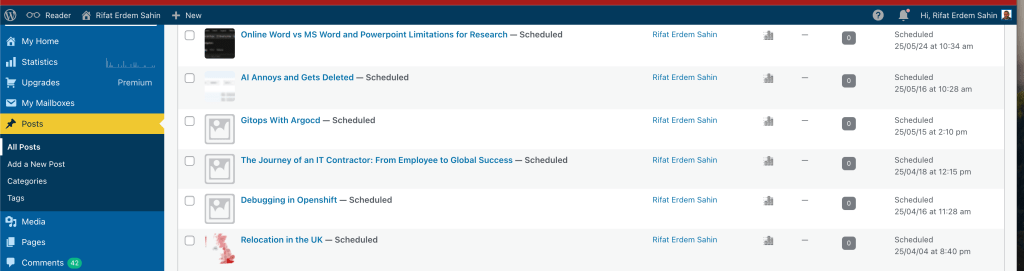
At least in Linkedin adds a mini thumbnail as it is auto pushed there
Imported from rifaterdemsahin.com · 2025