🚀 Proof of Concept: PingOne and ForgeRock for DevOps Engineers
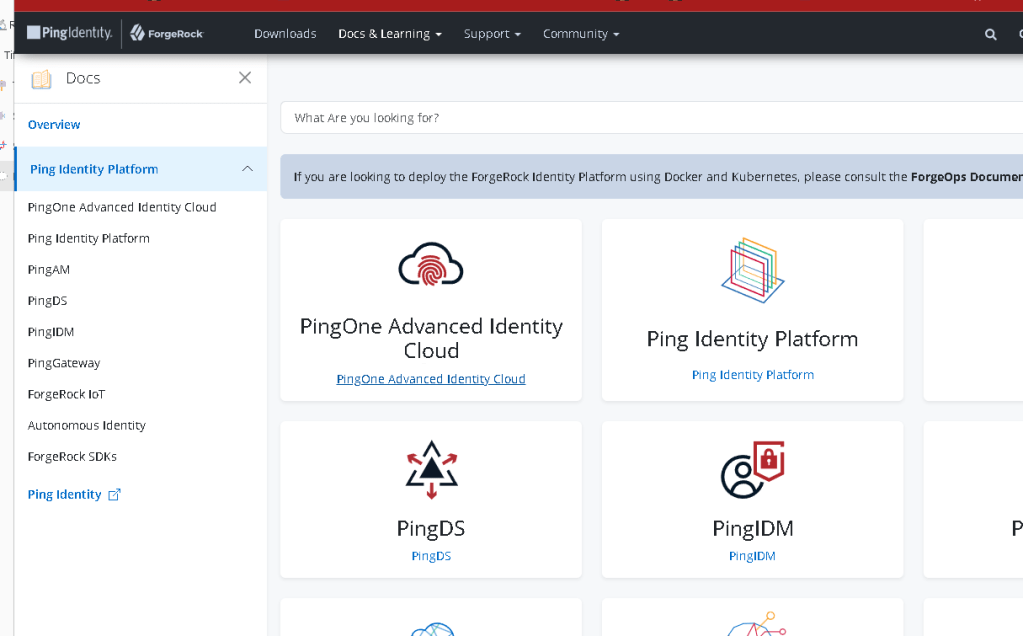
As a DevOps engineer, managing identity and access systems in a secure and scalable way is critical. This blog post explores building a proof of concept (PoC) using PingOne and ForgeRock—two leading identity management platforms. Let’s dive into how these tools can seamlessly integrate within a DevOps pipeline and bolster your IAM (Identity and Access Management) infrastructure. 🎯
🎯 Why PingOne and ForgeRock?
Both PingOne and ForgeRock offer robust, enterprise-grade solutions for managing identities, enabling single sign-on (SSO), multi-factor authentication (MFA), and more. Whether you're scaling up cloud-native applications or securing hybrid environments, these platforms help automate identity provisioning and ensure compliance with regulations like GDPR or HIPAA.
🚀 Step-by-Step Approach to the PoC
-
Setting Up PingOne 💻
Begin by setting up a PingOne tenant and configuring identity services. PingOne's cloud-based system integrates smoothly with your existing cloud infrastructure, making it a go-to for federated identity management. -
Action: Create a developer account on PingOne and configure SSO.
-
Outcome: Achieve seamless authentication across your applications.
 (This is where your PingOne screenshot goes)
 -
Integrating ForgeRock 🔐
ForgeRock provides open-source options to manage customer identities. For DevOps engineers, the open API architecture enables fast deployments and real-time scaling. -
Action: Set up a ForgeRock instance and create authentication trees to support dynamic user flows.
-
Outcome: A customizable authentication flow for various DevOps environments.
(Insert your ForgeRock screenshot here) -
CI/CD Pipeline Integration 🔄
With your identity management systems in place, the next step is integrating them into your CI/CD pipelines. Automating IAM tasks can be done using scripts or Terraform configurations, ensuring rapid provisioning and security at every step. -
Testing and Security Checks ✔️
Make sure to test the configurations in both a staging environment and with actual applications. Pay special attention to security audits, ensuring that only authorized users have access to critical resources.
To demonstrate a PingOne Advanced Identity Cloud interaction using mock objects in Python, we'll simulate how a developer might interact with the PingOne API to manage identity-related tasks such as checking the lock state of environments, promoting configuration changes, or managing user authentication flows.
This demo will use mock objects to imitate the behavior of PingOne’s API endpoints, ensuring we don't make actual HTTP requests but still verify the behavior of the application.
Scenario:
You want to simulate interacting with the PingOne Advanced Identity Cloud API to:
-
Check if the environment is locked or unlocked.
-
Promote configuration changes between environments.
-
Manage a promotion status and handle errors.
Mock Example using Python and Mock Objects
Step 1: Define the Python script with mock objects
import requests
from unittest.mock import patch
Constants representing API endpoint URLs for the demo
PINGONE_API_BASE = "https://api.pingone.com/v1"
TENANT_ID = "mocked-tenant-id"
ACCESS_TOKEN = "mocked-access-token"
LOCK_STATE_URL = f"{PINGONE_API_BASE}/environments/{TENANT_ID}/promotion/lock/state"
PROMOTE_URL = f"{PINGONE_API_BASE}/environments/{TENANT_ID}/promotion/promote"
Function to check lock status (Mocked)
def check_lock_state():
headers = {
"Authorization": f"Bearer {ACCESS_TOKEN}",
"Content-Type": "application/json"
}
response = requests.get(LOCK_STATE_URL, headers=headers)
if response.status_code == 200:
return response.json()
else:
return {"error": "Failed to check lock status", "status_code": response.status_code}
Function to promote configuration (Mocked)
def promote_configuration(dry_run=True):
headers = {
"Authorization": f"Bearer {ACCESS_TOKEN}",
"Content-Type": "application/json"
}
payload = {
"dryRun": dry_run
}
response = requests.post(PROMOTE_URL, headers=headers, json=payload)
if response.status_code == 200:
return response.json()
else:
return {"error": "Failed to promote configuration", "status_code": response.status_code}
Mock the requests for testing purposes
@patch("requests.get")
@patch("requests.post")
def run_poc(mock_post, mock_get):
# Mock the GET response for lock state
mock_get.return_value.status_code = 200
mock_get.return_value.json.return_value = {
"description": "Environment unlocked",
"lowerEnv": {"state": "unlocked"},
"upperEnv": {"state": "unlocked"}
}
# Mock the POST response for promoting configurations
                mock_post.return_value.status_code = 200
                mock_post.return_value.json.return_value = {
                    "result": "Promotion process initiated successfully",
                    "status": "RUNNING"
                }

                # Check the environment lock state
                lock_status = check_lock_state()
                print(f"Lock Status: {lock_status}")

                # Run a promotion (dry-run mode)
                promotion_result = promote_configuration(dry_run=True)
                print(f"Promotion Result (Dry Run): {promotion_result}")

                # Run the actual promotion
                promotion_result_real = promote_configuration(dry_run=False)
                print(f"Promotion Result (Real): {promotion_result_real}")
Run the POC
if name == "main":
run_poc()
Explanation:
-
API Endpoints: In the demo,
LOCK_STATE_URLandPROMOTE_URLare mocked URLs representing the PingOne API. These are placeholders for actual API calls. -
Functions:
-
check_lock_state: Sends aGETrequest to check the lock state of the environment. -
promote_configuration: Sends aPOSTrequest to promote configurations with adryRunflag, allowing for a test promotion before making real changes. -
Mocking API Responses: The
@patchdecorator from theunittest.mockmodule is used to simulate responses from the PingOne API. We mock bothGETandPOSTrequests: -
GET request: Simulates the environment being unlocked.
-
POST request: Simulates a successful promotion process.
-
Output:
-
The script prints the mock lock state and promotion process for both dry-run and actual promotions.
Example Output:
Lock Status: {'description': 'Environment unlocked', 'lowerEnv': {'state': 'unlocked'}, 'upperEnv': {'state': 'unlocked'}}
Promotion Result (Dry Run): {'result': 'Promotion process initiated successfully', 'status': 'RUNNING'}
Promotion Result (Real): {'result': 'Promotion process initiated successfully', 'status': 'RUNNING'}
Benefits of this approach:
-
Mocking: You can test your Python code without interacting with the actual PingOne API. This saves resources and avoids the risk of modifying production environments.
-
Flexibility: You can easily extend this example by adding more mock responses to simulate additional API endpoints (like user authentication, SSO, or managing identities).
-
Error Handling: Mocking allows you to test how your application behaves under different error conditions (e.g., failed API responses, timeouts).
This approach provides a strong foundation for building more complex interaction systems with PingOne Advanced Identity Cloud or any other identity management API.
💡 Lessons Learned
This PoC proved how easy it is to integrate enterprise-level IAM solutions into a DevOps pipeline. Here are a few key takeaways:
-
Seamless Integration: PingOne and ForgeRock both offer APIs that allow seamless integration into existing DevOps pipelines.
-
Scalability: Whether your apps are on-prem or in the cloud, both solutions can scale with ease.
-
Security First: Leveraging tools like MFA ensures compliance with industry standards while maintaining user convenience.
Repo >
https://github.com/rifaterdemsahin/PingOneAdvancedIdentityCloud
🔗 Connect with me:
-
💼 LinkedIn: https://www.linkedin.com/in/rifaterdemsahin/
-
🐦 Twitter: https://x.com/rifaterdemsahin
-
🎥 YouTube: https://www.youtube.com/@RifatErdemSahin
-
💻 GitHub: https://github.com/rifaterdemsahin
👨💻 If you want to learn more about implementing secure identity solutions within a DevOps environment, don't hesitate to reach out!
💥 Ready to build your own PoC?
Imported from rifaterdemsahin.com · 2025