🚀 How to Uninstall Loupedeck in Just a Few Steps!
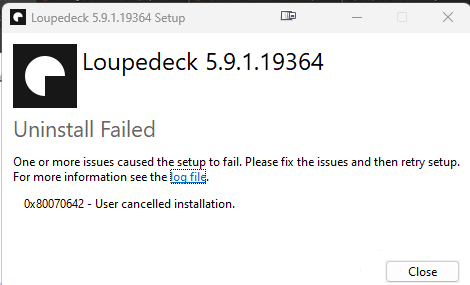
Loupedeck is a powerful tool for creatives, but if you’ve decided it's no longer for you, no worries! Here's a quick guide on how to uninstall Loupedeck from your system. Whether you need to free up space or just want to remove it for other reasons, I’ve got you covered. 😊
🛠️ Steps to Uninstall Loupedeck:
1. Open Control Panel
-
On Windows, press the Windows key and search for Control Panel. Select it.
-
On macOS, open the Applications folder and find Loupedeck.
2. Navigate to Programs
-
In the Control Panel, find and click Programs and Features.
-
On macOS, drag the Loupedeck application from the Applications folder to the Trash.
3. Locate Loupedeck Software
- Scroll through the list of installed programs and find Loupedeck.
4. Uninstall
-
On Windows, right-click Loupedeck and choose Uninstall. Follow the prompts to remove the software.
-
On macOS, make sure to empty your Trash after dragging the app there.
5. Restart Your Computer
- After uninstalling, it's a good idea to restart your system to ensure all components are fully removed.
6. Remove Additional Files (Optional)
- If you want to do a clean uninstall, check if there are leftover files in the following folders:
Windows: C:\Program Files\Loupedeck or C:\Users\[Your Name]\AppData\Roaming\Loupedeck.
- macOS: Check the Library folder for any Loupedeck-related files.
💡 Tip: It's always good to back up any custom settings you may want to reuse in the future!
🚀 PowerShell Script to Uninstall Loupedeck
- Open PowerShell as Administrator:
Press Windows + X and select Windows PowerShell (Admin) from the menu.
- Run the following command in the PowerShell window:
powershellCopy code
Get-WmiObject -Class Win32_Product | Where-Object { $_.Name -eq "Loupedeck" } | ForEach-Object { $_.Uninstall() }
This script looks for the installed Loupedeck software and uninstalls it automatically.
🛠️ Steps in Admin Mode:
-
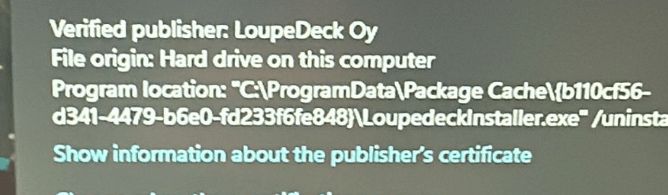
When prompted, you’ll see a User Account Control (UAC) dialog, like the one below:
-
Click Yes to allow changes and continue with the uninstallation process.
💡 Pro Tip: Running PowerShell in Admin mode ensures that you have the required permissions to uninstall system-level applications like Loupedeck.
If you encounter any issues or have more questions, feel free to reach out! 😄
I hope this helps you uninstall Loupedeck smoothly! If you have any questions, feel free to reach out to me. I'm always happy to help!
🔗 Connect with me:
-
💼 LinkedIn: https://www.linkedin.com/in/rifaterdemsahin/
-
🐦 Twitter: https://x.com/rifaterdemsahin
-
🎥 YouTube: https://www.youtube.com/@RifatErdemSahin
-
💻 GitHub: https://github.com/rifaterdemsahin
Happy uninstalling! 👋✨
Imported from rifaterdemsahin.com · 2025