🚀 Accelerate Your AI Workflow with LM Studio 0.3.10: Unleashing Speculative Decoding
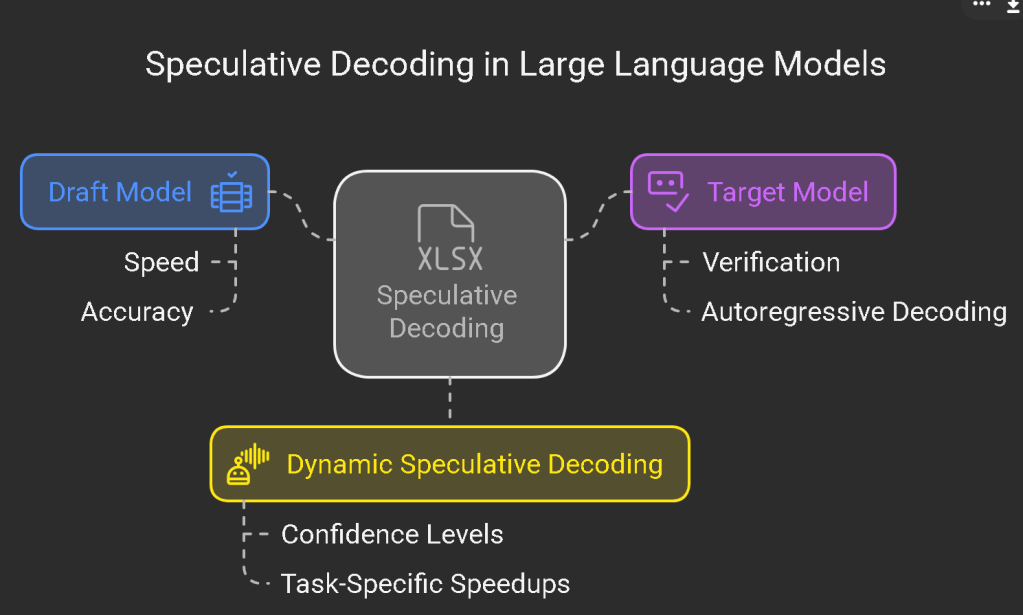
In the rapidly evolving landscape of artificial intelligence, efficiency and speed are paramount.The latest release of LM Studio, version 0.3.10, introduces a groundbreaking feature: Speculative DecodingThis advancement promises to significantly enhance token generation speeds, propelling your AI projects to new heights
🔮 Why Embrace Speculative Decoding?

Speculative Decoding is a technique designed to expedite the token generation process in large language models (LLMs. By utilizing a smaller "draft model" to predict potential token sequences, the primary, larger model can validate these predictions more efficientl. This collaborative approach can lead to speed improvements ranging from 1.5x to 3x, depending on the model and hardware configuratio. Such enhancements are invaluable in scenarios requiring rapid responses, like real-time chatbots or interactive AI application
🎯 How to Implement Speculative Decoding in LM Studio
Integrating Speculative Decoding into your workflow with LM Studio 0.3.10 is straightforward:
-
*Update to the Latest Version: Ensure you're running LM Studio 0.3.10. Download it from the official [LM Studio website](https://lmstudio.ai.
-
*Select Compatible Models: Speculative Decoding is supported for both
llama.cppandMLXmodels. Choose a smaller draft model alongside your main model to maximize efficien. -
Enable Speculative Decoding:
-
Navigate to the Settings within LM Stud.
-
Locate the Speculative Decoding option and toggle it .
-
For a visual representation, activate the Visualize Accepted Draft Tokens feature in the chat sideb.
-
*Experiment and Optimize: Test various combinations of draft and main models to identify the optimal setup for your specific use ca.
🗺 Key Enhancements in LM Studio 0.3.10

Beyond Speculative Decoding, LM Studio 0.3.10 offers several notable improvements:
-
*Expanded Compatibility: Speculative Decoding is now enabled on M1/M2 Macs, in addition to M3/M4, broadening the range of supported hardwe.
-
*Enhanced Chat Appearance: A new option allows the chat container to expand to the full width of the window, providing a more immersive user experiee.
-
*Improved Error Handling: Bug fixes address issues such as tool streaming responses and model selection crashes, ensuring a smoother workfw.
For a comprehensive list of updates and fixes, refer to the LM Studio Beta Releases.
🌐 Supporting Resources
To deepen your understanding of Speculative Decoding and its applications, consider exploring the following resources:
-
A Hitchhiker’s Guide to Speculative Decodin: This article delves into the mechanics and benefits of Speculative Decoding in large language moels. citeturn0seach5
-
On Speculative Decoding for Multimodal Large Language Model: A research paper examining the application of Speculative Decoding in multimodal contxts. citeturn0seach1
By leveraging the advancements in LM Studio 0.3.10, you can enhance the efficiency and responsiveness of your AI models, staying at the forefront of technological innovation.
🔗 Connect with Me:
-
💼 LinkedIn: https://www.linkedin.com/in/rifaterdemsahin/
-
🐦 Twitter: https://x.com/rifaterdemsahin
-
🎥 YouTube: https://www.youtube.com/@RifatErdemSahin
-
💻 GitHub: https://github.com/rifaterdemsahin
This document was prepared with the assistance of OpenAI's GPT-4 model on February1, 2025.
Imported from rifaterdemsahin.com · 2025