Why I Use OneNote for Video Production: Pen and Structure Mixed UpPen and structure mixed up
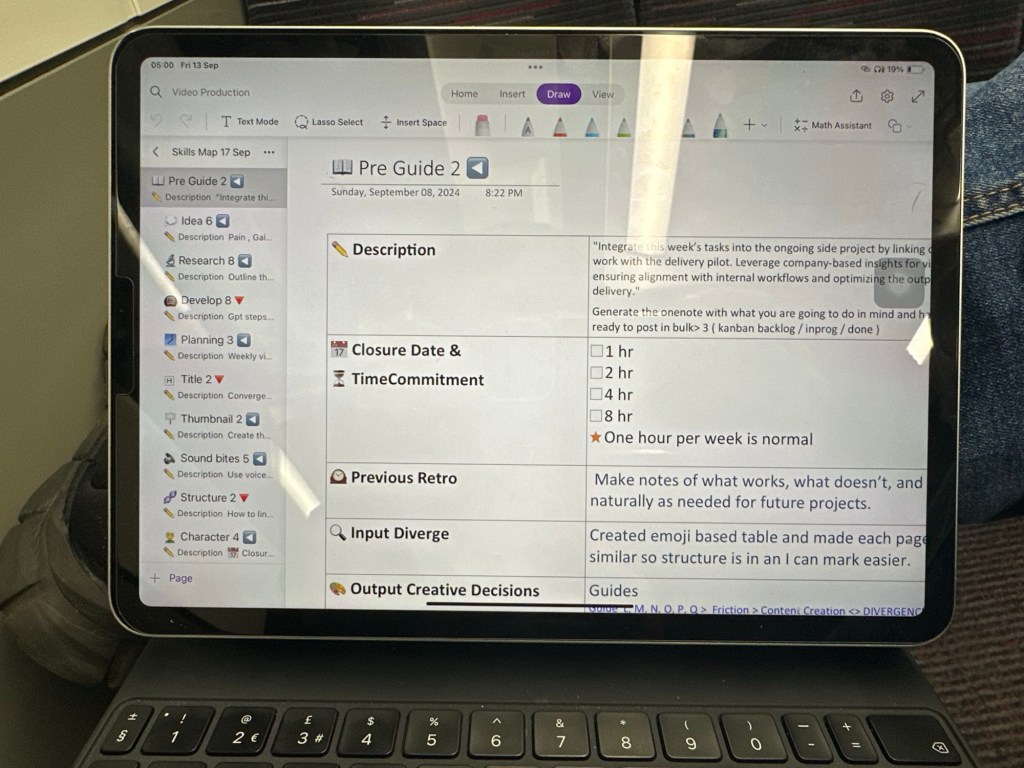
When it comes to video production, managing ideas and tracking progress can be overwhelming. This is where OneNote comes into play, offering me a unique blend of creativity and organization, a mix of pen and structure that shapes my workflow.
Pen for Convergence
I love using a pen in OneNote to jot down thoughts, create sketches, and brainstorm freely. This creative process helps me "converge" my ideas — narrowing down concepts, storylines, and approaches. The pen allows for flexibility in how I capture these ideas, making it easier to visualize connections and unlock creative solutions. For instance, I use it for marking key points, underlining important details, or simply sketching a scene.
Structure for Divergence
On the other hand, the structure of OneNote keeps me organized. I create specific pages for each video project, where I document scripts, shot lists, and production plans. These pages give me the structure I need to "diverge" — to expand and build on my initial ideas with clear direction. It's easy to add sections for daily logs, progress tracking, and research, which allows me to look back on my work in a structured format, even while showing my process in real time.
Daily Logs as a "Show Your Work"
Daily logs in OneNote also play an essential role. They serve as a space for me to show my work, capturing the behind-the-scenes journey of my projects. These logs allow for reflection, helping me learn from the day-to-day tasks, and showing progress that is sometimes easy to overlook.
In essence, OneNote becomes my all-in-one tool — combining free-flowing creativity with the necessary structure to get things done efficiently. It allows me to mix the best of both worlds, making my video production process more intuitive and streamlined.
Imported from rifaterdemsahin.com · 2025