🚀 Unlocking Maximum Productivity: Build Your Ultimate Video Studio
🔮 The Reason – Why?
In today’s fast-paced content creation world, efficiency and quality go hand in hand. Whether you're building a studio for live streaming, recording educational content, or crafting the perfect pitch video, having a mechanically optimized setup is essential.
A well-designed video studio can dramatically increase productivity by eliminating bottlenecks and offering seamless integration between tech and creativity. Think of it as your creative cockpit—engineered to enhance performance and keep you in the zone.
🎯 The Purpose – How?
The secret to achieving the perfect balance is “HIGH TOUCH. HIGH TECH”—combining personal storytelling with cutting-edge tools. Here's how to make it happen:
-
Leverage Story – Bring authenticity and emotion to your videos. Storytelling helps build stronger connections with your audience.
-
Tools & Processes – Optimize your workflow by using advanced tools and automation processes.
-
Stay Updated with the Latest Environment – Upgrade your tech regularly. Use OBS Studio to keep your streams and recordings at their best.
-
Rebuild Your Studio – Design your studio for maximum efficiency and comfort, ensuring every piece of equipment has its role without creating clutter.
🗺 The Map – What?
Here’s the step-by-step guide to building an efficient video production studio:
1️⃣ Use OBS Studio
-
Create full-screen projections for different scenes and transitions.
-
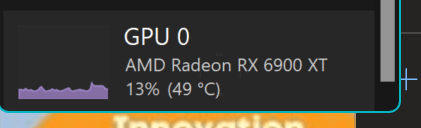
This will consume around 5% GPU and 2% CPU on a 3995WX Threadripper and AMD 6900 XT, ensuring you have power to spare for editing and rendering.
2️⃣ Optimize Hardware
-
Choose high-performance CPUs and GPUs for seamless multitasking.
-
Invest in three monitor arms and a mic arm for a clean, ergonomic workspace.
3️⃣ Automation & Integration
-
Use tools like Stream Deck for quick access to scenes and effects.
-
Automate lighting and audio to avoid interruptions.
4️⃣ Test & Iterate
-
Run test streams to monitor performance.
-
Continuously tweak settings to find the perfect balance between quality and performance.
✨ Web References:
🔗 Connect with Me:
Would you like to add more visuals, detailed OBS settings, or extra web references? 😊
Imported from rifaterdemsahin.com · 2025