Adding Kanban Boards to Video Production Stages: A Streamlined Approach
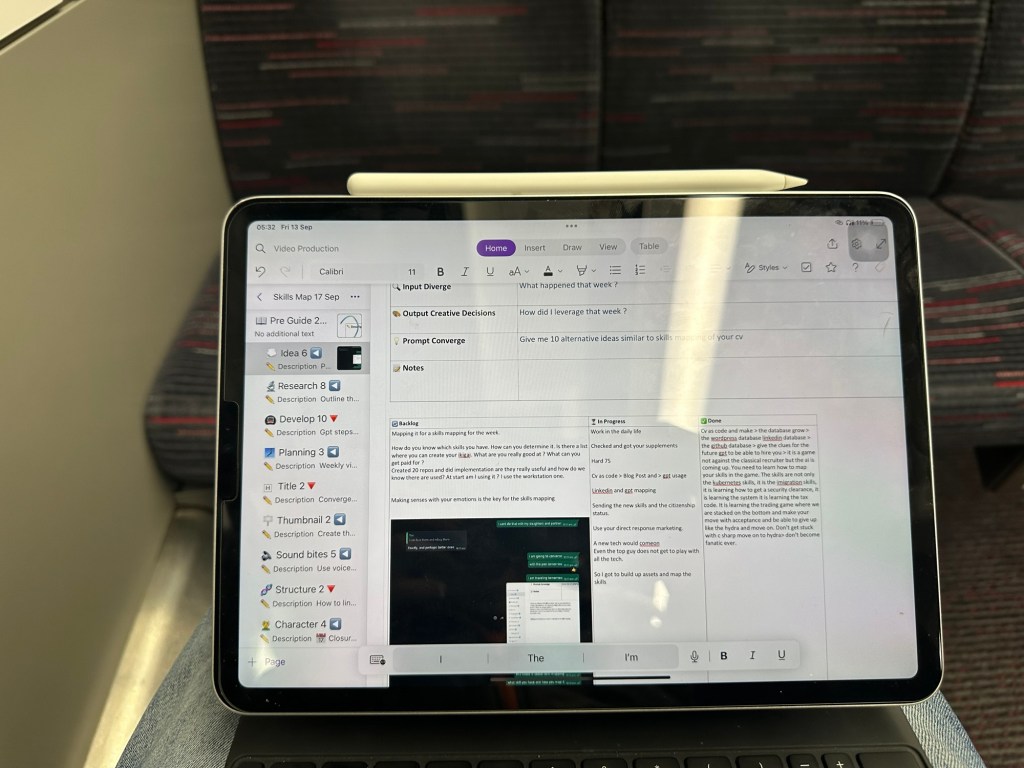
Kanban boards are a powerful visual tool used in project management to enhance workflow transparency and improve productivity. While traditionally linked to software development and manufacturing, Kanban is highly adaptable and can be applied to a variety of processes, including video production. By introducing Kanban boards into your video production workflow, you can gain clearer visibility, improve team collaboration, and streamline each stage of the process.
Why Use Kanban for Video Production?
Video production is complex, involving multiple stages from pre-production to final edits. Each stage requires input from various team members, such as scriptwriters, videographers, editors, and sound engineers. Without proper organization, this can lead to bottlenecks, missed deadlines, and a chaotic workflow. Here’s where Kanban boards come in—they offer a clear overview of all tasks, helping teams manage each step efficiently.
How Kanban Works in Video Production
-
Visualizing Tasks on every page not one but many
In a typical Kanban board, tasks are represented as cards that move across different columns. For video production, you can divide the board into stages like: -
Pre-production (Scripting, Storyboarding, Planning)
-
Production (Filming, Lighting, Audio)
-
Post-production (Editing, Sound Mixing, Graphics)
-
Review and Approval
-
Publishing
-
WIP Limits > time to commit for a stage
One of the core features of Kanban is limiting the number of tasks in progress at any one time. This prevents overloading team members with too many responsibilities and ensures focused effort on critical tasks. For instance, in the post-production stage, you can limit the number of ongoing editing projects to ensure quality over quantity. -
Continuous Improvement
By visualizing bottlenecks and areas for improvement, the Kanban board encourages teams to continuously optimize their workflow. If the review process often becomes a bottleneck, teams can identify this trend and allocate more resources or streamline the approval process.
Setting Up a Kanban Board for Your Video Production
Step 1: Define the Stages
Start by breaking down your video production process into distinct stages. You can customize these stages based on your specific needs, but generally, they will follow a pattern similar to:
-
Idea generation
-
Scriptwriting
-
Storyboarding
-
Filming
-
Editing
-
Review
-
Final approval
Step 2: Add Tasks as Cards
Each task (e.g., filming an interview, editing the intro sequence) should be represented by a card. You can also include due dates, task owners, and specific instructions for each card to ensure clarity.
Step 3: Move Cards Across the Board
As each task progresses, move the corresponding card from one column to the next. For example, once the script is complete, move the “Scripting” card from the pre-production column to the production column. This makes it easy to see exactly what stage each task is in at any given moment.
Step 4: Collaborate and Communicate
Kanban boards encourage team collaboration. By allowing multiple users to access and update the board, team members can easily stay aligned on project progress, deadlines, and tasks that require attention.
Step 5: Review and Refine
At the end of each production cycle, review the Kanban board to identify areas of improvement. Maybe certain stages took longer than expected or too many tasks were in progress at once. Adjust your workflow accordingly to create a smoother production process next time.
Tools for Implementing Kanban in Video Production
There are several digital tools that support Kanban boards, making it easy to integrate them into your existing video production workflow:
-
Trello: A user-friendly platform with a customizable interface that works well for small and medium teams.
-
Asana: Offers more complex project management features alongside a visual Kanban board.
-
Monday.com: Known for its flexibility and automation features, making it ideal for larger, collaborative teams.
Conclusion: Boosting Efficiency with Kanban
By adding Kanban boards to your video production stages, you bring structure and clarity to a traditionally chaotic process. Whether you’re producing a short video or working on a full-scale production, Kanban can help your team stay organized, meet deadlines, and ultimately produce high-quality work.
Embrace this methodology, and watch as your video production workflow becomes more efficient, collaborative, and transparent.
Imported from rifaterdemsahin.com · 2025