🚀 Why I Paid for Checker Calendar Plus: A Game-Changer for Google Calendar Reminders 🗓️
Are you tired of missing important events or deadlines because your calendar reminders just don’t stand out? I was too. That’s why I decided to try Checker Calendar Plus, and let me tell you—it’s been a game-changer! In this blog post, I’ll share why I paid for this tool, how it works, and why it’s worth every penny.
💡 What I Wanted to Achieve
I needed a solution that would:
-
Sync seamlessly with Google Calendar 📅
-
Provide audio and visual popups 🎵👀 to remind me of upcoming events.
-
Be customizable so I could set reminders that actually grab my attention.
Google Calendar’s default reminders are great, but they often blend into the background, especially when I’m deep in work. I needed something more proactive—something that would force me to take notice.
🛠️ Enter Checker Calendar Plus
Checker Calendar Plus is a powerful tool that integrates with Google Calendar to provide enhanced reminders. Here’s why I decided to pay for it:
1. Audio Reminders 🎧
-
You can set custom sounds for different types of events.
-
For example, I use a loud alarm for urgent meetings and a gentle chime for casual reminders.
2. Visual Popups 🖥️
-
The tool displays a popup on your screen, ensuring you don’t miss anything.
-
You can customize the size, position, and duration of these popups.
3. Cross-Platform Sync 🔄
- Whether I’m on my laptop, phone, or tablet, Checker Calendar Plus keeps everything in sync.
4. Customizable Alerts ⚙️
-
You can set how early you want to be reminded (e.g., 10 minutes, 1 hour, or even a day before).
-
It also supports recurring reminders for repetitive events.
🖼️ Screenshot: Checker Calendar Plus in Action
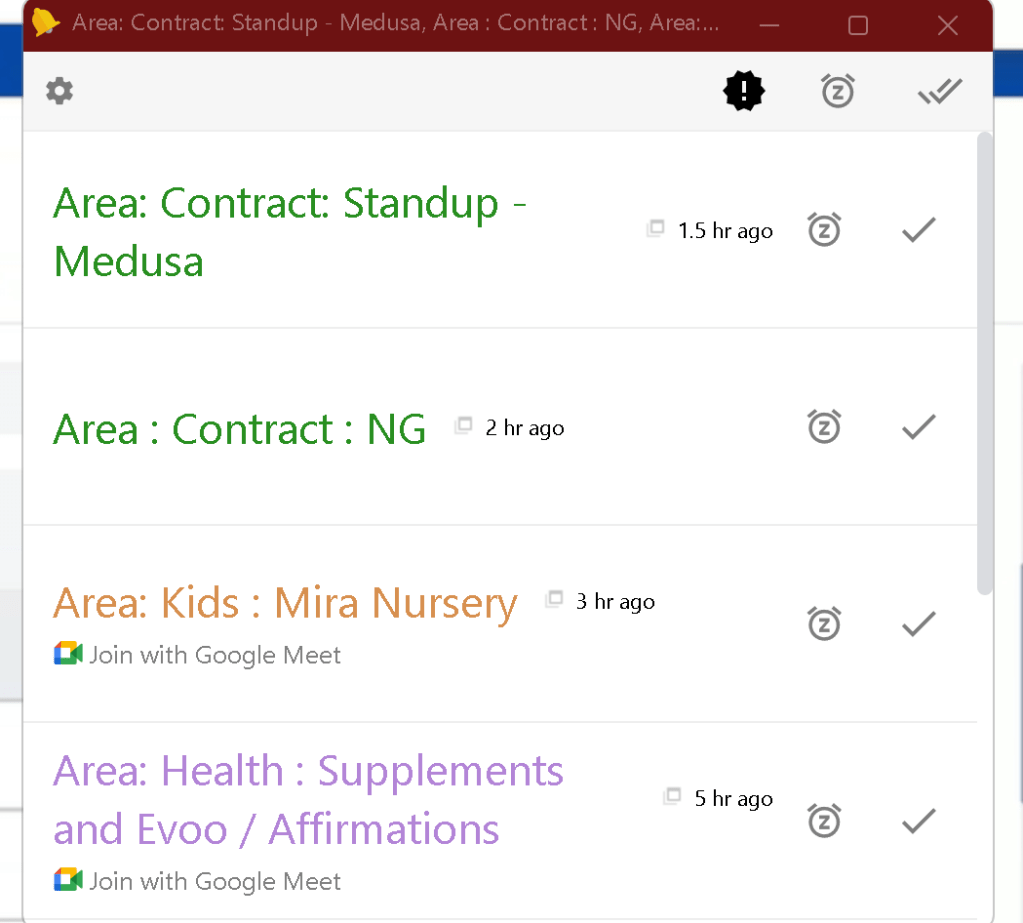
Caption: A visual popup reminder from Checker Calendar Plus, synced with Google Calendar.
💸 Why I Paid for It
While there are free alternatives, Checker Calendar Plus stood out because:
-
It’s reliable and doesn’t crash or lag.
-
The customization options are unmatched.
-
The audio-visual combo ensures I never miss an event.
For me, the peace of mind it brings is worth the investment.
🎯 Final Thoughts
If you’re someone who relies heavily on Google Calendar but struggles with its default reminders, I highly recommend giving Checker Calendar Plus a try. It’s a small price to pay for staying on top of your schedule and never missing an important event again.
🔗 Connect with Me:
-
💼 LinkedIn: Rifat Erdem Sahin
-
🐦 Twitter: @rifaterdemsahin
-
🎥 YouTube: Rifat Erdem Sahin
-
💻 GitHub: rifaterdemsahin
Let me know if you’ve tried Checker Calendar Plus or if you have any other tools you swear by! 👇
Disclaimer: This is not a sponsored post. I genuinely found Checker Calendar Plus helpful and wanted to share my experience.
Imported from rifaterdemsahin.com · 2025