🚀 Troubleshooting OpenShift CRC: Slow Startup Times
If you're using OpenShift CodeReady Containers (CRC) and experiencing slow startup times, you're not alone! In this blog post, we'll dive into some common reasons for these delays and offer tips to improve your experience. 🐢💨
🕒 Understanding the Slow Startup
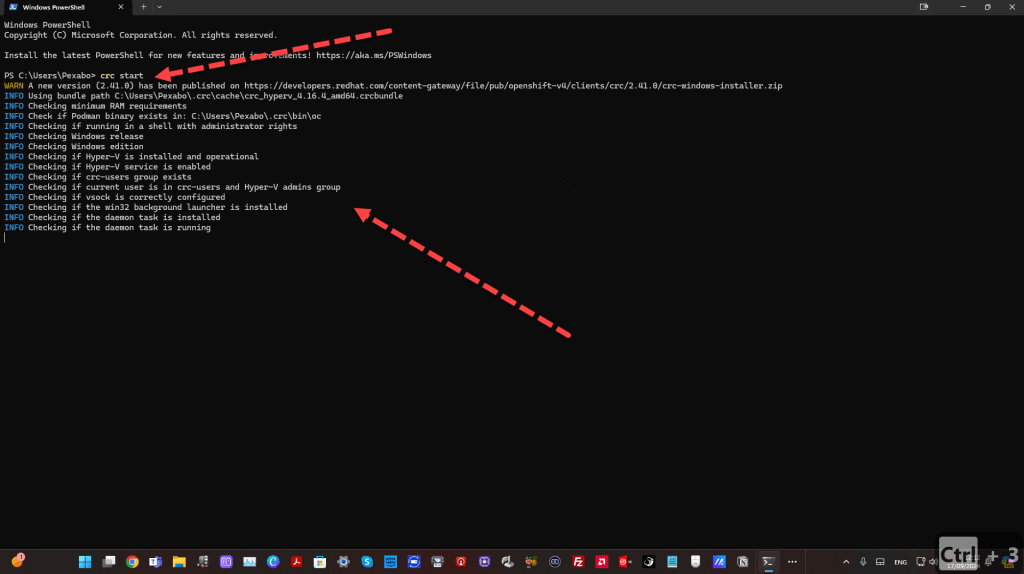
When starting OpenShift CRC, you might notice it takes longer than expected to get up and running. Here's a typical output you might see during the startup process:
PS C:\Users\Pexabo> crc start
WARN A new version (2.41.0) has been published on https://developers.redhat.com/content-gateway/file/pub/openshift-v4/clients/crc/2.41.0/crc-windows-installer.zip
INFO Using bundle path C:\Users\Pexabo.crc\cache\crc_hyperv_4.16.4_amd64.crcbundle
INFO Checking minimum RAM requirements
INFO Check if Podman binary exists in: C:\Users\Pexabo.crc\bin\oc
INFO Checking if running in a shell with administrator rights
INFO Checking Windows release
INFO Checking Windows edition
INFO Checking if Hyper-V is installed and operational
INFO Checking if Hyper-V service is enabled
INFO Checking if crc-users group exists
INFO Checking if current user is in crc-users and Hyper-V admins group
INFO Checking if vsock is correctly configured
INFO Checking if the win32 background launcher is installed
INFO Checking if the daemon task is installed
INFO Checking if the daemon task is running
INFO Checking admin helper service is running
INFO Checking SSH port availability
INFO Loading bundle: crc_hyperv_4.16.4_amd64...
INFO Starting CRC VM for openshift 4.16.4...
INFO CRC instance is running with IP 127.0.0.1
INFO CRC VM is running
INFO Updating authorized keys...
INFO Check internal and public DNS query...
INFO Check DNS query from host...
INFO Verifying validity of the kubelet certificates...
INFO Starting kubelet service
INFO Waiting for kube-apiserver availability... [takes around 2min]
INFO Waiting until the user's pull secret is written to the instance disk...
INFO Starting openshift instance... [waiting for the cluster to stabilize]
INFO 3 operators are progressing: dns, ingress, network
INFO 3 operators are progressing: console, image-registry, ingress
INFO All operators are available. Ensuring stability...
As you can see, several checks and processes take time, especially the wait for the kube-apiserver and cluster stabilization.
💡 Tips to Speed Up Your OpenShift CRC
-
Increase Resource Allocation: If possible, allocate more CPU and memory to your CRC instance. This can significantly improve startup times. ⚙️
-
Check Network Settings: Ensure your network settings are optimal for OpenShift. Sometimes, simply resetting your network can help. 🔄
-
Clean Up Unused Resources: Regularly remove unused images and containers to keep your environment lightweight. 🧹
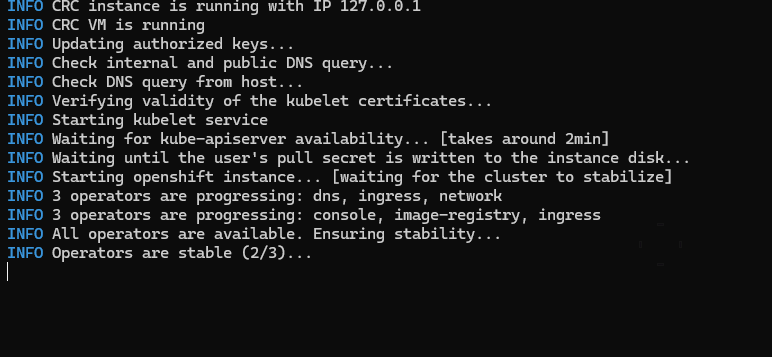
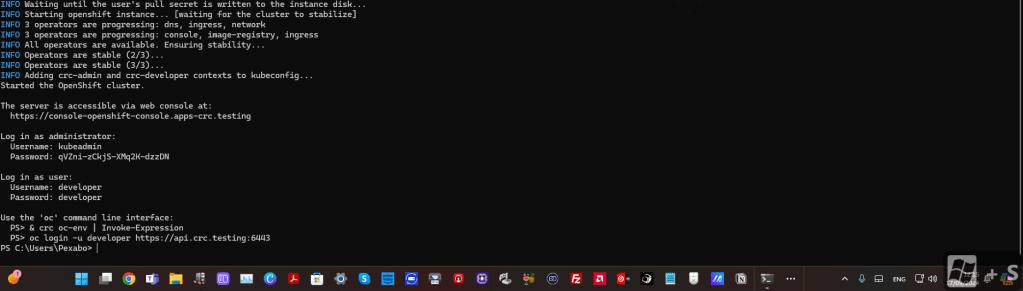
To visualize this process, here’s a screenshot of the CRC startup interface, highlighting where you might notice delays:
🔗 Connect with Me
If you found this post helpful, feel free to connect with me for more insights and updates:
Thanks for reading, and happy coding! 🚀💻
Imported from rifaterdemsahin.com · 2025