Cancelling Wix and the Cost Analysis: Is It Time to Switch?
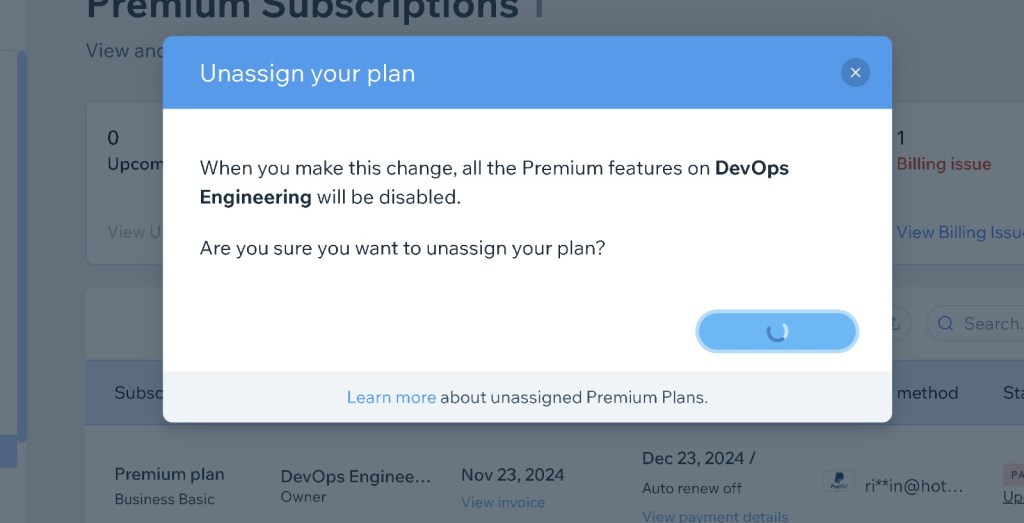
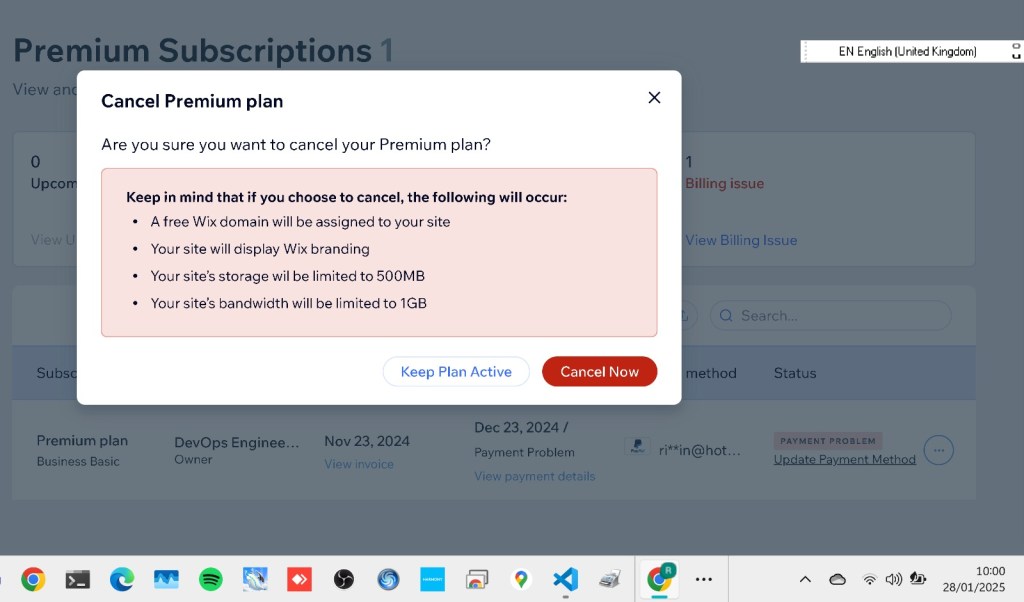
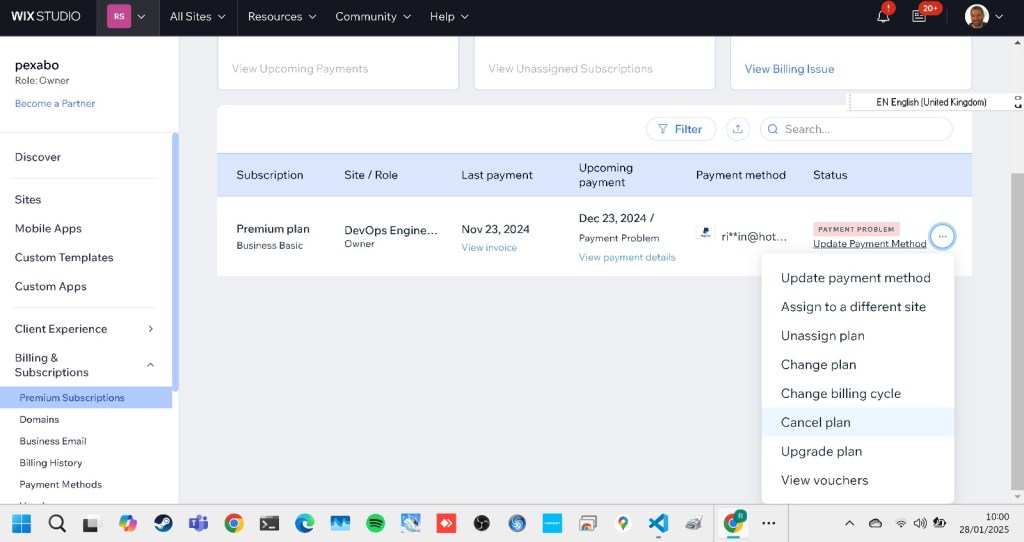
Managing subscriptions can sometimes feel like a labyrinth of invoices and billing histories. Today, I decided to take a closer look at my Wix Premium Plan, review the costs, and figure out whether it’s time to cancel or make changes. Spoiler alert: if you’re considering doing the same, stick around because I’ll walk you through the steps and my decision-making process! 🚀
📊 Billing History Breakdown
Here’s a snapshot of my Wix billing history over the past few months:
DateDescriptionSiteStatusTotalNov 23, 2024Premium planBusiness BasicPAID£18.00Oct 23, 2024Premium planBusiness BasicPAID£18.00Sep 23, 2024Premium planBusiness BasicPAID£18.00Aug 23, 2024Premium planBusiness BasicPAID£18.00Jul 23, 2024Premium planBusiness BasicPAID£18.00Jun 23, 2024Premium planBusiness BasicPAID£18.00May 23, 2024Premium planBusiness BasicPAID£18.00
Total Spent (7 Months): £126.00
While £18/month doesn’t seem like much, over time, it adds up. Is it worth continuing to pay for the features I use on Wix? Let’s explore further.
💡 Why I’m Considering Cancelling
- Limited Features vs. Cost
While the Business Basic plan provides adequate tools, I’ve found myself barely using the premium features lately.
- Alternative Platforms
With more budget-friendly and powerful platforms (hello, WordPress and Squarespace!), it’s worth asking whether my money could be better spent elsewhere.
- Cost-Saving Goals
Cutting down on unnecessary expenses is always a good idea, especially when looking to invest in tools and services that provide better ROI.
📸 Pause and Reflect (Screenshot Time!)
Before making any decision, I took a screenshot of my Wix Billing History. This is an excellent way to document payments and have a record for any potential refunds or disputes. 🖼️ Here’s what it looks like:
(Insert your screenshot here!)
🛠️ The Cancellation Process (Step-by-Step Guide)
If you’ve decided to cancel your Wix Premium Plan, here’s how to do it:
- Log in to Your Wix Account
Head over to the Wix website.
- Navigate to Billing & Payments
Find the option under your account settings.
- Cancel Subscription
Select the Premium Plan you wish to cancel and follow the prompts.
- Confirm and Check Refunds
Depending on your billing cycle, you may be eligible for a partial refund.
🧐 Final Decision: Should I Cancel?
After analysing my usage and costs, I’ve decided to cancel my Wix subscription. My plan is to migrate my site to a self-hosted WordPress platform. The flexibility, customisation options, and lower long-term costs make it a more suitable option for my current needs.
Pro Tip: Always weigh the pros and cons of switching platforms to avoid losing functionality or valuable content.
🔗 Let’s Connect!
Want to share your own cost-saving tips or platform migration stories? Let’s chat:
Asked Wix
https://twitter.com/rifaterdemsahin/status/1884182262717243621
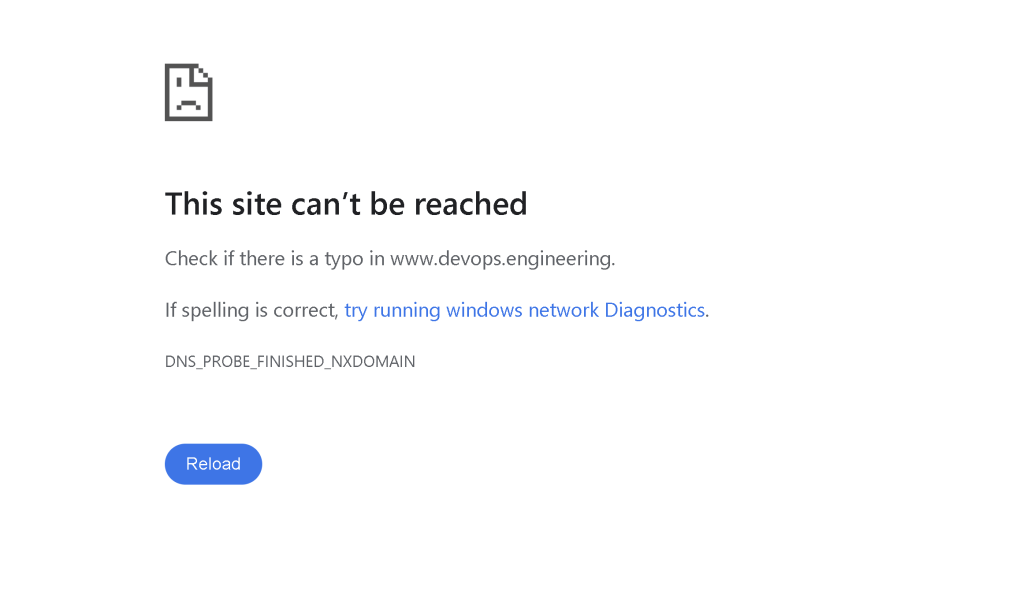
Not working
Imported from rifaterdemsahin.com · 2025