💡 Automate Your Direct Response Marketing with Text Blaze 🚀
If you're a recruiter or a professional managing multiple interactions daily, finding ways to save time and respond efficiently is crucial. Text Blaze is a powerful tool that can simplify repetitive tasks, such as scheduling appointments or responding to inquiries.
✨ What is Text Blaze?
Text Blaze is a text automation tool that allows you to create templates and snippets that can be triggered with shortcuts. Whether you're crafting emails, responding to messages, or sharing links, this tool boosts productivity and eliminates repetitive typing.
🚀 Using Text Blaze for Recruiters
Here's how Text Blaze can streamline your workflow for scheduling appointments and maintaining seamless communication:
-
Create a Snippet for Scheduling Appointments
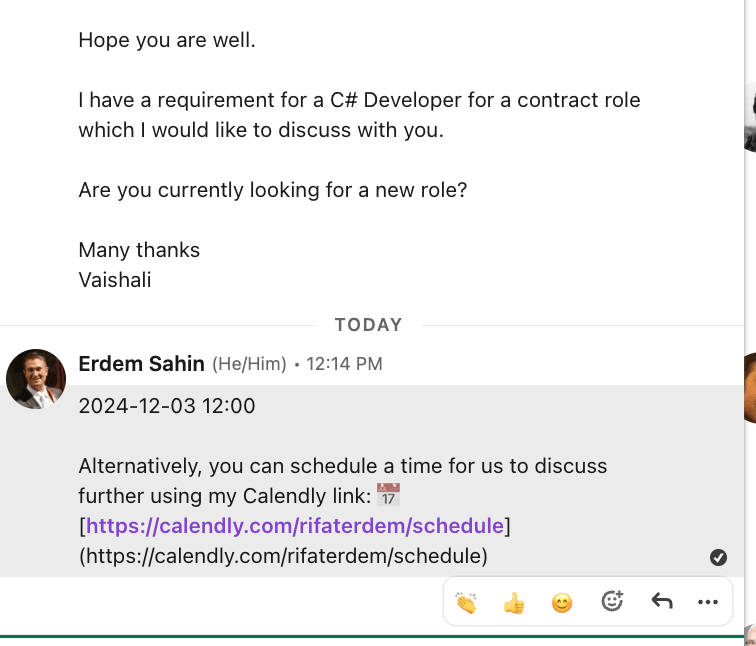
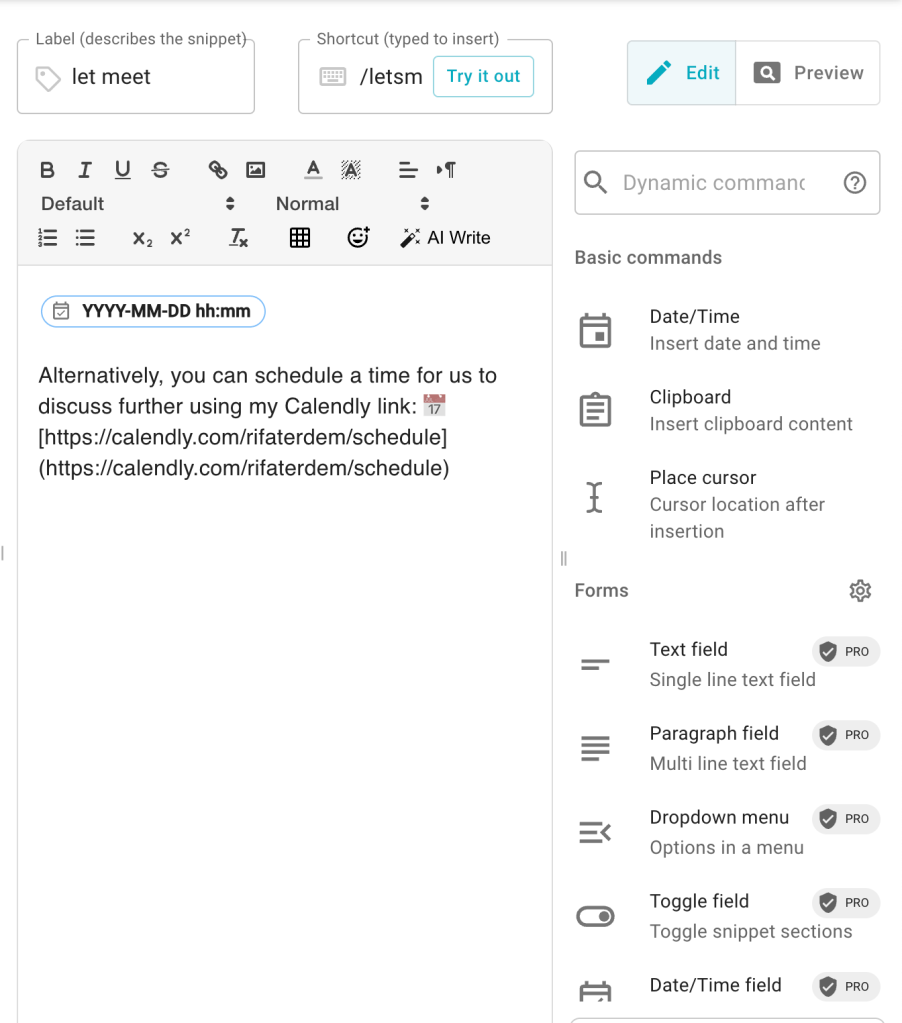
When a recruiter asks for a meeting time, instead of typing out your availability, you can use a snippet like this:2024-12-03 12:00 Alternatively, you can schedule a time for us to discuss further using my Calendly link: 📅 [https://calendly.com/rifaterdem/schedule](https://calendly.com/rifaterdem/schedule)Shortcut Example:;meeting
Once typed, this snippet will instantly paste your pre-written response. -
Boost Personalization with Variables
Add placeholders for dates or names to make your responses feel tailored:Hi {name}, Let's meet on {date} at {time}. Alternatively, you can book a time here: [Calendly Link]. -
Save Frequently Shared Links
Have easy access to links for your LinkedIn, GitHub, or Calendly.
Shortcut Example:;links**🔗 Connect with me:** - 💼 LinkedIn: [https://www.linkedin.com/in/rifaterdemsahin/](https://www.linkedin.com/in/rifaterdemsahin/) - 🐦 Twitter: [https://x.com/rifaterdemsahin](https://x.com/rifaterdemsahin) - 🎥 YouTube: [https://www.youtube.com/@RifatErdemSahin](https://www.youtube.com/@RifatErdemSahin) - 💻 GitHub: [https://github.com/rifaterdemsahin](https://github.com/rifaterdemsahin)
💡 How to Start with Text Blaze
-
Install Text Blaze: Download it as a browser extension here.
-
Set Up Your Snippets: Create your templates with shortcuts and dynamic fields.
-
Test & Optimize: Practice using snippets in your everyday tasks to identify gaps or opportunities for improvement.
🚀 Pro Tip: Screenshots!
🔗 Stay Connected!
Let's connect and share more productivity hacks:
-
💼 LinkedIn: https://www.linkedin.com/in/rifaterdemsahin/
-
🐦 Twitter: https://x.com/rifaterdemsahin
-
🎥 YouTube: https://www.youtube.com/@RifatErdemSahin
-
💻 GitHub: https://github.com/rifaterdemsahin
Start saving time and getting more done today! 🚀
Imported from rifaterdemsahin.com · 2024