🎉 Create, Preview, and Close the Share with Ease! 🚀
Hey there! 👋 Have you ever shared a post or previewed content only to have it linger on your screen, slowing down your workflow? 😅 I’m here to show you how to make a smooth, efficient process of sharing posts and closing the share quickly after previewing. Let’s keep things organized, simple, and swift! 💪
💡 Steps to Streamline Your Sharing Process
-
📝 Draft Your Post
-
Make sure your content is clear and engaging. Add emojis 🎈 to bring your text to life!
-
🚀 Preview Your Content
-
Before sharing, click "Preview" to see exactly how it will appear to your audience. This gives you a chance to catch any final edits 🧐.
-
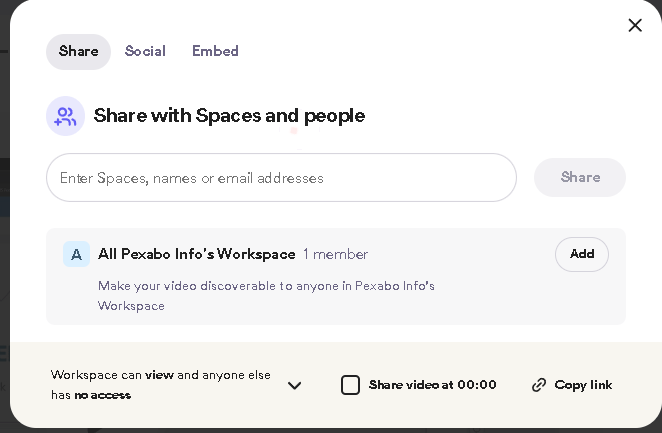
🚀 Close the Share
-
After previewing, close the share by simply hitting "Done" or "Close." This will take the preview away from your screen, so you can focus on your next task quickly. 😊
By following these steps, you’ll speed up your workflow, keep your screen clear, and have your content looking its best for sharing. Ready to give it a try? 🚀
🔗 Connect with me:
-
💼 LinkedIn: Connect with me on LinkedIn
-
🐦 Twitter: Follow me on X
-
🎥 YouTube: Subscribe to my channel
-
💻 GitHub: Check out my code on GitHub
Stay tuned for more productivity tips!
Imported from rifaterdemsahin.com · 2024