🔧 How to Fix PCI Express Root Port Errors Easily
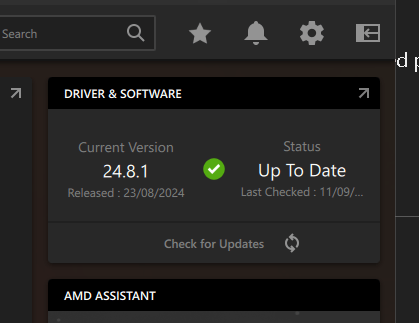
Have you ever encountered a frustrating "Corrected hardware error" message and wondered what it meant? 😣 If you're seeing something like this:
"A corrected hardware error has occurred. Component: PCI Express Root Port Error Source: Generic"
Don’t worry! This guide will walk you through what it means and how to fix it. 💪
🔍 Understanding the Error
This error is related to your PCI Express (PCIe) device, which handles communication between different hardware components in your PC. In this case, the problem points to an issue between two devices on your system:
-
Primary Device: 📌 AMD PCIe Root Port (this manages data traffic)
-
Secondary Device: 🎮 AMD GPU (likely your graphics card)
These components aren’t communicating correctly, and that’s causing the error. But don’t panic—there are several ways to fix it! 🛠️
🛠️ Steps to Resolve the PCI Express Root Port Error
1. Open Device Manager 🖥️
To start, open Device Manager:
-
Press Windows Key + X and select Device Manager.
-
Look for System Devices and Display Adapters. You’re hunting for anything with AMD listed in the name.
2. Check for Driver Updates 🔄
Old or corrupted drivers can trigger this error. Here’s what to do:
-
Right-click on the device with the error.
-
Choose Update driver to check for newer versions.
If you’re not sure where to get drivers, visit the AMD website and download the latest ones for your system. 🔗
3. Roll Back Drivers ⏪
Sometimes, an update makes things worse! If the error started recently:
-
Go to Device Manager > Properties > Driver tab.
-
Select Roll Back Driver if that option is available.
4. Check for BIOS Updates 🧠
Your motherboard’s BIOS might also need an update to work smoothly with PCIe devices. Head to your motherboard manufacturer’s site and see if there’s a BIOS update waiting for you. ⚡️
5. Physical Hardware Check 🔌
Loose connections? They happen more often than you think! Open your PC case and:
-
Make sure the PCIe card (like your GPU) is seated properly in its slot.
-
Reconnect any loose cables.
🚀 And You're Done!
Once you've tried these steps, you should be able to clear up that PCI Express error and get back to smooth sailing. 🌊
No more confusing hardware errors standing in your way! 🎉
Let me know in the comments if this guide helped you fix the issue, or if you have any other troubleshooting tips! 💬👇
Hope this blog format works! Let me know if you'd like any changes 😊.
🔗 Connect with me:
-
💼 LinkedIn: https://www.linkedin.com/in/rifaterdemsahin/
-
🐦 Twitter: https://x.com/rifaterdemsahin
-
🎥 YouTube: https://www.youtube.com/@RifatErdemSahin
-
💻 GitHub: https://github.com/rifaterdemsahin
Imported from rifaterdemsahin.com · 2024