🚀 How to Boost Your Workflow with Cursor.io and File Management 📂💻
Ever feel like you're pausing too much to fix complex issues during your workflow? 😩 You're not alone. This blog post will show you how Cursor.io can streamline your process and help you add multiple files to your journey, ultimately improving your productivity! 🛠️
🛠️ What is Cursor.io?
Cursor.io is an innovative tool designed to simplify your workflows and enhance your productivity. Whether you're coding, designing, or tackling any project, this tool allows you to pause ⏸️ and resume 🏃♂️ seamlessly, providing you with more control over your workflow. Cursor.io also helps in managing multiple files 📁, which can often be a headache when you're deep into problem-solving.
🔥 How to Use Pauses Effectively
When working on complex tasks, it's easy to get overwhelmed or lose focus. That’s where pausing comes in handy. With Cursor.io, you can:
-
Take a break 🧘 when needed without losing track of your progress.
-
Evaluate your workflow steps and see where improvements can be made.
-
Resume with focus 🎯 when you're ready, picking up exactly where you left off.
📁 Adding Multiple Files to Fix Complex Issues
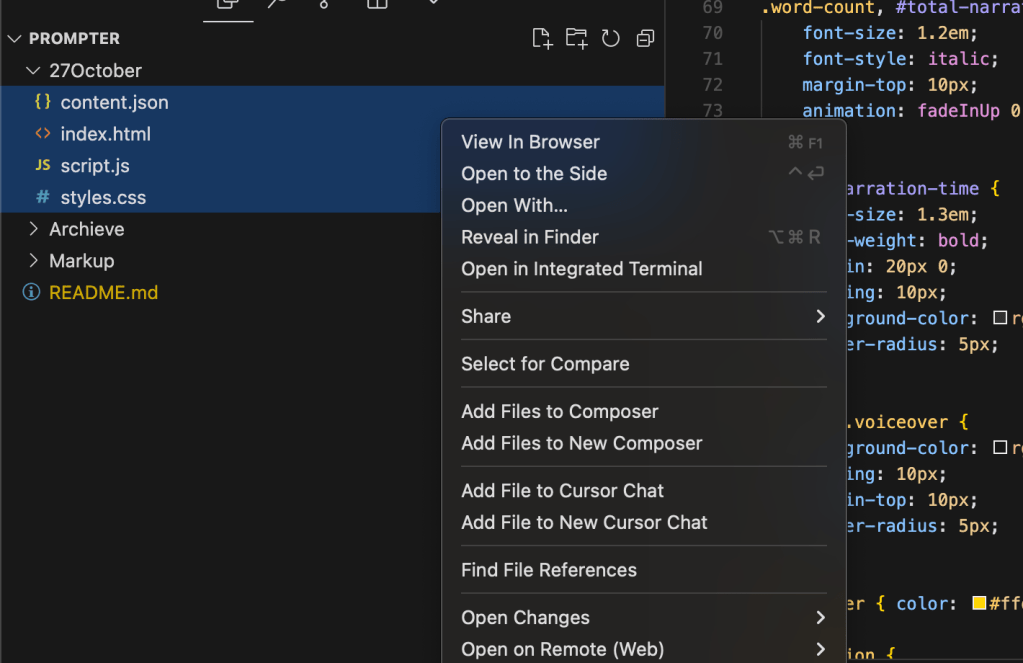
One of the standout features of Cursor.io is its ability to manage and navigate through multiple files easily. Imagine you’re debugging a problem that spans several files—this tool lets you:
-
Open multiple files in tabs effortlessly.
-
Organize your files in a structured manner for faster access.
-
Move between files with shortcuts, saving you time and reducing frustration. ⚡
By using this system, you can finally tackle complex issues with clarity and speed! 🚀
🖼️ Screenshot Example:
Here’s a quick screenshot of how I manage my files and pauses with Cursor.io. 👇
[Insert Screenshot of Cursor.io in action here]
By adopting Cursor.io into your workflow, you’ll notice an immediate boost in how you approach multi-tasking and problem-solving. Give it a try, and let me know how it transforms your day-to-day productivity! 🌟
🔗 Connect with me:
-
💼 LinkedIn: https://www.linkedin.com/in/rifaterdemsahin/
-
🐦 Twitter: https://x.com/rifaterdemsahin
-
🎥 YouTube: https://www.youtube.com/@RifatErdemSahin
-
💻 GitHub: https://github.com/rifaterdemsahin
Let’s boost productivity together! 💡
Imported from rifaterdemsahin.com · 2024