Understanding Plex Media Server Resource Usage on Your Machine 🖥️
Plex Media Server is a fantastic tool for organizing and streaming your media library, but if you're like me, you might be wondering, "What resources does Plex actually use on my machine?" Let’s break it down and explore how Plex impacts your system and what you can do to monitor it.
🚀 What Resources Does Plex Use?
-
CPU:
Plex uses your CPU primarily for two tasks: -
Transcoding: When Plex converts media files to a format suitable for the client, this process can be resource-intensive. If you notice high CPU usage, Plex is likely transcoding a video for a device.
-
Metadata Retrieval: When you add new media to your library, Plex fetches metadata (like movie posters and descriptions). This can briefly spike CPU usage.
-
Memory (RAM):
Plex loads metadata and thumbnails into memory for quick access, which means RAM usage depends on the size of your media library. Larger libraries = more RAM usage. 🧠 -
Storage:
Your media files will obviously consume disk space, but Plex also stores metadata, thumbnails, and transcoding cache. Make sure you have enough storage to handle these extra files! -
Network Bandwidth:
Streaming media from Plex, especially if you're streaming to remote devices, will use your network bandwidth. Transcoding video for remote playback will demand higher bandwidth to maintain video quality.
💡 How to Monitor Plex Resource Usage?
To keep tabs on what Plex is doing and how much of your system’s resources it’s using, you can:
-
Task Manager / Activity Monitor:
-
Windows: Open Task Manager (
Ctrl + Shift + Esc) and look forPlex Media Serverunder the "Processes" tab. You can monitor CPU, Memory, and Network usage here. -
macOS: Use Activity Monitor (found in Applications > Utilities) to see Plex's resource usage.
-
System Logs:
-
Plex logs detailed information about its activity. You can access logs through Plex’s web dashboard:
Settings > Server > General > View Logs. -
Third-Party Tools:
-
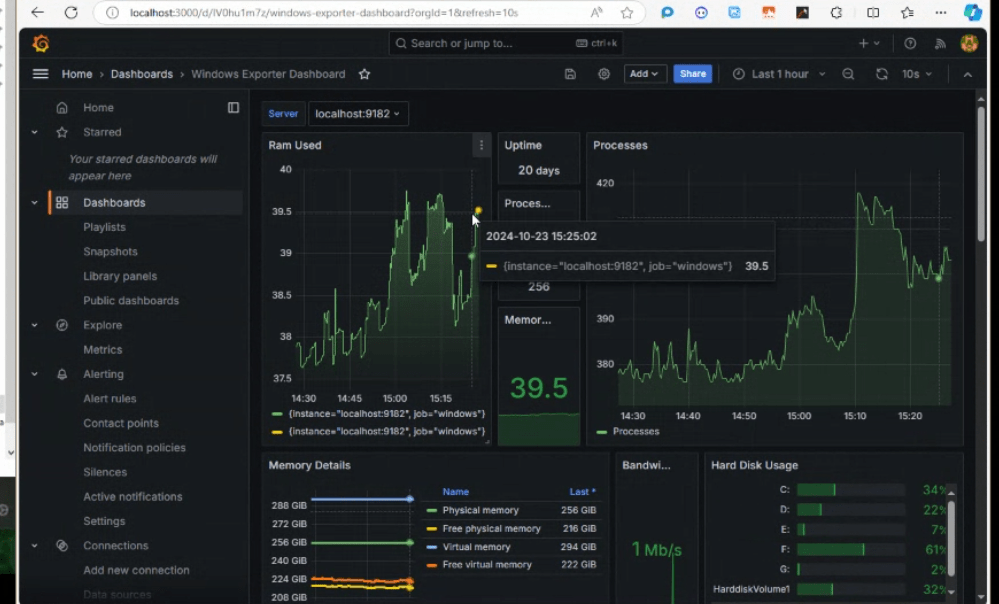
Use system monitoring tools like Netdata, Grafana, or Prometheus to set up dashboards and monitor Plex’s performance over time. 📊
🔗 Connect with me:
-
💼 LinkedIn: https://www.linkedin.com/in/rifaterdemsahin/
-
🐦 Twitter: https://x.com/rifaterdemsahin
-
🎥 YouTube: https://www.youtube.com/@RifatErdemSahin
-
💻 GitHub: https://github.com/rifaterdemsahin
Take control of your Plex setup, monitor your resources effectively, and enjoy smooth streaming without surprises!
Imported from rifaterdemsahin.com · 2024