📝 Synology NAS 918+ with Expansion: Cost Breakdown & Configuration Guide
📝 Synology NAS 918+ with Expansion (Based on Current Drive Setup): Cost Breakdown & Configuration Guide
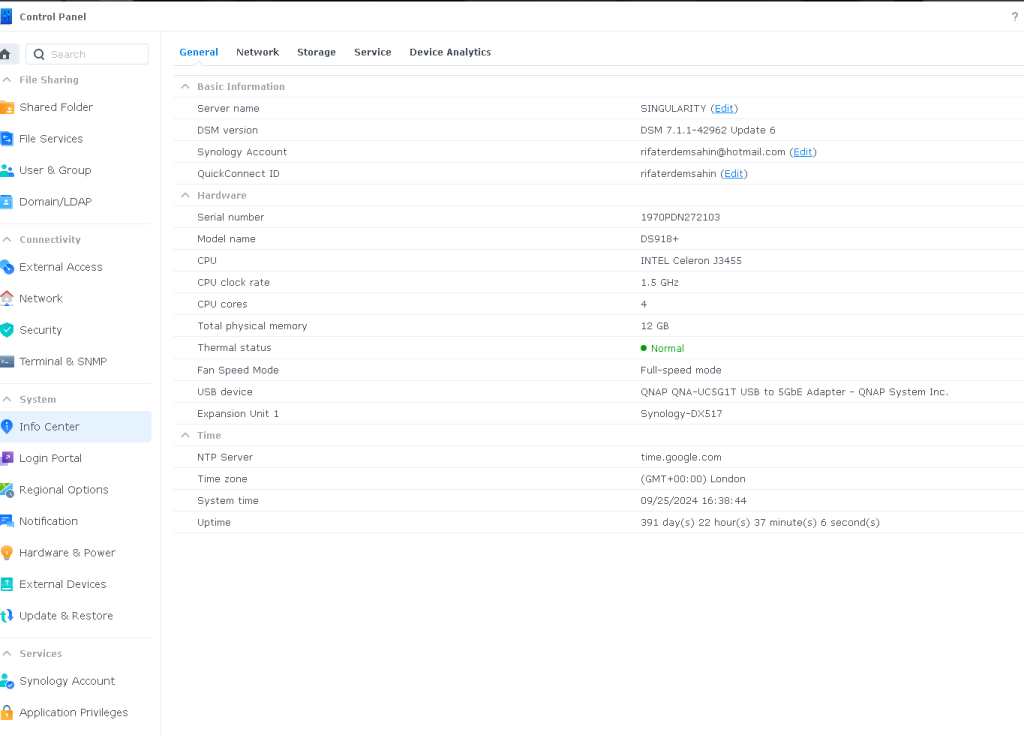
Using the drive setup you provided, we can refine the cost estimate for a Synology DS918+ NAS with an expansion unit, based on the types of drives installed. Let's dive into the details! 🚀
💡 Drive Configuration Breakdown
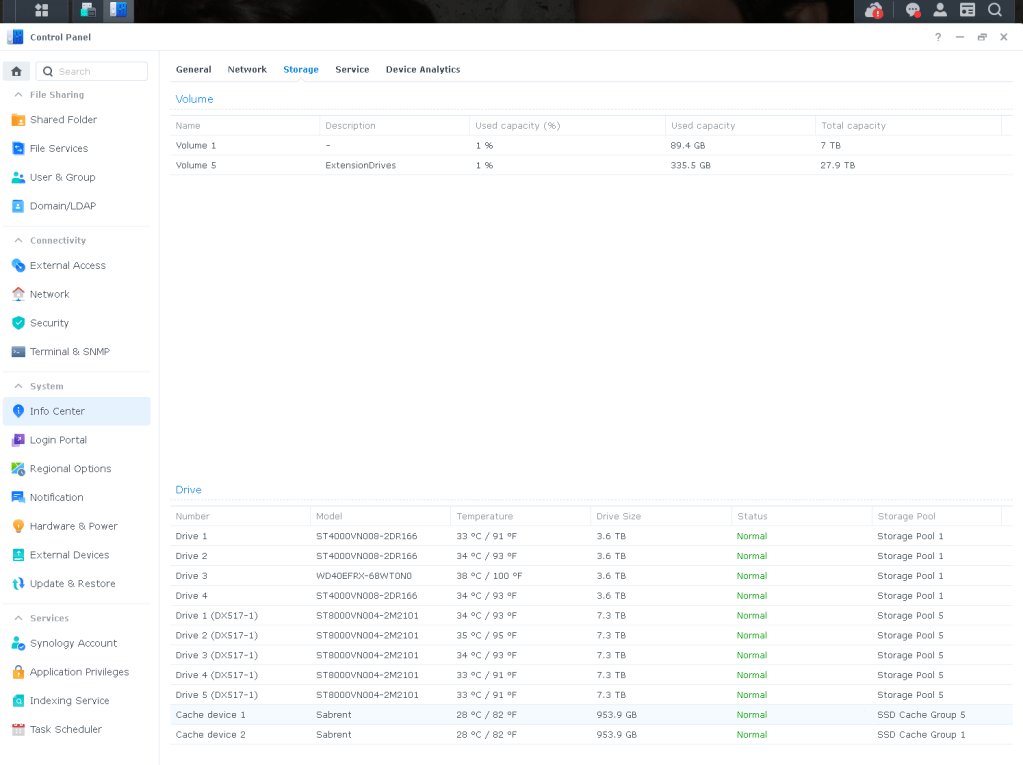
Here are the drives currently installed in the system from your screenshot:
-
ST4000VN008 (3.6TB) x 3
-
WD40EFRX (3.6TB) x 1
-
ST8000VN004 (7.3TB) x 5 (in DX517 expansion)
-
Sabrent Cache Devices (953.9GB SSD) x 2
💸 Estimated Cost Breakdown
ComponentQuantityEstimated Cost per Unit (£)Total Cost (£)Synology DS918+ (4-Bay NAS)1£500 - £600£550Synology DX517 Expansion Unit (5-Bay)1£350 - £450£400ST4000VN008 (Seagate IronWolf 4TB NAS Drives)3£90 - £120 each£270 - £360WD40EFRX (Western Digital Red 4TB NAS Drive)1£95 - £130£110ST8000VN004 (Seagate IronWolf 8TB NAS Drives)5£170 - £220 each£850 - £1,100Sabrent SSDs (Cache Devices, 953.9GB)2£80 - £120 each£160 - £240RAM Upgrade (optional)1 (up to 8GB)£100 - £150£125Total£2,465 - £3,185
🚀 What You Should Consider:
-
Drive Brands & Capacities: You're already using a mix of Seagate IronWolf and Western Digital Red drives, which are reliable for NAS environments. For further expansion, sticking to these drive series is recommended for compatibility and performance.
-
SSD Caching: Your existing Sabrent SSDs are a great addition for cache purposes, which will significantly boost performance, especially with frequent file access.
-
Expansion with DX517: The 5-bay DX517 expansion allows you to use those additional 8TB Seagate drives, giving you substantial room for growth.
💼 Why the Synology DS918+ with DX517 Expansion?
-
Scalability: With this setup, you have 9 total drive bays (4 in the DS918+ and 5 in the DX517 expansion), allowing for a powerful storage solution.
-
Versatility: Whether you need reliable backups, media streaming, or a central file storage hub, this setup can handle it all.
-
Cache & Performance: Adding SSD caching improves the overall performance for read/write operations, especially for large files or multi-user access.
💻 Connect with me:
Let me know if you have any questions or need further assistance configuring your NAS system!
💻 Connect with me:
Let me know if you need further assistance in choosing the right components for your NAS setup!
Imported from rifaterdemsahin.com · 2024