How I Use Azure Logic Apps Workflow to Automate Recruiter Email Responses
As someone who juggles multiple roles as an operator and designer, my daily routine often involves handling upcoming issues, troubleshooting, and making sure that everything runs smoothly. Recently, I've started using Azure Logic Apps to streamline one of the more repetitive tasks I face—answering recruiter emails. While this might seem like a simple task, it can be time-consuming and prone to errors, especially when managing multiple opportunities at once. Here’s how I went about automating this process, the lessons I learned, and how I made it work efficiently for my specific needs.
Before: The Manual Process
Before implementing automation, my process for handling recruiter emails was entirely manual:
-
Receiving Emails: I would receive various emails from recruiters, each requiring a customized response.
-
Analyzing Job Offers: I’d manually read through the job offers, cross-referencing the requirements with my skills and experience.
-
Drafting Responses: If the job seemed like a good fit, I’d draft a response, attach my resume, and hit send.
-
Tracking Responses: Keeping track of which jobs I had responded to was a nightmare, often leading to missed opportunities or duplicate responses.
This process was inefficient and prone to human error. I often found myself spending more time on these tasks than necessary, time that could have been better spent on my core responsibilities.
After: Automating with Azure Logic Apps
I decided to automate this process using Azure Logic Apps, which offers a robust and flexible way to create workflows that integrate seamlessly with various services. Here’s how I set it up:
-
Researching the Requirements:
-
I started by understanding the various triggers and actions available in Azure Logic Apps. This was a one-off research project that laid the foundation for the workflow.I use the storage to keep my skills and answers
-
I identified key components like the email service (Gmail), file storage for attachments, and a filtering mechanism to identify relevant job offers.
-
Creating the Workflow:
-
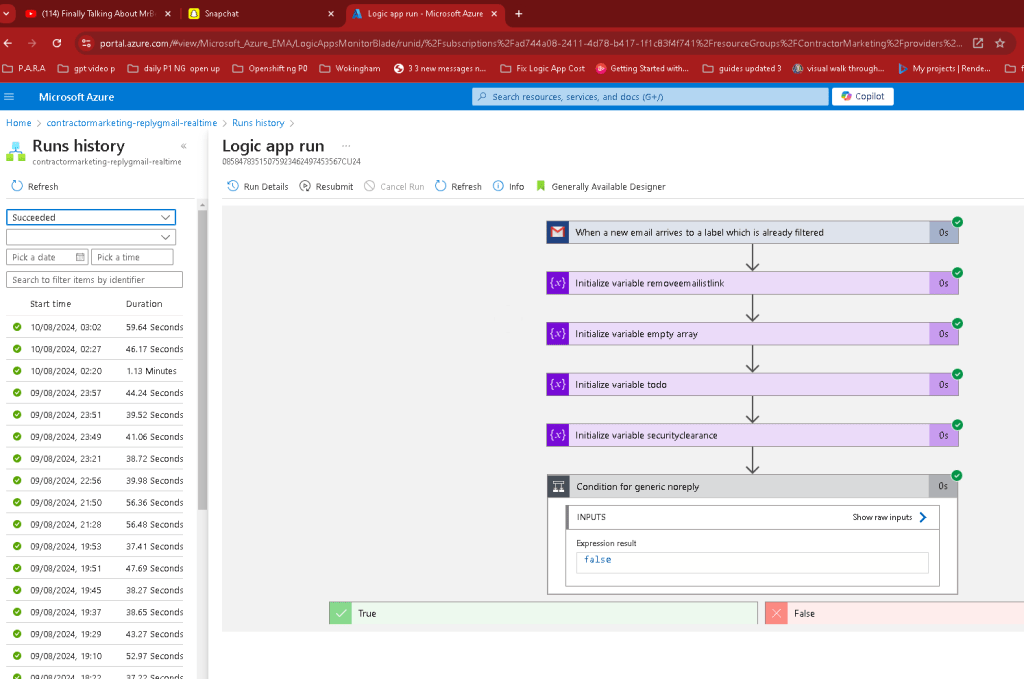
Trigger: The workflow starts with an email trigger that monitors my inbox for incoming recruiter emails.
-
Filtering Emails: I used conditional logic to filter emails based on specific keywords and sender domains. If the email doesn’t match the criteria, it’s skipped.
-
Analyzing Job Requirements: The workflow extracts the job description from the email and compares it to a predefined list of my skills. If there’s a match, the workflow proceeds; if not, the email is marked as irrelevant.
-
Generating a Response: For matching jobs, the workflow automatically drafts a response using a templated email format. It also attaches my latest resume and sends the email.
-
Logging and Backup: Each interaction is logged, and a copy of the sent email is saved in a designated folder for future reference.
-
Handling Failures: ( as an operator )
-
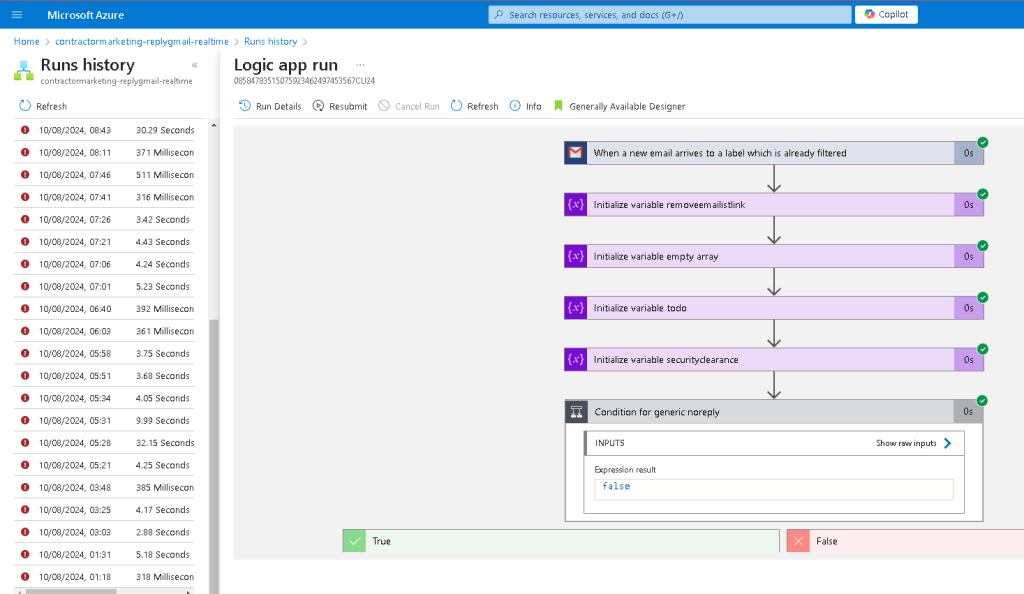
I built in failure handling mechanisms. For instance, if there’s an internal error, the workflow logs it but skips the email instead of retrying. This prevents unnecessary delays.
-
If a cover letter fails to generate due to a lack of matching skills, the email is skipped, and I am notified to manually review it. This ensures that I don’t waste time on opportunities that aren’t a good fit.
-
Testing and Iteration:
-
The first few runs of the workflow highlighted areas that needed tweaking—like optimizing keyword filters and refining the job requirement matching process.
-
I iterated on the workflow, adding more robust error handling and making sure that attachments were always correctly loaded and sent.
Success Criteria: Evaluating the Workflow
I set clear success criteria to evaluate whether the automation was working effectively:
-
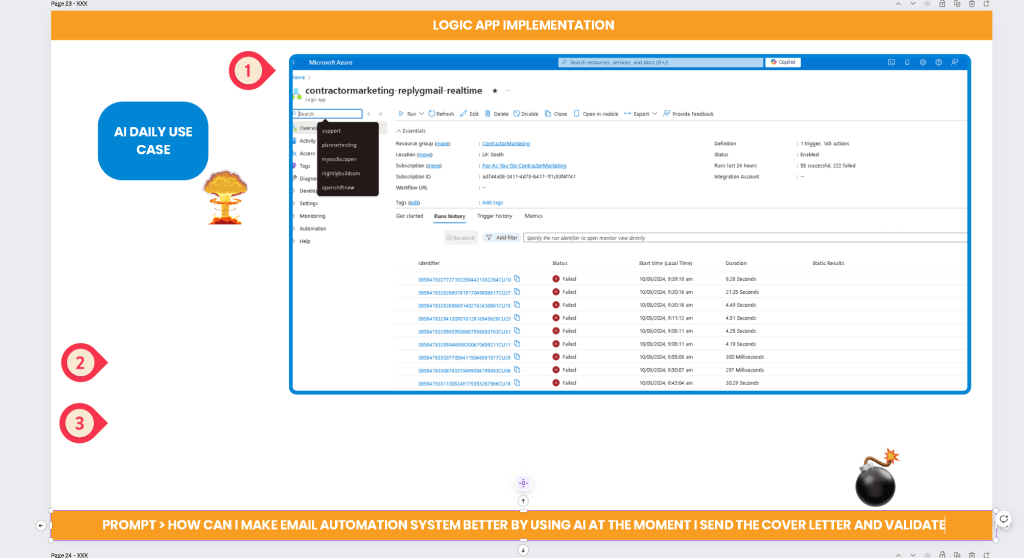
Success Rate: The workflow successfully responded to over 60% of relevant emails without any manual intervention.
-
Failure Rate: The failure rate was capped at a maximum of 30%, and in most cases, these were appropriately skipped rather than causing a workflow halt.
-
Efficiency: I significantly reduced the time spent on email management, allowing me to focus on my core responsibilities.
Lessons Learned and Self-Reflections
Throughout this process, I learned several key lessons:
-
Importance of Initial Research: The one-off research project to understand Azure Logic Apps was crucial. Without a solid foundation, the workflow would have been far less effective.
-
Iterative Improvement: Automation is not a set-it-and-forget-it solution. It requires continuous monitoring and iteration to adapt to new challenges and improve performance.
-
Failure Handling: Not all failures are bad. By designing the workflow to skip certain failures, I avoided unnecessary complications and kept the process running smoothly.
Conclusion
Automating recruiter email responses with Azure Logic Apps has transformed a time-consuming, error-prone process into an efficient, reliable system. By focusing on my specific needs and setting clear success criteria, I was able to build a workflow that not only saves time but also ensures that I never miss a relevant opportunity.
If you’re managing a high volume of recruiter emails or similar tasks, I highly recommend exploring automation with Azure Logic Apps. It’s been a game-changer for me, and with a bit of customization, it can be tailored to fit almost any workflow.
Start with research > Logic apps are part of it
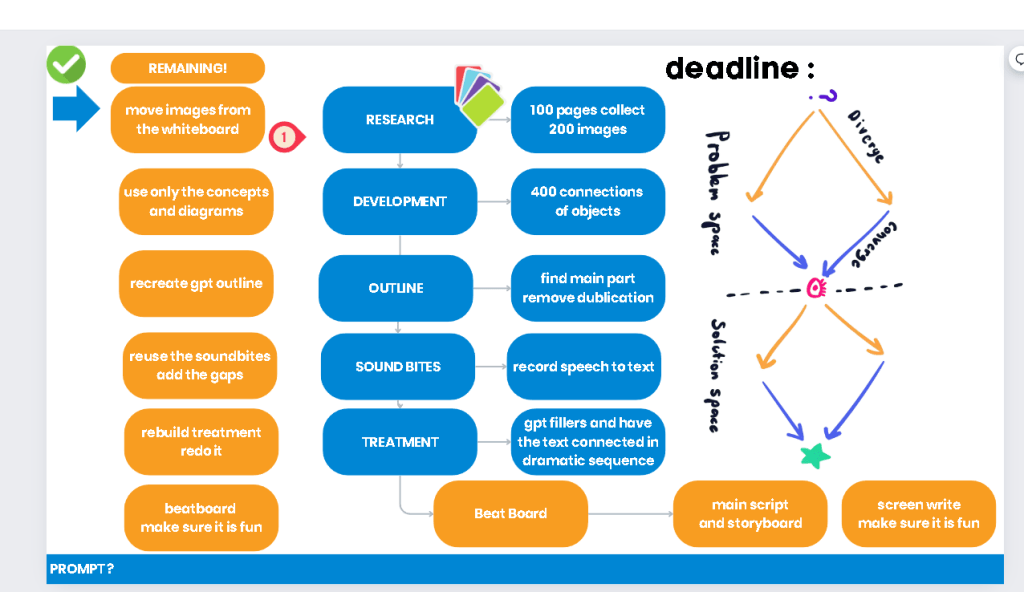
Create a guide for your self > templated icons to move
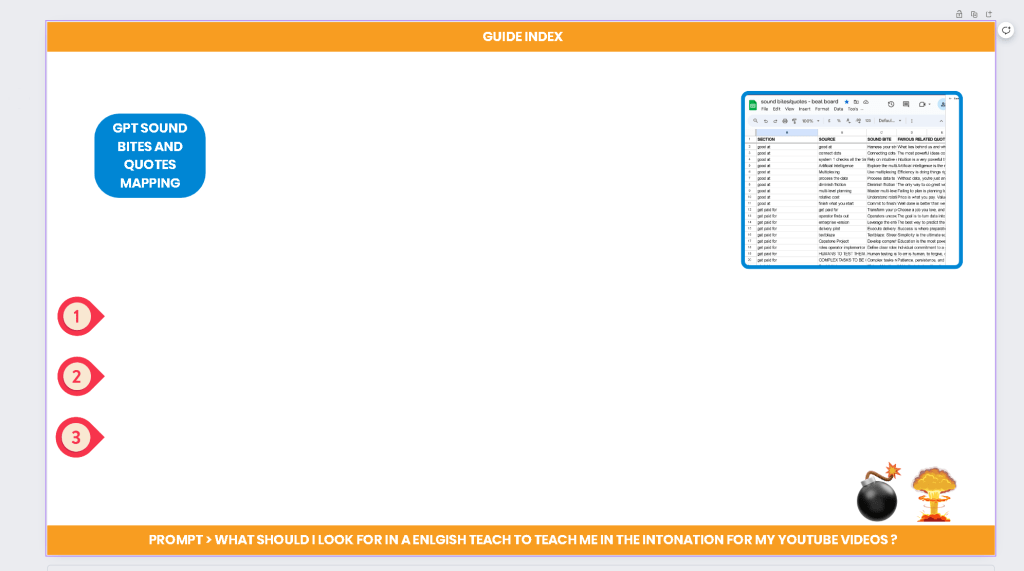
Also consider publising your self learnings with Logic apps
SORTING SEPERATORS TO PUT THE CONTENT IN THAN I WOULD CLONE AND BACKUP
TEMPLATED
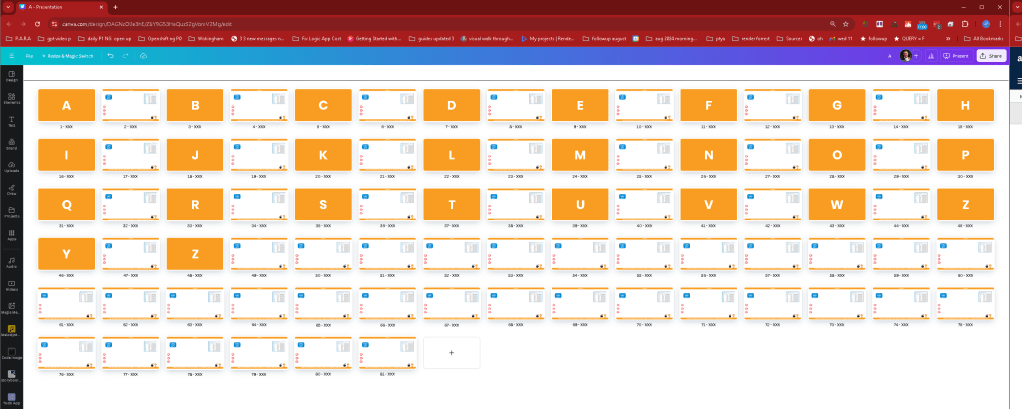
ALSO ADDING PROMPTS > part of the game ask good questions
RESEARCH IS not A ONE OFF PROJECT
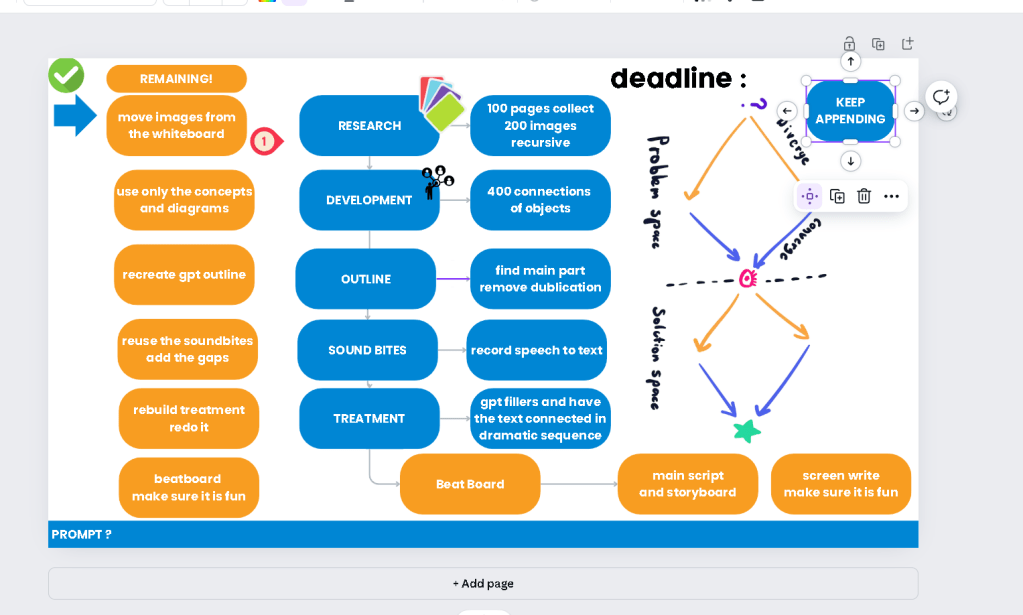
Check your action as well > if the mail system is working or not
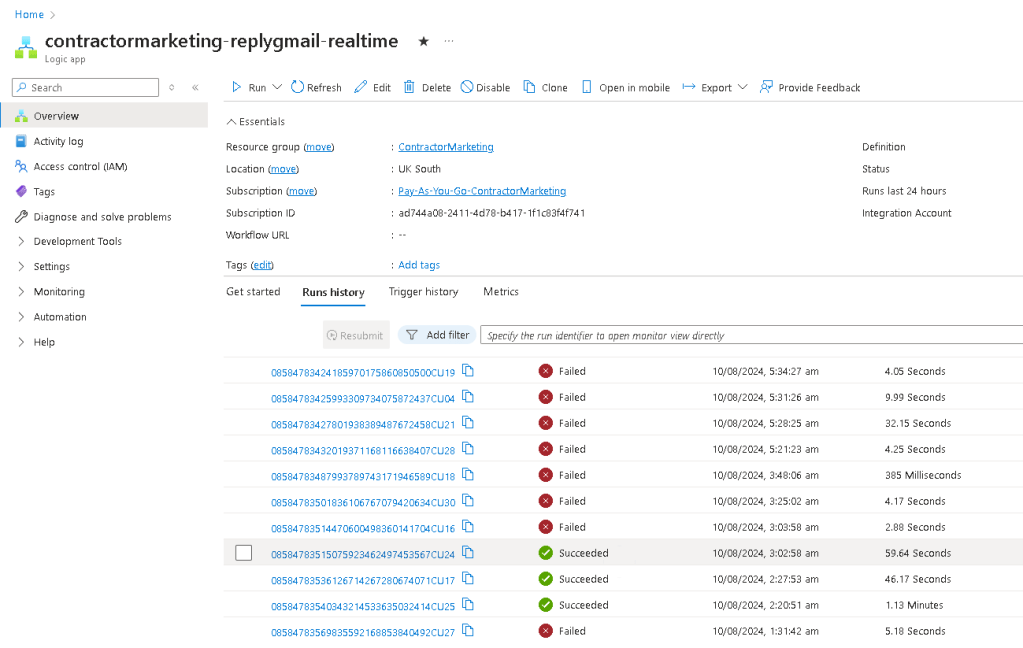
sUCCESS AT 60s > learn as an operator
FAIL MAX AT 30 > faster fails are better without api calls to openai
FOCUS TO TELL YOUR OWN STORY > logic apps are part of the gpt course >daily usecase
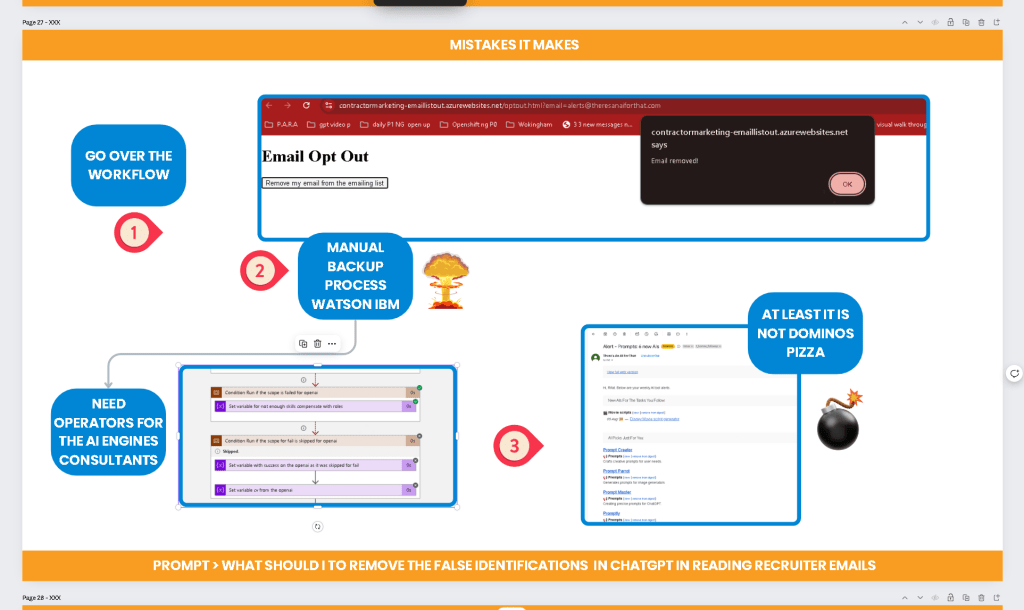
BEFORE >>> the fail understand where it is coming from automation and the GPT are part of each other >>> lymic system and cortex
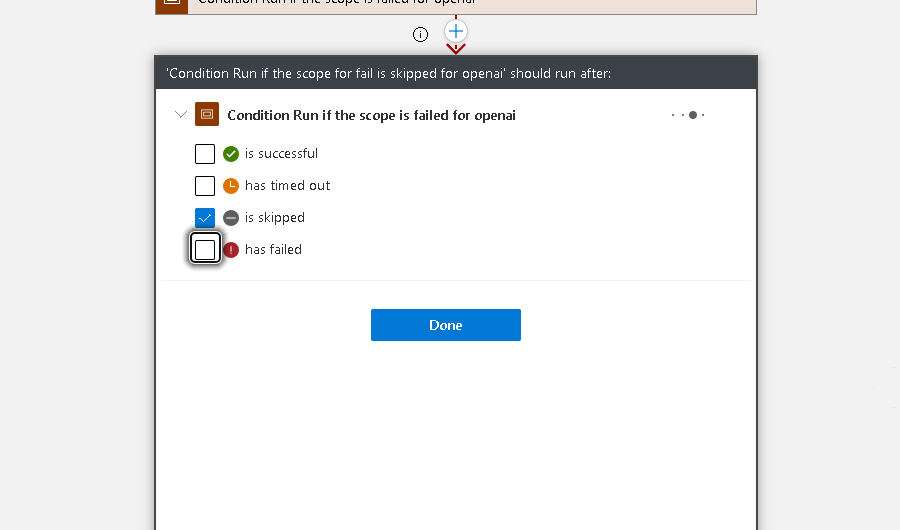
AFTER
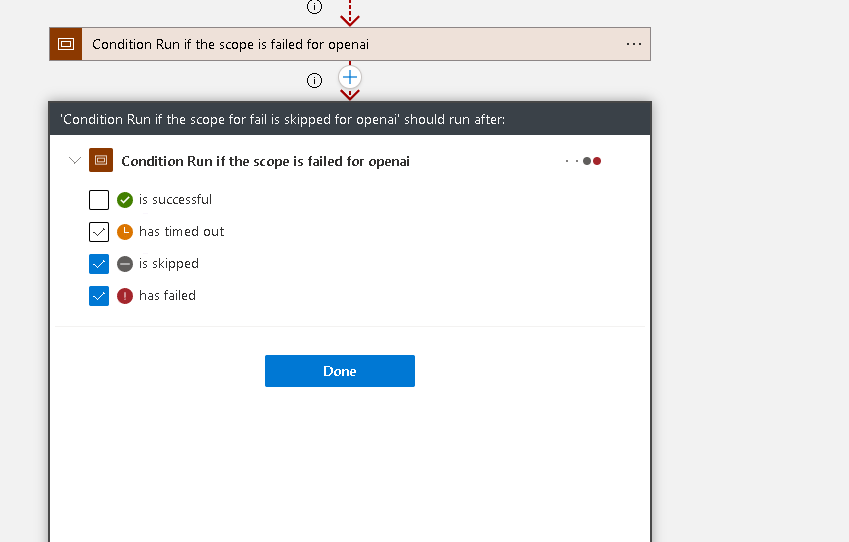
A STEP IS A SUCCESS ?? >>> understand the state machine
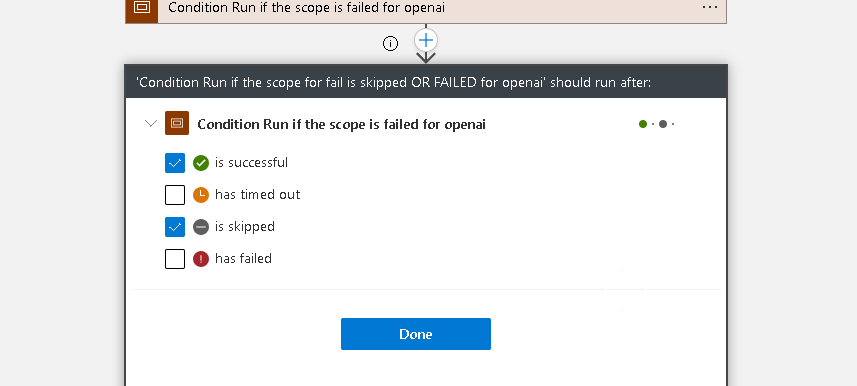
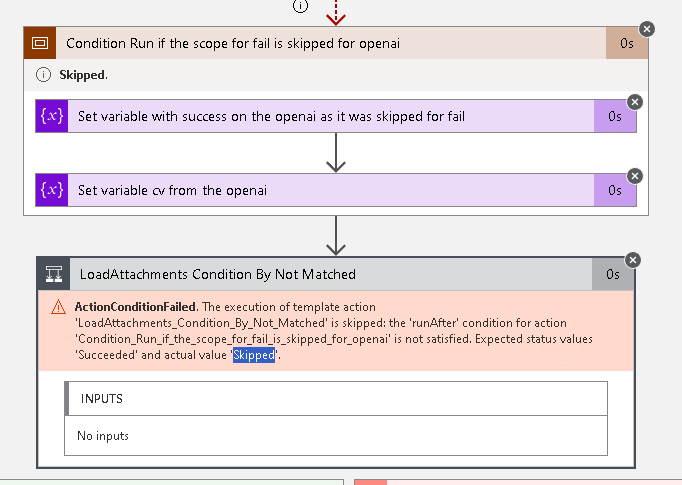
FoCUS HAS TO BE LOAD ATTACHMENTS > false flag
ALSO ADDED THE FAIL PART
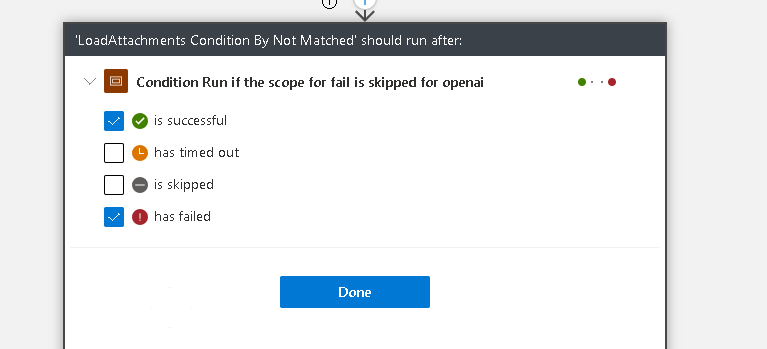
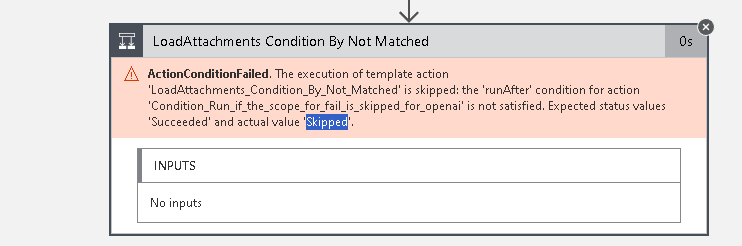
NOT FAILED IT HAS TO BE SKIPPED
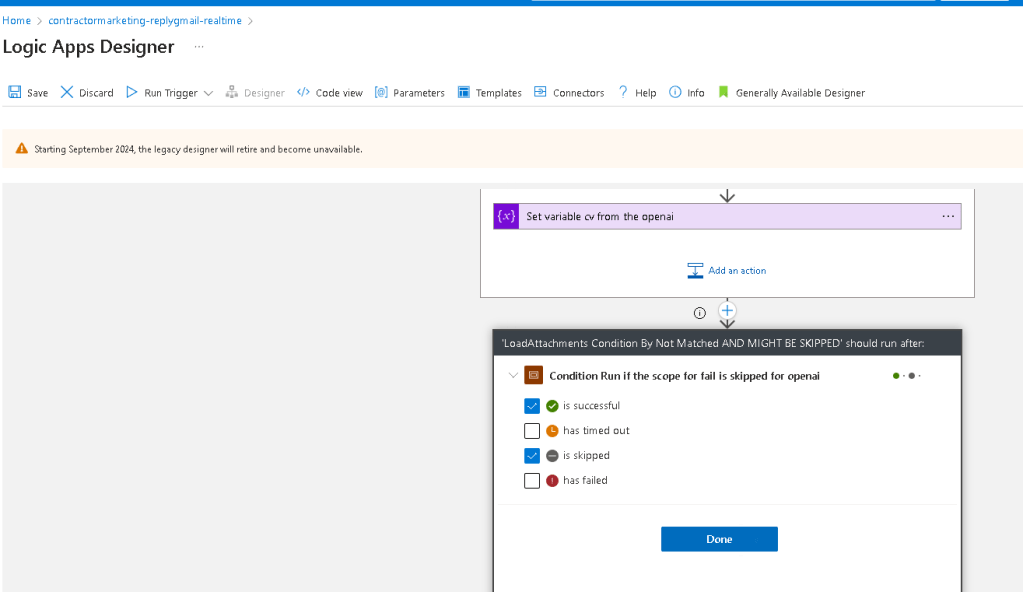
FIXING IT
COVER LETTER IS FAILING WHY >>> check sub workflows
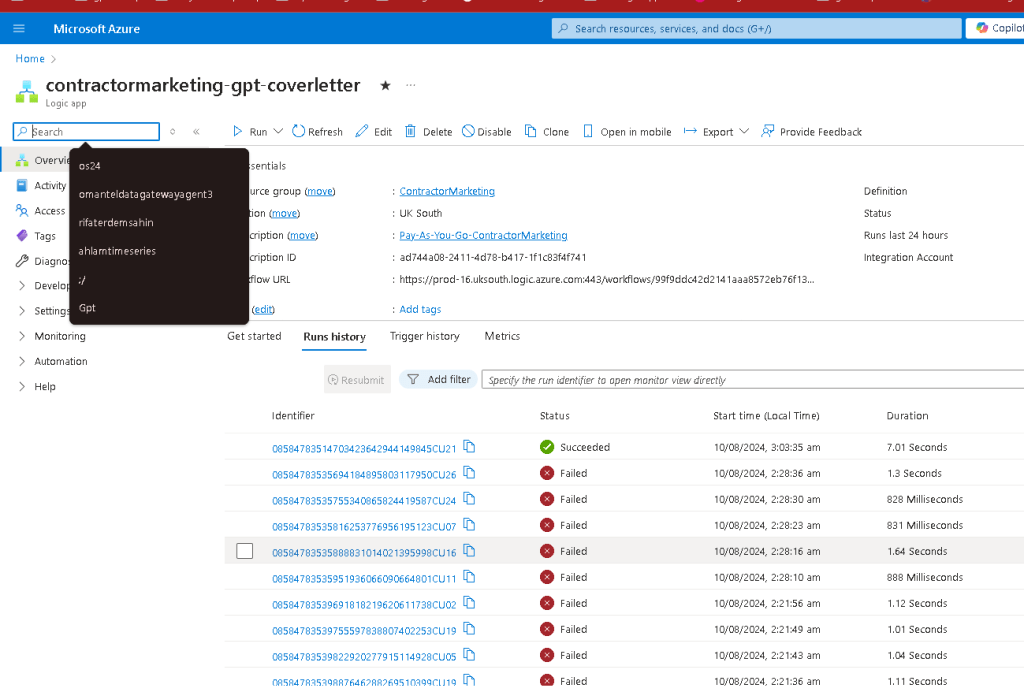
INTERNAL ERROR >>> understand why
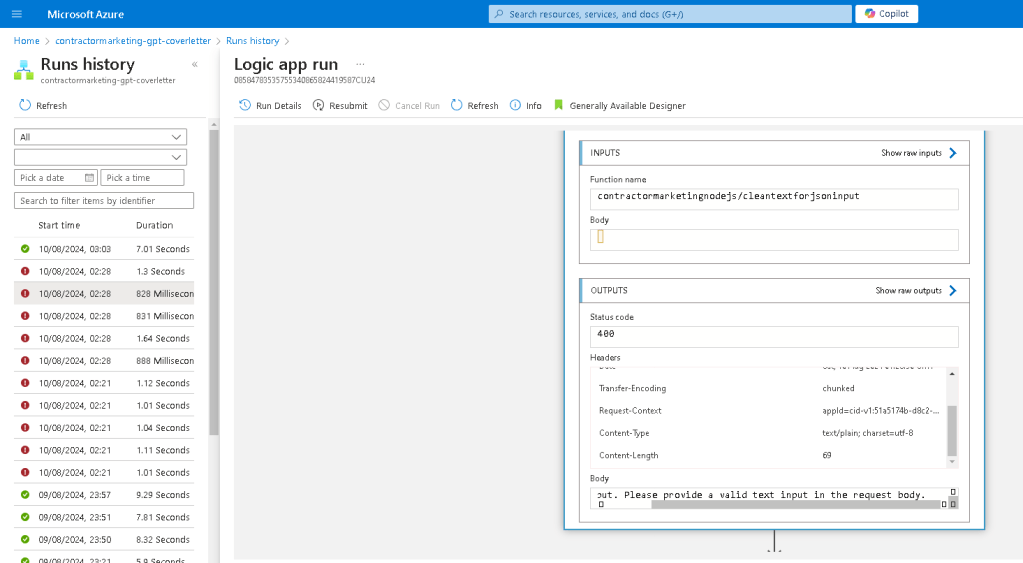
IF THERE NO SKILLS MATCHED THAN THERE IS NO MEANING TO SEND THE EMAIL >>> future candidate for AI now using a static list that needs to be regenerated with each contract.
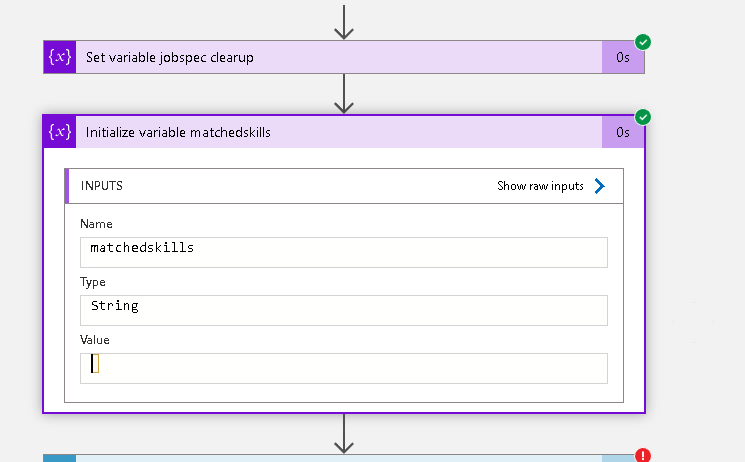
ALSO NO NEED TO CALL IT
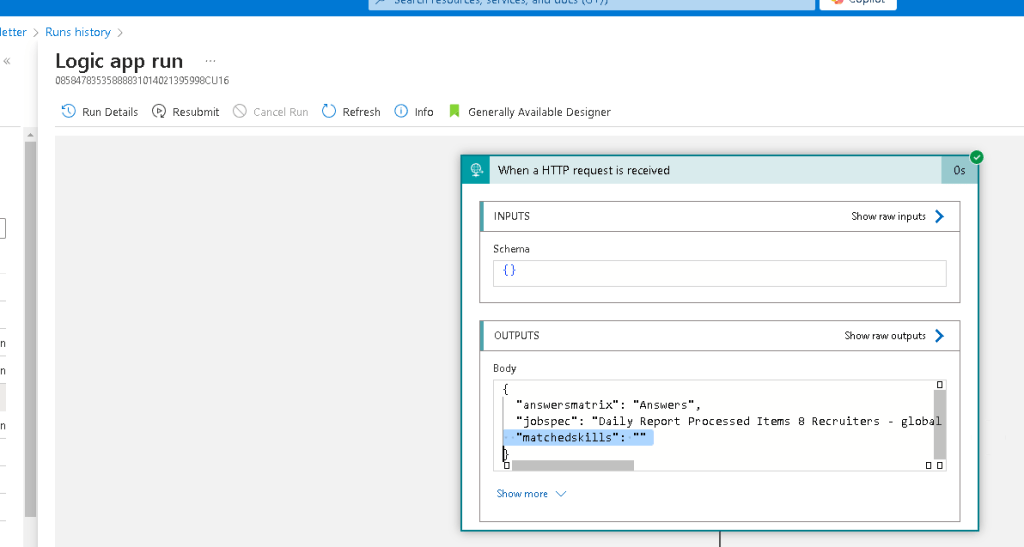
break it here is the way to go >>> easier fix
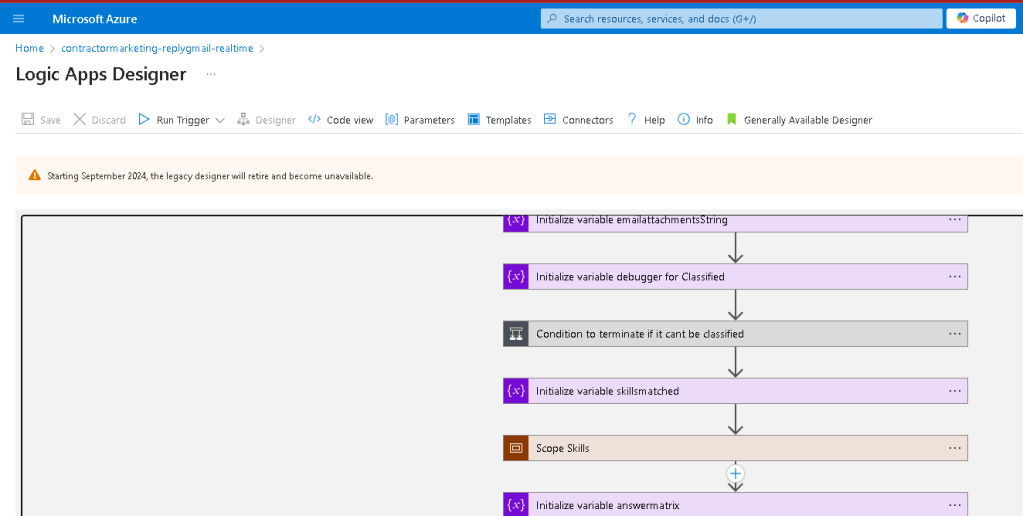
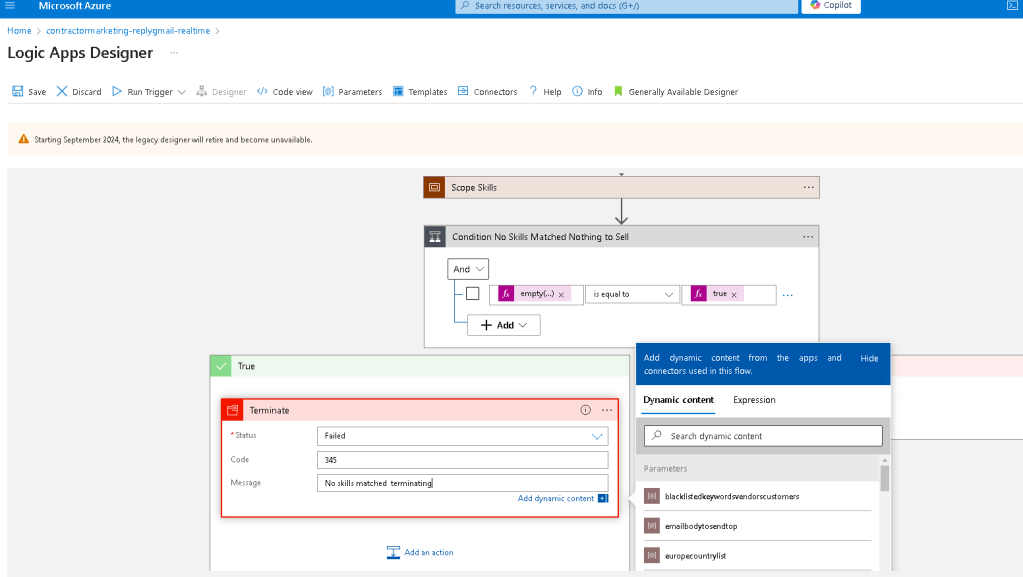
it cant do the trick >>> easier fixes are there as well
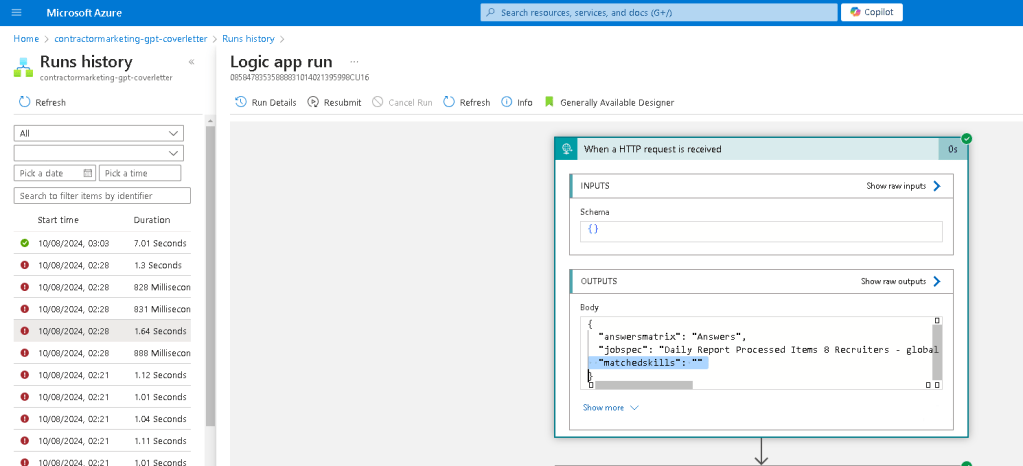
MARK IT IN THE SELF RESEARCH >>> self learnings
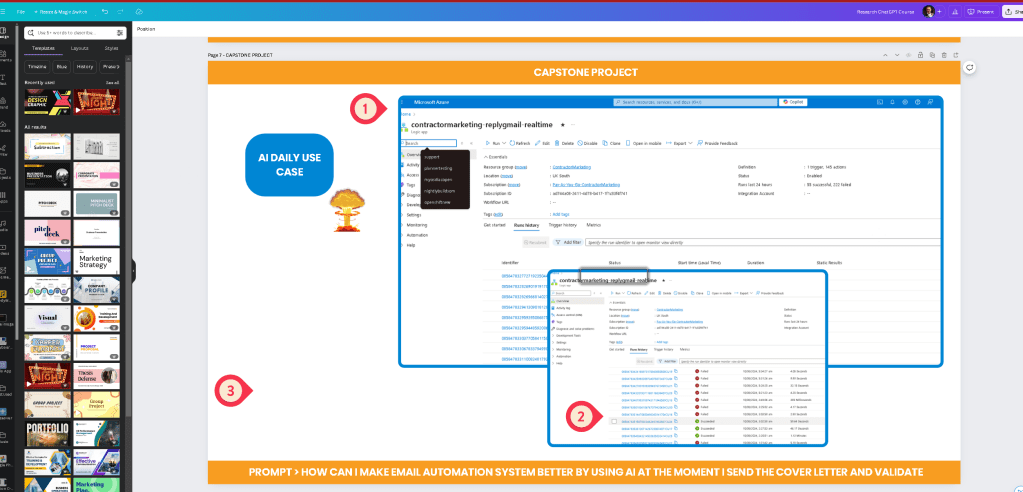
Imported from rifaterdemsahin.com · 2024