Using GPT to Enhance Your Idea to Reality Process: A Guide
Using GPT to Enhance Your Idea to Reality Process: A Guide
Creating high-quality ideascan be a time-consuming task, but leveraging AI tools like GPT can streamline the process and improve the quality of your content. Here’s a step-by-step guide on how to use GPT to create, refine, and perfect your blog posts:
1. Generate the Initial Draft with your current relality
Start by using GPT to generate the main output for your current status. If you are relocation start from there. Here’s how you can do it:
-
Define Your Topic: You dont have to be clear about the subject you want to write about. Mention your current pain and gain points with the job
-
Input Your Prompt: Provide a detailed prompt to blog post for my relocation from Cambridge to Wokingham. For example, if you’re writing about the benefits of relocation, your prompt might be: “Write a blog post about the top benefits of relocation to be antifragile”
Example Output:
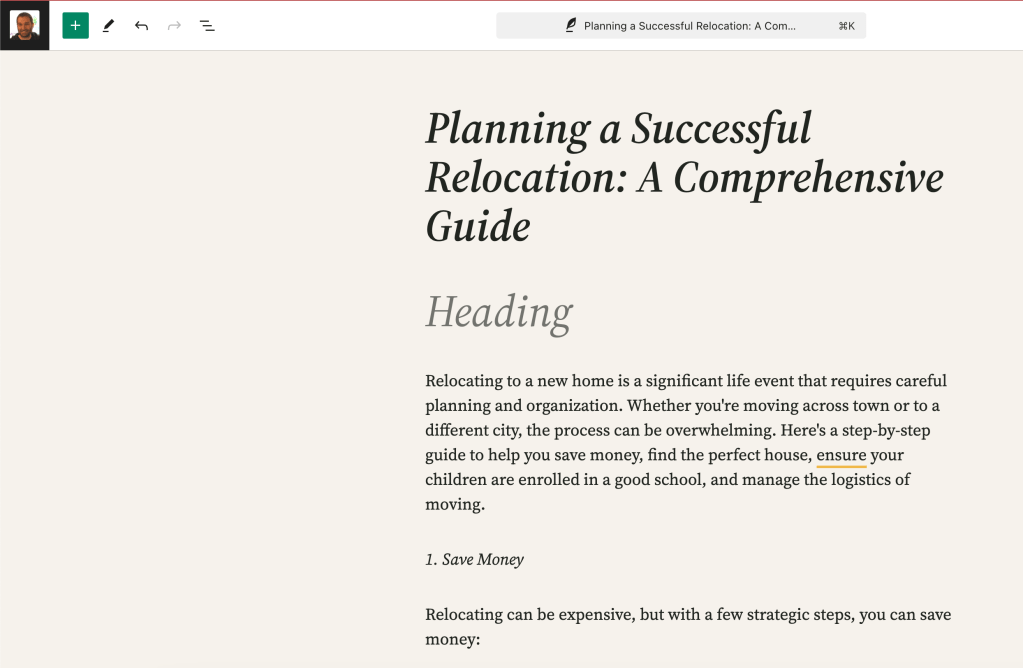
Relocating to a new home is a significant life event that requires careful planning and organization. Whether you're moving across town or to a different city, the process can be overwhelming. Here's a step-by-step guide to help you save money, find the perfect house, ensure your children are enrolled in a good school, and manage the logistics of moving.
2. Place the Draft into WordPress
Once you have your initial draft, place it into WordPress:
-
Log into Your WordPress Account: Navigate to your dashboard.
-
Create a New Post: Start a new post and paste the generated content.
-
Format the Content: Ensure proper headings, paragraphs, and bullet points are used for readability.
3. Update and Iterate
After placing the draft in WordPress, review and update it. Here are some tips:
-
Edit for Clarity and Flow: Make sure the content flows logically and is easy to understand.
-
Add Personal Touches: Inject your own voice and experiences to make the post unique.
-
Optimize for SEO: Include relevant keywords, meta descriptions, and alt texts for images.
4. Rewrite with GPT
Use GPT to refine the content further:
-
Identify Weak Areas: Look for sections that can be improved or expanded.
-
Generate New Ideas: Use prompts to get additional content or different perspectives on the topic.
Example Prompts:
-
“Expand on the benefits of reduced commuting time for employees.”
-
“Provide statistics to support the benefits of remote work.”
5. Update and Iterate Again
Repeat the process of updating and iterating:
-
Incorporate New Content: Add the new content generated by GPT to your post.
-
Enhance Readability: Break down long paragraphs, use bullet points, and include images or videos.
-
Proofread: Check for grammar and spelling errors.
6. Publish and Monitor
Once satisfied with your post, publish it and monitor its performance:
-
Engage with Readers: Respond to comments and feedback.
-
Analyze Metrics: Use analytics to track views, engagement, and other key metrics.
-
Iterate Based on Feedback: Make further updates based on reader feedback and performance data.
Conclusion
By following these steps, you can use GPT to create high-quality blog posts efficiently. The iterative process of generating content, updating, and refining ensures that your writing improves with each cycle. Embrace the power of AI to enhance your blogging workflow and produce compelling content that resonates with your audience.
Imported from rifaterdemsahin.com · 2024