Why You Should Update to VMware Workstation 17.5.2
Updating your software might sometimes feel like a hassle, especially when you are in the middle of important tasks. However, keeping your applications up-to-date is crucial for ensuring optimal performance, security, and access to the latest features. VMware Workstation, a leading virtualization software, has recently released version 17.5.2. This post will delve into the reasons why updating to this latest version is beneficial for all users.
Key Benefits of Updating to VMware Workstation 17.5.2
-
Enhanced Security
-
Protection Against Vulnerabilities: Every new software update includes patches for any vulnerabilities found in the previous versions. By updating to VMware Workstation 17.5.2, you ensure that your virtual machines are protected against the latest security threats. Cybersecurity is a rapidly evolving field, and staying updated is one of the simplest yet most effective ways to safeguard your data and systems.
-
Improved Performance and Stability
-
Bug Fixes: The latest version comes with numerous bug fixes that enhance the overall stability of the software. Users have reported fewer crashes and smoother operations with the update.
-
Optimized Performance: VMware continuously works on optimizing their software to make it run faster and more efficiently. Version 17.5.2 includes performance improvements that can make a significant difference, especially when running resource-intensive applications.
-
New and Improved Features
-
Better Compatibility: The update includes improvements that ensure better compatibility with the latest operating systems and hardware. This is particularly important if you are running cutting-edge technology and want to make the most out of your virtual environments.
-
Enhanced Tools: VMware Tools for various guest operating systems have been updated to offer better integration and functionality. This includes smoother drag-and-drop, clipboard operations, and improved network performance.
-
Free Update
-
Cost-Effective: VMware Workstation 17.5.2 is a free update for all users of VMware Workstation 17. This means you can take advantage of all the new features and improvements without any additional cost.
-
User Experience
-
Ease of Update: The update process is straightforward and can be completed with minimal disruption to your workflow. VMware’s update mechanism ensures that you can continue your work while the update is being applied.
-
Detailed Release Notes: For those who like to delve into the specifics, VMware provides comprehensive release notes that detail all the changes, fixes, and improvements included in the update.
How to Update
Updating to VMware Workstation 17.5.2 is simple:
-
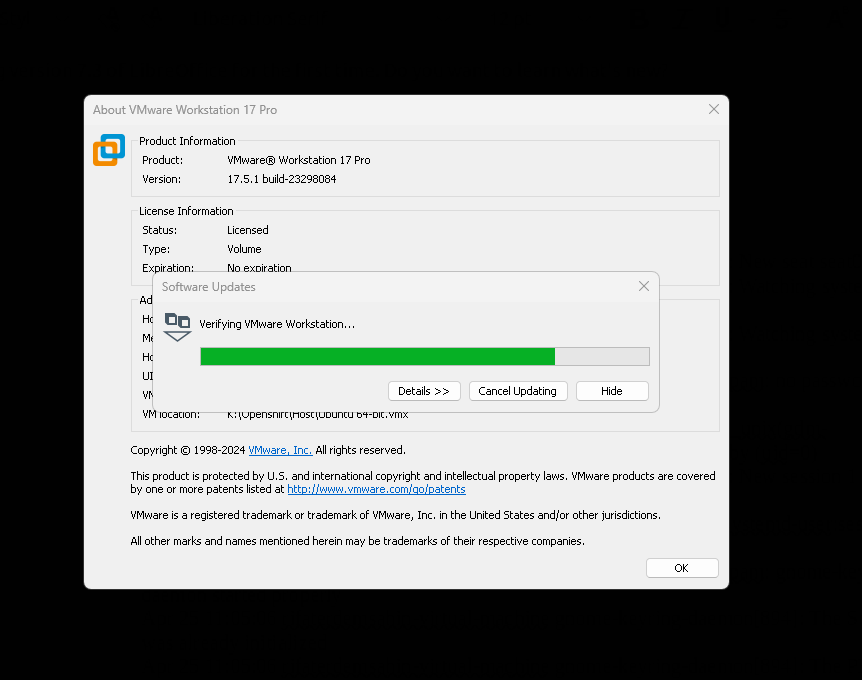
Check for Updates: Open VMware Workstation and navigate to the “Help” menu. Select “Software Updates” to check for the latest updates.
-
Download and Install: Follow the on-screen instructions to download and install the update. The process is designed to be user-friendly and should not take much time.
Conclusion
Staying updated with the latest software versions is essential for maintaining a secure, efficient, and hassle-free computing environment. VMware Workstation 17.5.2 offers significant improvements in security, performance, and usability. As a free update for all VMware Workstation 17 users, there is no reason to delay this upgrade. Make sure your virtual environments are running at their best by updating to the latest version today.
For more details, refer to the VMware Workstation release notes.
I hope this post provides a clear and compelling case for updating to VMware Workstation 17.5.2. If you have any specific questions or need further information, feel free to ask!
Imported from rifaterdemsahin.com · 2024