Logic error to handle the case
BEFORE
if(equals(body('contractormarketing-gpt-coverletter')['error'], null), body('contractormarketing-gpt-coverletter')['result'], 'Error occurred')
AFTER
if(equals(contains(body('contractormarketing-gpt-coverletter'), 'error'), true), 'Error occurred', body('contractormarketing-gpt-coverletter')['result'])
Sure, let's break down the differences between the two expressions in your Logic Apps or Power Automate flow:
Before
if(equals(body('contractormarketing-gpt-coverletter')['error'], null), body('contractormarketing-gpt-coverletter')['result'], 'Error occurred')
Explanation:
-
Accessing
errorProperty Directly: -
The expression
body('contractormarketing-gpt-coverletter')['error']attempts to access theerrorproperty directly. -
Checking if
errorisnull: -
equals(body('contractormarketing-gpt-coverletter')['error'], null)checks if theerrorproperty isnull. -
Return Values:
-
If
errorisnull, it returnsbody('contractormarketing-gpt-coverletter')['result']. -
If
erroris notnull(or if it does not exist, leading to an error), it returns'Error occurred'.
Problem:
- If the
errorproperty does not exist in the body, this expression fails because it tries to access a non-existent property.
After
if(equals(contains(body('contractormarketing-gpt-coverletter'), 'error'), true), 'Error occurred', body('contractormarketing-gpt-coverletter')['result'])
Explanation:
-
Checking Existence of
errorProperty: -
contains(body('contractormarketing-gpt-coverletter'), 'error')checks if theerrorproperty exists in the body. -
Evaluating Boolean Condition:
-
equals(contains(body('contractormarketing-gpt-coverletter'), 'error'), true)evaluates totrueif theerrorproperty exists, otherwisefalse. -
Return Values:
-
If
containsevaluates totrue(i.e.,errorproperty exists), it returns'Error occurred'. -
If
containsevaluates tofalse(i.e.,errorproperty does not exist), it returnsbody('contractormarketing-gpt-coverletter')['result'].
Improvement:
-
The
containsfunction safely checks for the existence of theerrorproperty without attempting to access it directly. -
This avoids the risk of trying to access a property that might not exist, preventing the error you encountered.
Summary of Differences
-
Error Handling:
-
Before: Directly accesses the
errorproperty, leading to an error if it does not exist. -
After: Checks for the existence of the
errorproperty before accessing it, preventing errors. -
Condition Logic:
-
Before: Returns
body('contractormarketing-gpt-coverletter')['result']iferrorisnull, otherwise'Error occurred'. -
After: Returns
'Error occurred'iferrorexists, otherwisebody('contractormarketing-gpt-coverletter')['result']. -
Robustness:
-
Before: Less robust due to potential access of non-existent property.
-
After: More robust due to the preliminary check using
contains.
In conclusion, the "After" version is designed to handle cases where the error property might not be present, making the expression more robust and preventing runtime errors.
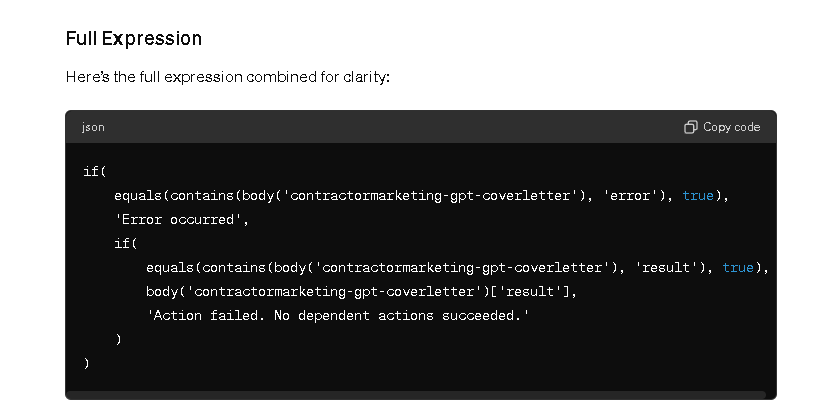
if(equals(contains(body('contractormarketing-gpt-coverletter'), 'error'), true), 'Error occurred', body('contractormarketing-gpt-coverletter')['result'])
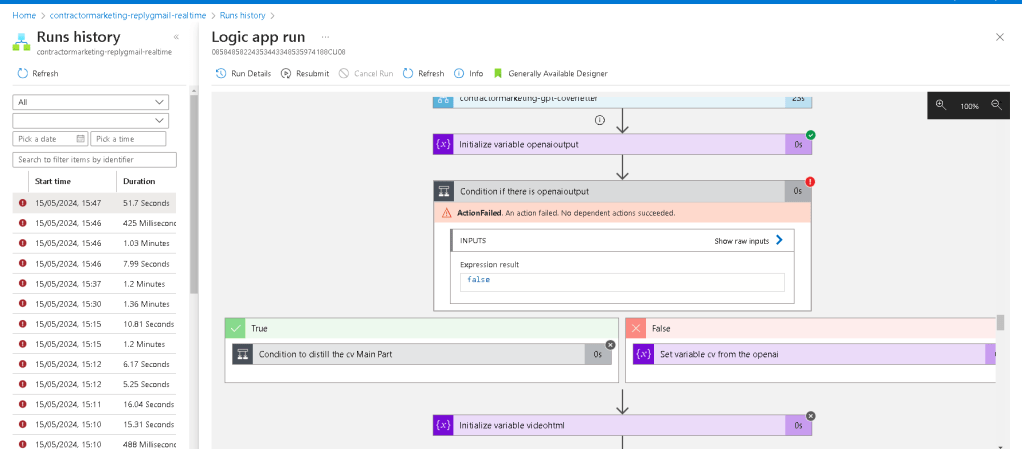
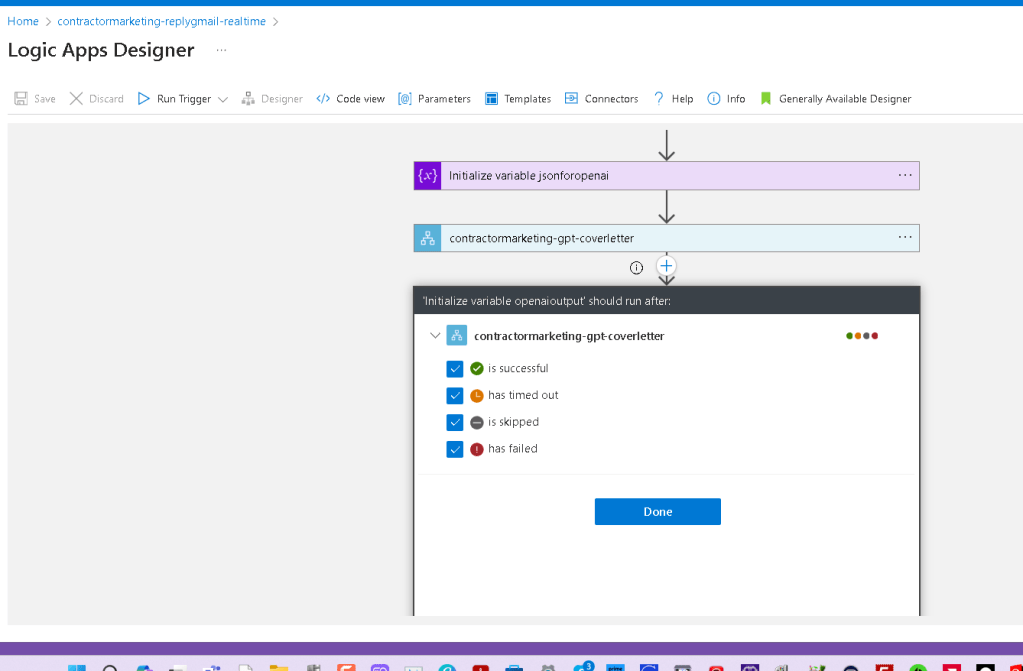
ActionFailed. An action failed. No dependent actions succeeded.
Imported from rifaterdemsahin.com · 2024