slow restart
I need the snippets
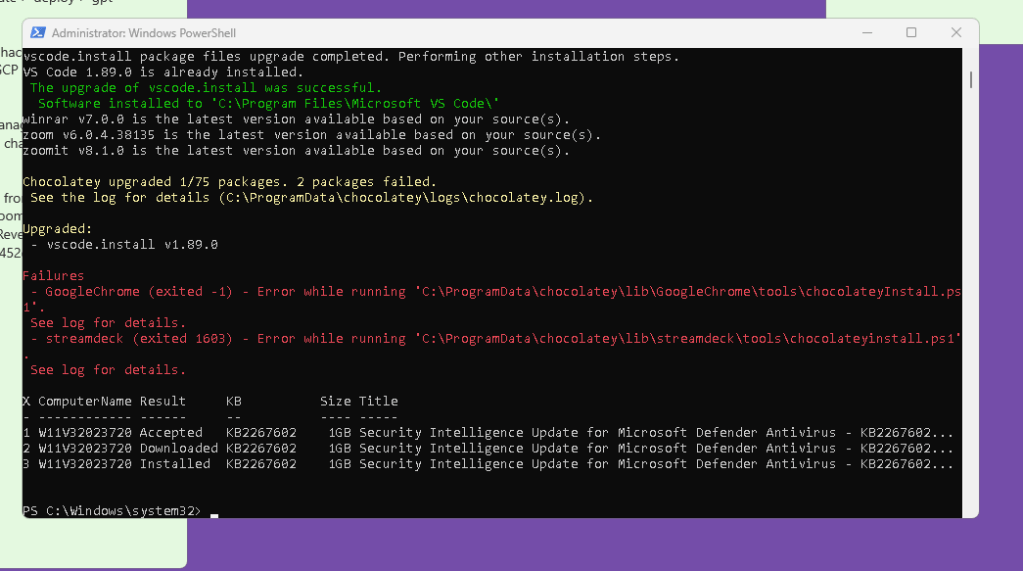
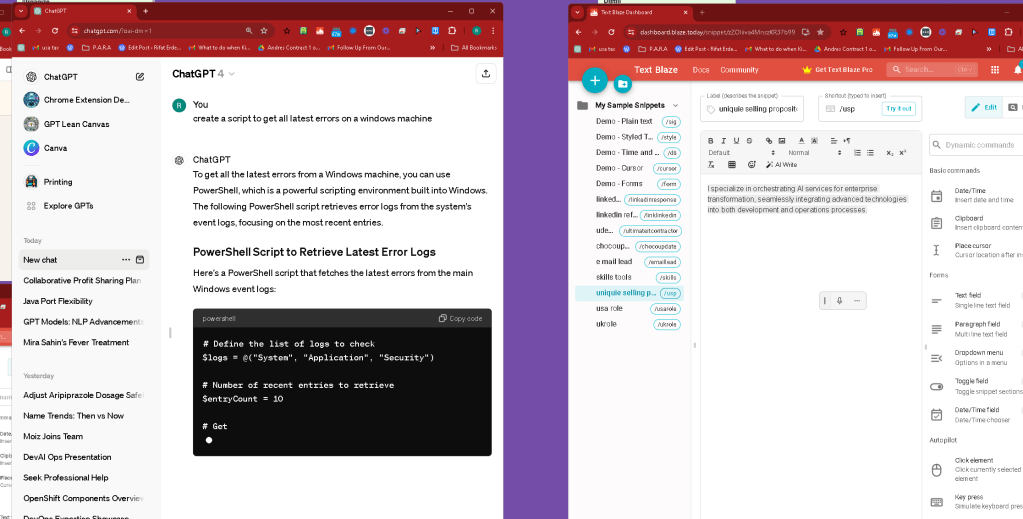
Here's the PowerShell one-liner version of the script that fetches the latest error entries from the Windows event logs:
"System","Application","Security" | % { Get-EventLog -LogName $_ -EntryType Error -After (Get-Date).AddDays(-1) | Select-Object TimeGenerated, Source, InstanceId, Message -First 10 | Format-Table -AutoSize; Write-Host ""}
Explanation of the One-Liner:
-
Iterate Over Logs:
"System","Application","Security"lists the logs, and| % { ... }is a shorthand forForEach-Object, which iterates over each log name. -
Get Error Events:
Get-EventLog -LogName $_ -EntryType Error -After (Get-Date).AddDays(-1)fetches error logs from the past day. You can adjust the number of days by changing the-1inAddDays(-1). -
Select and Format Output:
Select-Object TimeGenerated, Source, InstanceId, Message -First 10picks the first 10 errors and their details, andFormat-Table -AutoSizeformats them into a readable table. -
Separate Logs Output:
Write-Host ""adds a blank line after the output for each log for better readability.
Running the One-Liner:
To run this one-liner:
-
Open PowerShell with Administrative Privileges: Right-click the PowerShell icon and select "Run as administrator".
-
Paste and Execute the Command: Simply copy the one-liner and paste it into the PowerShell window.
This script will output the latest error entries from the System, Application, and Security logs, formatted for easy reading. Adjust the -After (Get-Date).AddDays(-1) part if you need a different timeframe.
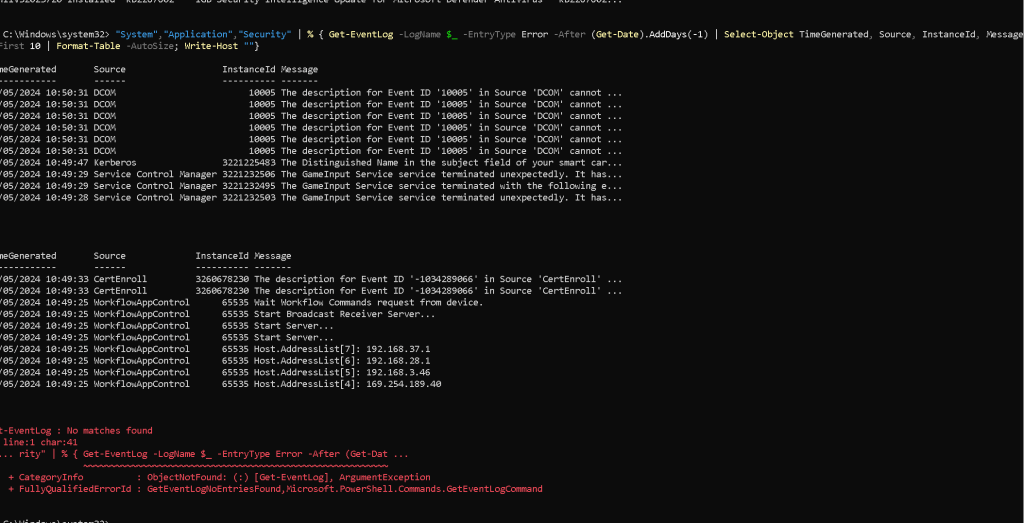
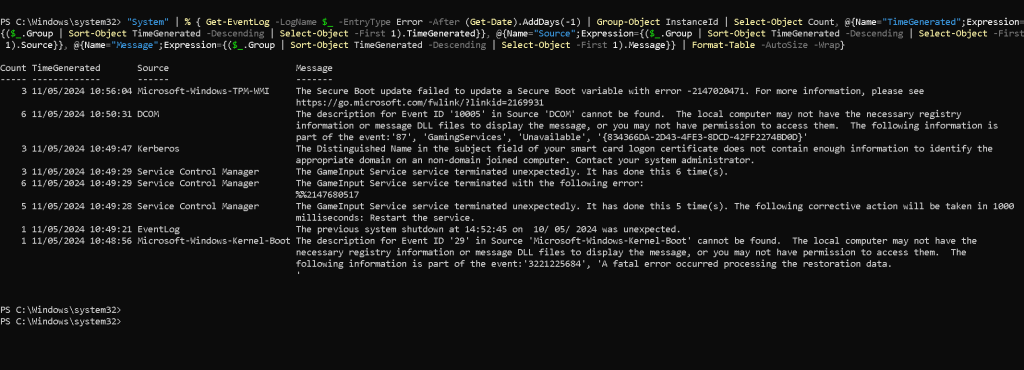
here
Count TimeGenerated Source Message
3 11/05/2024 10:56:04 Microsoft-Windows-TPM-WMI The Secure Boot update failed to update a Secure Boot variable with error -2147020471. For more information, please see https://go.microsoft.com/fwlink/?linkid=2169931
6 11/05/2024 10:50:31 DCOM The description for Event ID '10005' in Source 'DCOM' cannot be found. The local computer may not have the necessary registry information or message DLL files to display the message, or you may not have permission to access them. The following information is part of the event:'87', 'GamingServices', 'Unavailable', '{834366DA-2D43-4FE3-8DCD-42FF2274BD0D}'
3 11/05/2024 10:49:47 Kerberos The Distinguished Name in the subject field of your smart card logon certificate does not contain enough information to identify the appropriate domain on an non-domain joined computer. Contact your system administrator.
3 11/05/2024 10:49:29 Service Control Manager The GameInput Service service terminated unexpectedly. It has done this 6 time(s).
6 11/05/2024 10:49:29 Service Control Manager The GameInput Service service terminated with the following error:
%%2147680517
5 11/05/2024 10:49:28 Service Control Manager The GameInput Service service terminated unexpectedly. It has done this 5 time(s). The following corrective action will be taken in 1000 milliseconds: Restart the service.
1 11/05/2024 10:49:21 EventLog The previous system shutdown at 14:52:45 on 10/05/2024 was unexpected.
1 11/05/2024 10:48:56 Microsoft-Windows-Kernel-Boot The description for Event ID '29' in Source 'Microsoft-Windows-Kernel-Boot' cannot be found. The local computer may not have the necessary registry information or message DLL files to display the message, or you may not have permission to access them. The following information is part of the event:'3221225684', 'A fatal error occurred processing the restoration data.
'
The errors listed from your Windows event logs indicate various system issues, each requiring specific steps to resolve or investigate further. Below, I'll outline potential fixes for each of the notable errors you've mentioned:
1. Microsoft-Windows-TPM-WMI Secure Boot Update Error
-
Error: The Secure Boot update failed to update a Secure Boot variable.
-
Fix: This could be related to a recent update or a problem with your system's TPM (Trusted Platform Module). Visit the link provided in the error message for detailed troubleshooting steps, or consider updating your BIOS and checking TPM settings in the BIOS.
2. DCOM Event ID 10005
-
Error: The local computer may not have the necessary registry information or message DLL files.
-
Fix: This is often related to permissions or corrupt installations. Ensure that the component identified (here, 'GamingServices') is correctly installed. You may try reinstalling the related software or using the Component Services (
dcomcnfg) to check permissions.
3. Kerberos Smart Card Logon Certificate Issue
-
Error: DN in the subject field of the smart card logon certificate lacks sufficient information.
-
Fix: This typically concerns the configuration of smart card logon certificates. Ensure the certificate is correctly configured or consult your system administrator.
4. Service Control Manager (GameInput Service Errors)
-
Error: Service terminated unexpectedly multiple times and with a specific error code.
-
Fix:
-
Investigate the specific error code provided (
%%2147680517). -
Ensure the service is up to date, or reinstall the related software.
-
Check if dependencies for the GameInput Service are functioning correctly.
-
Check the service's recovery options in the Services MMC (services.msc).
5. EventLog Unexpected Shutdown
-
Error: System shutdown was unexpected.
-
Fix: Check the system's reliability monitor (via the Control Panel) to identify what happened before the shutdown. Consider running hardware diagnostics, as unexpected shutdowns could be hardware-related.
6. Microsoft-Windows-Kernel-Boot Event ID 29
-
Error: Fatal error occurred processing the restoration data.
-
Fix: This could indicate a problem with your system's ability to restore from hibernation or sleep. Check disk health, ensure enough disk space for hibernation, and consider disabling fast startup or hibernation if the problem persists.
General Steps to Further Diagnose and Resolve:
-
Update Drivers and Windows: Ensure all your device drivers and Windows are up to date. Use the Device Manager to update drivers and Windows Update for system updates.
-
Check System Files: Run System File Checker to repair corrupted system files. Open an elevated Command Prompt and run
sfc /scannow. -
View Detailed Event Logs: Use Event Viewer to get more details on each error, which can provide further clues for resolution.
-
Administrative Tools: Use tools like Services, Component Services, and the Group Policy Editor for more detailed settings adjustments and troubleshooting.
Each error and its context might need specific handling depending on your system setup and the criticality of the services involved. If you're not comfortable handling these steps, it may be wise to consult with an IT professional.
after skow start
Estimating the exact number of programmers in the world is challenging due to varying definitions of what constitutes a programmer and the dynamic nature of the job market. However, several sources provide estimates:
-
GitHub Users: GitHub, one of the largest code repositories, has over 83 million users as of early 2023. While not all GitHub users are professional programmers, a significant portion likely engages in programming.
-
Professional Estimates: According to various industry analyses and surveys, there are approximately 18-26 million professional software developers worldwide. This number grows when including people in related fields such as web development, software engineering, and data analysis.
-
Growth Trends: The technology sector is rapidly expanding, and programming skills are increasingly required in a variety of industries. As technology continues to permeate more aspects of life, the number of people who know how to code—professionally or otherwise—is likely increasing.
These figures suggest a broad estimate of those who might be considered programmers, spanning from hobbyists and students to professionals across various sectors.
Imported from rifaterdemsahin.com · 2024