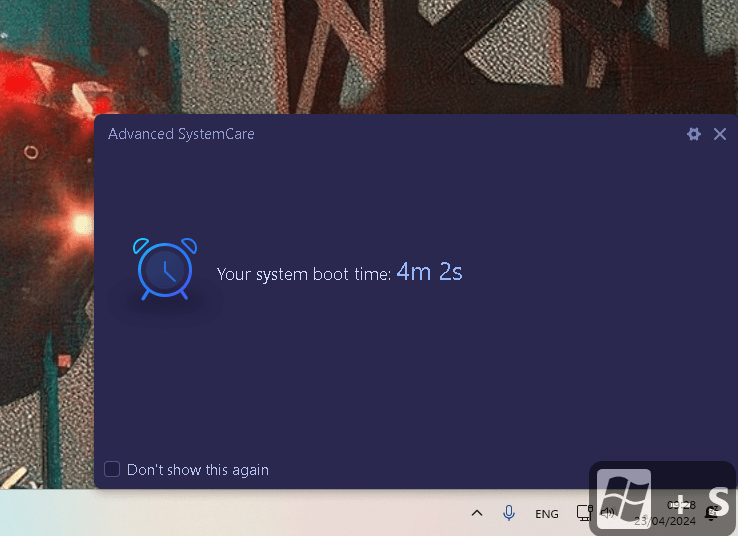
90 seconds turn on time
turn off
Loom
Loupedeck
Wacom
3dconnexicon
JoyToKey
spotffiy
Add more
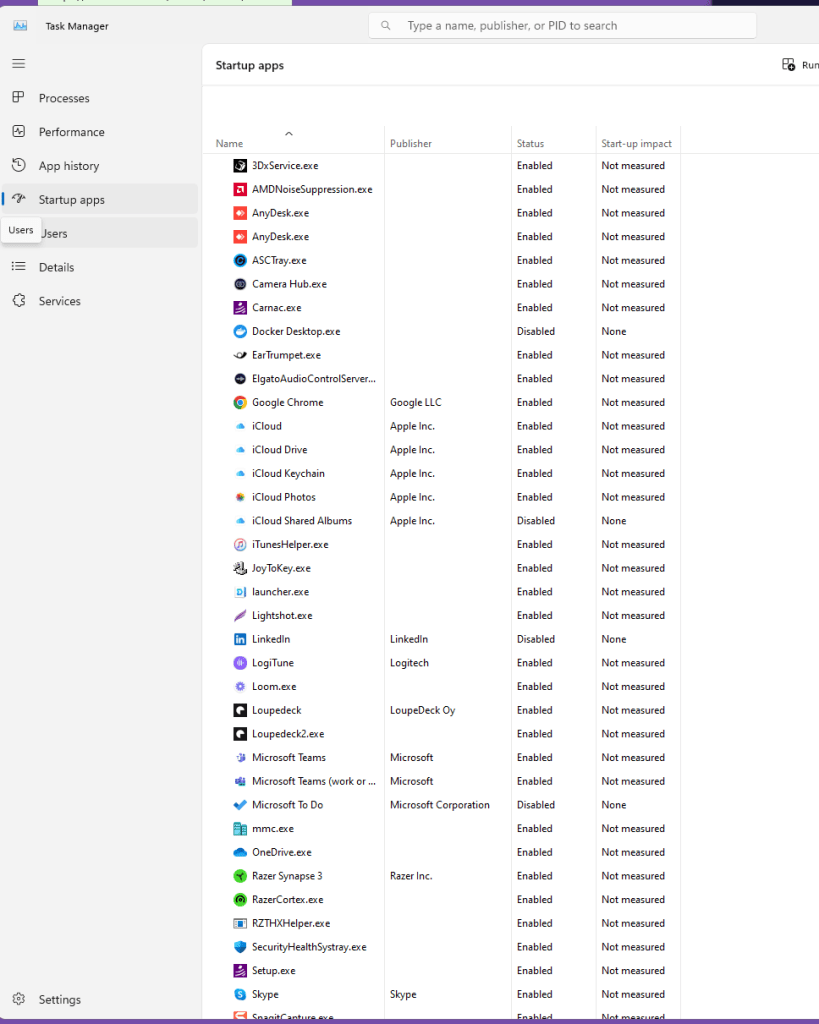
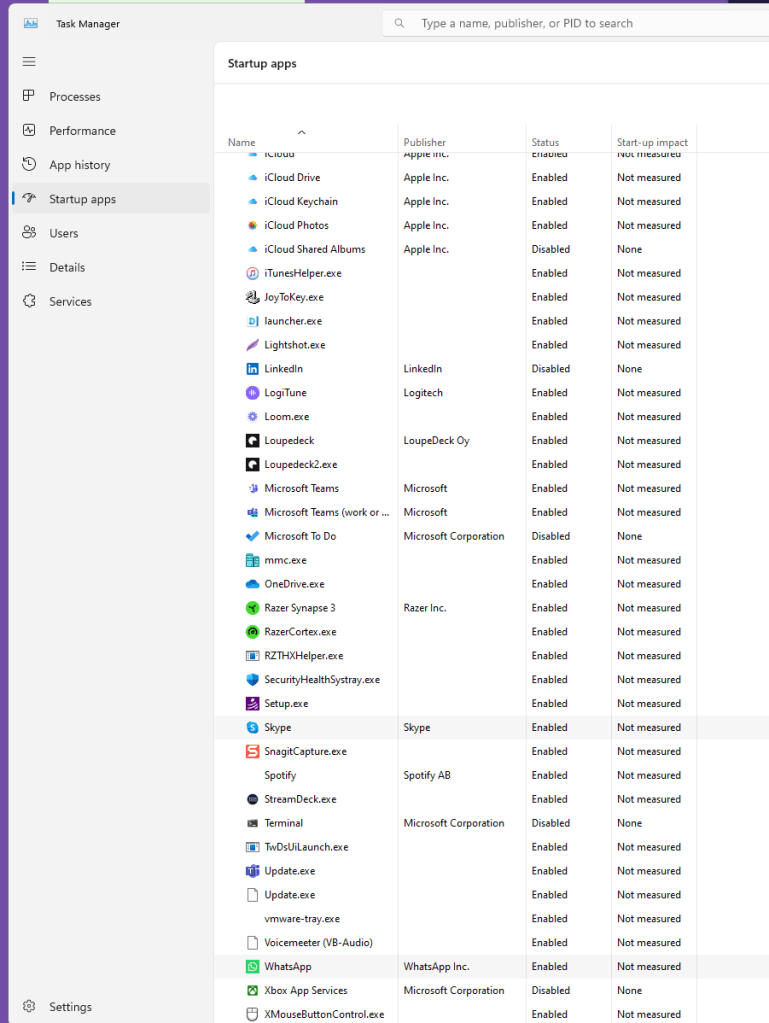
Rught click and disable
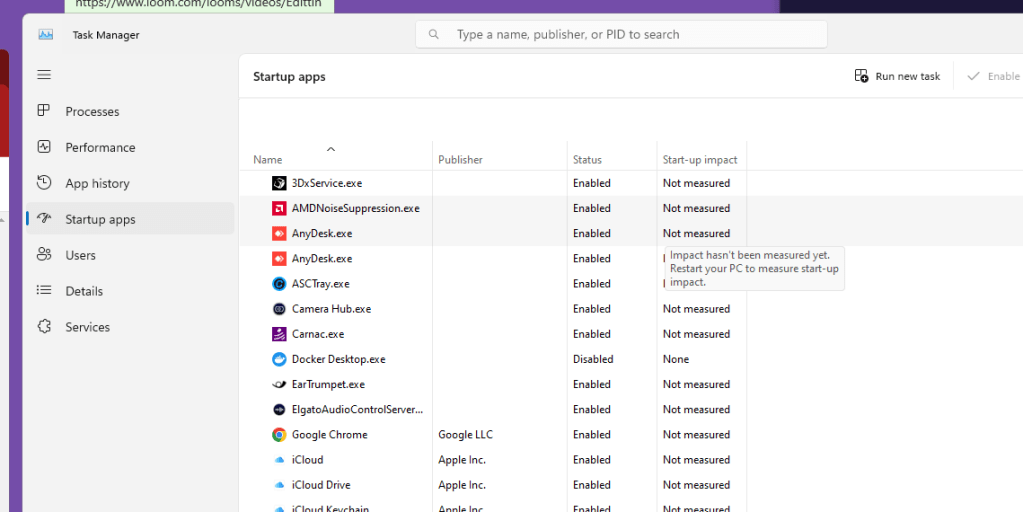
Sort by enabled
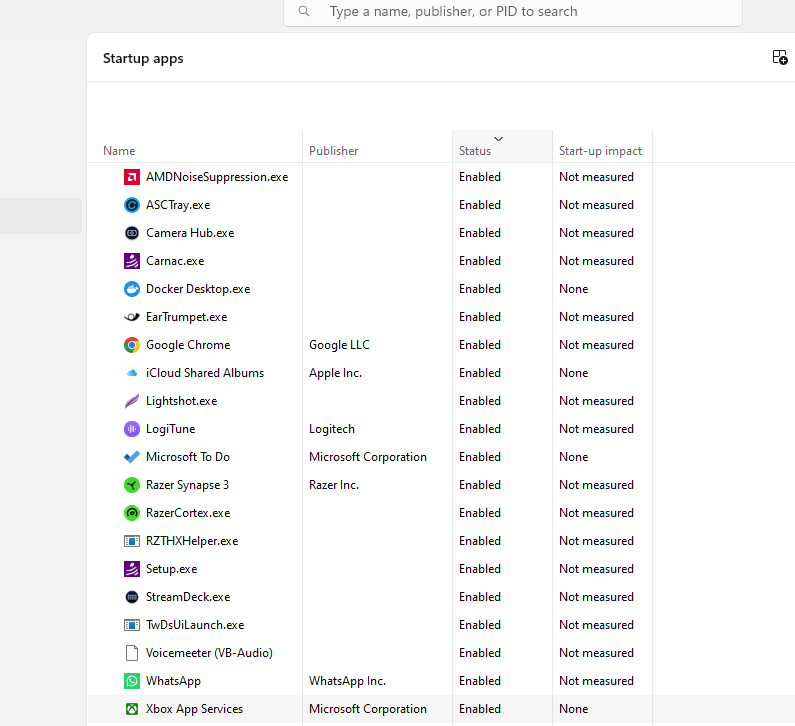
To turn off processes that automatically start up when you log into Windows 11, you can follow these steps to manage your startup applications:
-
Open Task Manager:
-
Right-click on the Start button or press
Ctrl + Shift + Escto open the Task Manager. -
If Task Manager opens in a simplified view, click on "More details" at the bottom to expand it.
-
Navigate to the Startup Tab:
-
Click on the "Startup" tab in Task Manager. This tab will list all the applications that have permission to start automatically when your computer boots.
-
Disable Startup Applications:
-
Browse through the list to find the applications you don’t want to run at startup.
-
Click on an application to highlight it, then click the "Disable" button in the bottom-right corner of the Task Manager. This will prevent the application from starting automatically the next time you boot your PC.
-
Consider Impact:
-
Task Manager also shows the impact of each startup application on the boot process. Applications listed as having “High” impact slow down your startup more significantly than those marked “Low.” Use this information to decide which applications to disable.
-
Close Task Manager:
-
Once you've disabled the desired applications, you can close the Task Manager.
It’s good practice to occasionally review the applications in the Startup tab to ensure that only necessary applications are set to run at startup, as this can significantly affect the speed and efficiency of your Windows system booting up.
**lol taking x2 longer now **
Imported from rifaterdemsahin.com · 2024