Using Loom to give feedback on video edits
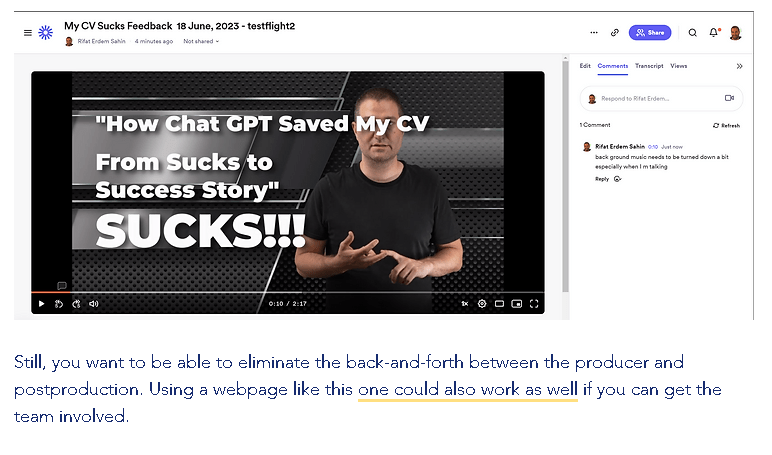
Providing feedback to a post-production team is crucial for refining the final output, whether it's for video projects, software development, or any form of digital creation. The method you choose for feedback can greatly affect how well your suggestions are understood and implemented. Let's explore the benefits and considerations of the options you mentioned, as well as an additional approach to ensure comprehensive coverage.
1. Using Loom for Video Feedback
-
Benefits: Loom allows you to record your screen and voice, making it ideal for visually demonstrating your points. This can be particularly effective for feedback on visual elements, user interface designs, or specific moments in a video. It adds a personal touch, and the visual context can make your comments easier to understand and act upon.
-
Considerations: Not all feedback might be suited for video format, especially if it requires detailed documentation or references to specific data points or texts. Also, consider the recipient's bandwidth and ability to access video content easily.
2. Written Feedback
-
Benefits: Written feedback, whether through email or shared documents, is versatile and can be easily archived and referenced. It's particularly effective for detailed feedback, including specific suggestions, edits, or questions. Shared documents also allow for collaborative feedback, enabling multiple team members to view, comment, and edit in real-time.
-
Considerations: Clarity and structure are key in written feedback. It can sometimes be misinterpreted due to the lack of tone or visual cues. Make sure to be concise and direct, and consider using bullet points or headings to organize your feedback.
3. In-Person or Virtual Meetings
-
Benefits: Direct conversations, whether in person or through video calls, allow for immediate clarification of doubts and an exchange of ideas that can be more dynamic than asynchronous communication methods. This can be especially useful for complex projects where feedback might require a detailed discussion.
-
Considerations: Scheduling can be a challenge, especially for teams spread across different time zones. Also, ensure that key points from the meeting are documented for those who were not present or for future reference.
Best Practices for Providing Feedback
Regardless of the method chosen, here are some best practices to follow:
-
Be Specific and Constructive: Rather than just pointing out what you don't like, offer suggestions on how it could be improved.
-
Prioritize Your Feedback: Not all feedback is equally important. Highlight which points are crucial and which are minor or optional.
-
Follow-Up: Feedback is a two-way conversation. Be open to discussing your feedback further and seeing how it's been implemented.
-
Encourage Dialogue: Encourage the team to ask questions if something isn't clear. This not only helps ensure your feedback is understood but also fosters a positive team environment.
Each feedback method has its own strengths and is suited to different types of communication. The key is to choose the one that best fits the nature of the feedback and the preferences of your team. Combining methods can also be effective, ensuring that your feedback is both understood and actionable.
Imported from rifaterdemsahin.com · 2024