Vmware start warnings
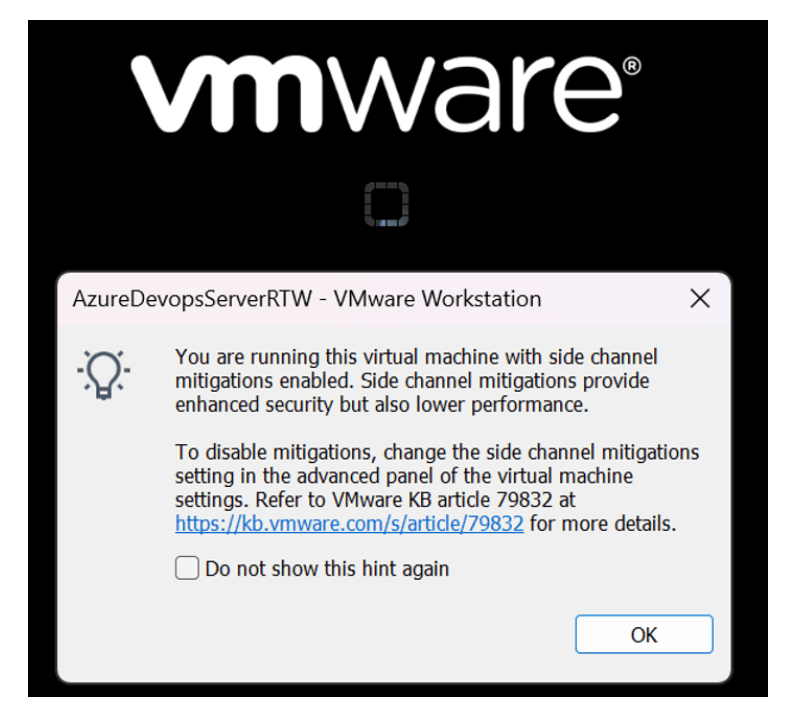
It seems you're inquiring about warnings related to side-channel mitigation mechanisms that VMware products issue upon startup, indicating that these mechanisms are in place to enhance security.
Side-channel attacks are a class of attacks where an attacker can glean sensitive information from the physical implementation of a system rather than exploiting software vulnerabilities. These can include timing information, power consumption, electromagnetic leaks, or even sound to gain insights into the system operations and extract data like cryptographic keys.
To combat such attacks, both hardware manufacturers and software developers implement various mitigation techniques. For VMware products, these mitigations often involve adjustments at the virtualization layer to prevent attackers from exploiting side-channel vulnerabilities in shared hardware environments like public clouds or multi-tenant data centers.
When VMware products mention "side channel mitigations" at startup, they are likely referring to measures implemented to protect against such vulnerabilities, including those like Spectre and Meltdown that received significant attention for affecting many modern processors.
These warnings or messages are essentially informing the user that certain performance or operational modes have been adjusted to prioritize security by mitigating these side-channel risks. Depending on the specific VMware product and version, there may be options to configure or optimize these settings, balancing between performance impacts and security needs.
If you're seeing these warnings and want to manage or understand them better:
-
Check VMware Documentation: VMware provides extensive documentation for its products, detailing security features, configuration options, and best practices for operation.
-
Update Your Systems: Ensure that your VMware products, guest operating systems, and hardware firmware are all up to date. Updates often include patches for known vulnerabilities and improvements to security measures.
-
Review Security Settings: Explore the security settings within your VMware product to understand the trade-offs between performance and security, adjusting them as necessary based on your security posture and performance requirements.
-
Consult VMware Support or Community Forums: If you're unsure about the implications of these warnings or how to adjust settings optimally, reaching out to VMware support or consulting community forums can provide specific advice tailored to your environment.
Remember, these mitigations are in place to protect your systems from sophisticated attacks, and any modifications to default security settings should be made with a thorough understanding of the potential impacts.
Imported from rifaterdemsahin.com · 2024