Solving the Puzzle: The Crucial Role of WPS in Enhancing Printer Connectivity
In the world of modern technology, seamless connectivity is the cornerstone of efficiency. My journey to establish a flawless connection between my printer and various devices through the HP Smart app was nothing short of a challenging puzzle. The key to this puzzle? The Wi-Fi Protected Setup (WPS) button.
The Challenge of Connectivity
For far too long, the status quo was a printer obstinately displaying "not connected," stubbornly refusing to communicate with the surrounding devices. This wasn't just a minor inconvenience; it was a blockade to productivity. Whether it was due to the printer's inability to authenticate itself with the router or its general reluctance to become a mobile, working device, the bottom line remained the same: connectivity was an issue.
Troubleshooting the Old-Fashioned Way
The usual suspects in resolving connectivity issues were quickly rounded up and interrogated. The USB port, often a silent culprit in such scenarios, proved to be unstable. A default reset of the device, usually a reliable fallback, offered no solace. Even Wi-Fi Direct, heralded for its ability to bypass traditional network setups, failed to deliver a consistent performance.
Moreover, the device's compatibility seemed to play favorites; it exhibited a smoother relationship with Mac systems compared to Windows. This selective functionality hinted at a deeper, underlying inconsistency that needed addressing.
The Turning Point: WPS Connectivity
The breakthrough came with the realization of the WPS button's potential. WPS stands for Wi-Fi Protected Setup, a standard designed to make connections between devices and routers faster and easier. By simply activating the WPS function, I was able to bypass the myriad of connectivity issues that plagued the setup.
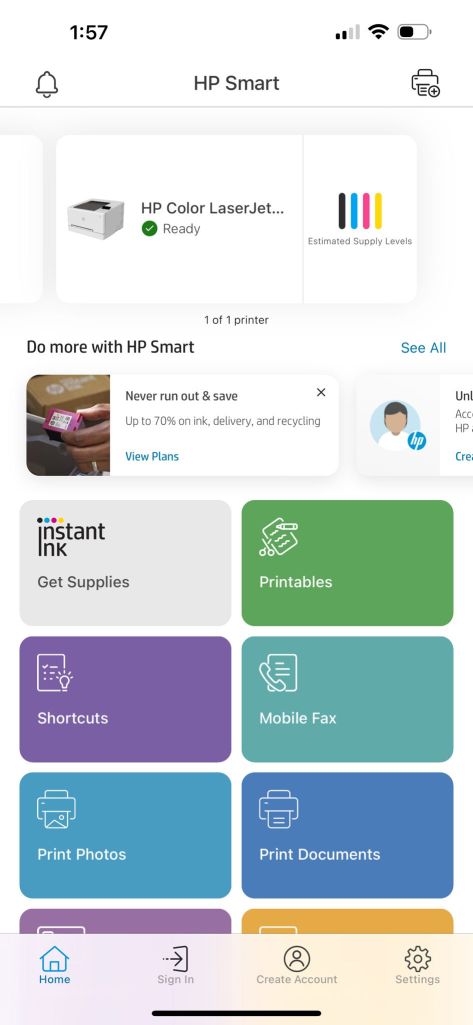
The transformation was immediate. The printer, which had been languishing in a state of disconnect, was now ready to serve. This simple yet effective solution resolved the challenges posed by the Google WiFi hub, an issue that seemed insurmountable until now.
Looking Forward
With the WPS setup proving to be a reliable solution, the door is now open for further connectivity. Devices like the M1 Mac Mini, previously sidelined in this connectivity conundrum, should now be able to connect and print without issue. This development not only enhances the functionality of the devices involved but also streamlines the workflow, making the process more efficient and less frustrating.
Conclusion
The journey from connectivity chaos to seamless communication was a reminder of the importance of understanding the tools at our disposal. The WPS function, often overlooked, proved to be the missing piece in the puzzle. It's a testament to the fact that sometimes, the simplest solutions are the most effective. By embracing these technological aids, we can overcome obstacles and enhance our digital experiences, making our devices not just smarter, but also more in tune with our needs.
Imported from rifaterdemsahin.com · 2024