Dont be shy to create and delete resource in the cloud
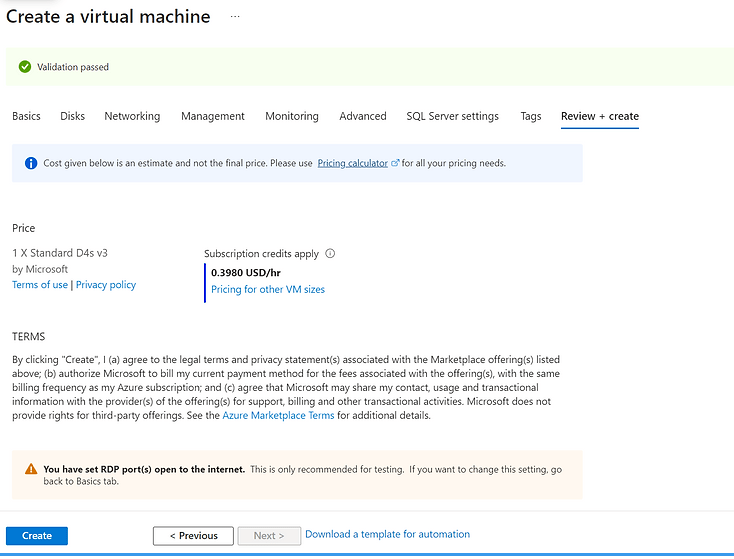
Managing SQL Server licenses and optimizing infrastructure for cost-effectiveness can be a complex but essential part of database administration, especially when working with cloud or virtual environments where you can spin up and tear down instances as needed. Here's a structured approach to managing these processes, including logging and documentation in Notion for efficiency and repeatability:
1. Understand SQL Server Licensing
First, familiarize yourself with the licensing models of SQL Server, which generally include:
-
Core-based Licensing: For physical and virtual cores. Ideal for applications that require high performance, it can be costly.
-
Server + CAL Licensing: Server licensing plus client access licenses. This is more suitable for smaller applications with a limited number of users.
2. Plan and Optimize Licensing
-
Assess Your Needs: Estimate the size, performance requirements, and maximum number of users for your SQL Server applications. This helps in choosing between core-based or Server+CAL licensing.
-
Choose the Right Edition: SQL Server offers different editions (Enterprise, Standard, Web, and Express) with varying features and limitations. The Express edition is free but limited in capabilities and resources.
-
Virtualization and Containers: Utilize virtualization and containerization to maximize your SQL Server licensing. SQL Server licenses allow you to run the software in virtual machines or containers, potentially reducing the number of required licenses.
3. Create and Delete Machines Dynamically
-
Automate with Infrastructure as Code (IaC): Use tools like Terraform, Ansible, or Azure Resource Manager templates to automate the creation and deletion of SQL Server instances based on demand. This ensures you only pay for what you use.
-
Monitoring and Scaling: Implement monitoring tools to track the usage and performance of your SQL Server instances. Automate scaling up or down based on predefined metrics to optimize costs.
4. Document Process in Notion
-
Step-by-Step Guides: Create detailed guides in Notion for each process involved in setting up, licensing, and managing SQL Server instances. Include code snippets, CLI commands, and screenshots.
-
Checklists: Develop checklists for pre-deployment, deployment, and teardown phases to ensure all steps are followed and documented.
-
Templates: Design templates for common tasks and documentation to speed up the process and maintain consistency.
5. Rebuilding Faster
-
Scripts and Templates: Store all scripts, templates, and commands used in the automation process in a shared Notion workspace for easy access and version control.
-
Lessons Learned: Document any issues encountered, solutions implemented, and optimizations made during the setup and teardown processes. This serves as a knowledge base for faster troubleshooting and improvements in future deployments.
-
Update and Iterate: Regularly review and update the documentation based on new SQL Server features, licensing changes, and infrastructure updates. Incorporate feedback from users and administrators to refine the processes.
Additional Tips
-
Cost Management Tools: Utilize cloud provider cost management tools to track and optimize your spending on SQL Server instances.
-
Hybrid Approaches: Consider hybrid environments where some workloads run on-premises under a traditional licensing model, while others use cloud resources for flexibility and scalability.
By following these steps and utilizing Notion for documentation, you can manage SQL Server licenses more effectively, optimize costs by dynamically managing instances, and ensure that your team can rebuild and scale SQL Server deployments quickly and efficiently.
Contact me on Linkedin > https://www.linkedin.com/in/rifaterdemsahin/
Imported from rifaterdemsahin.com · 2024