Creating a DBCC Check in SQL Server: A Step-by-Step Guide
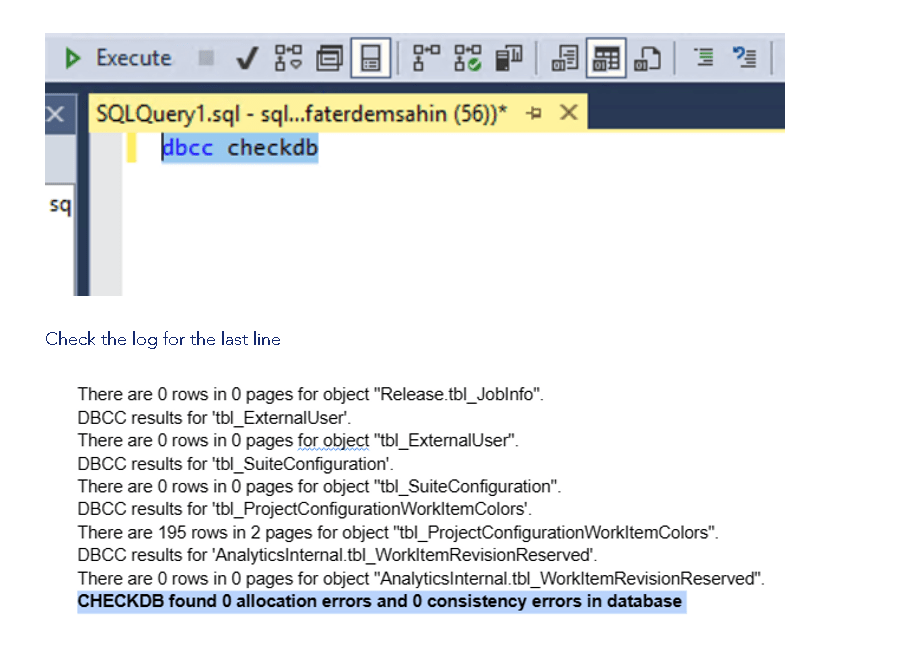
Database administrators and developers frequently use Database Console Commands (DBCC) in Microsoft SQL Server to ensure data integrity and performance. Among these commands, the DBCC CHECKDB, CHECKALLOC, CHECKTABLE, and CHECKCATALOG are pivotal for detecting and troubleshooting database issues. This guide provides a step-by-step approach to performing a DBCC check, ensuring your databases are healthy and running efficiently.
Understanding DBCC
DBCC commands are special utilities that perform operations on a database, table, index, or filegroup. These operations can range from maintenance tasks to validating the database's integrity. The DBCC CHECKDB command is particularly useful as it encompasses the functionalities of CHECKALLOC, CHECKTABLE, and CHECKCATALOG, making it a comprehensive tool for database integrity checks.
Step 1: Know Your Commands
-
DBCC CHECKDB: Checks the integrity of all the objects in the specified database.
-
DBCC CHECKALLOC: Verifies the consistency of disk space allocation structures for a specified database.
-
DBCC CHECKTABLE: Ensures the integrity of all the pages and structures that make up the table or indexed view.
-
DBCC CHECKCATALOG: Checks for catalog consistency within the specified database.
Step 2: Prepare Your Database
Before running a DBCC check, ensure your database is in a stable state. This means:
-
Backing up your database.
-
Making sure it's not in use or in a minimal use state to reduce the impact of the check on performance.
Step 3: Running DBCC CHECKDB
To perform a DBCC CHECKDB, follow these steps:
-
Open SQL Server Management Studio (SSMS) and connect to your database server.
-
Navigate to the database you wish to check.
-
Open a new query window and type the following command:
DBCC CHECKDB ('YourDatabaseName')
Replace 'YourDatabaseName' with the name of your database.
- Execute the command by pressing F5 or clicking the execute button.
Step 4: Analyzing the Results
Once the DBCC CHECKDB command completes, it will return a report in the Messages tab. This report details the integrity of the database and highlights any issues found. If the command finds no integrity violations, your database is in good shape. However, if issues are detected, the report will include recommendations for repairs.
Step 5: Fixing Issues
If DBCC CHECKDB reports any problems, you might need to perform additional steps to fix these issues. Common recommendations include:
-
Using the REPAIR_ALLOW_DATA_LOSS option with DBCC CHECKDB to attempt repairs. This option should be used with caution, as it can result in data loss.
-
Restoring the database from a backup if the issues are severe and cannot be repaired easily.
Step 6: Regular Maintenance
Regularly running DBCC checks is crucial for maintaining the health of your databases. Automate these checks using SQL Server Agent Jobs to ensure they're performed during off-peak hours, minimizing the impact on your database's performance.
Conclusion
Performing a DBCC check in SQL Server is a critical task for ensuring the integrity and performance of your databases. By following the steps outlined in this guide, you can effectively check and maintain your databases, ensuring they remain healthy and efficient. Remember, regular maintenance is key to preventing data issues and ensuring your database systems run smoothly.
Contact me on Linkedin > https://www.linkedin.com/in/rifaterdemsahin/
Imported from rifaterdemsahin.com · 2024