Powershell script fail and iterative coding

Maybe the space ?

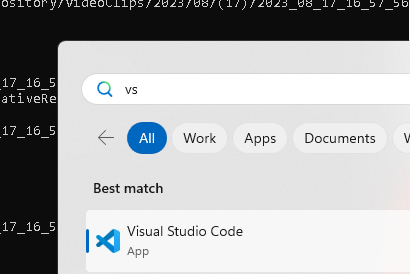
time for vscode
added one more ''

worse

why i needed git
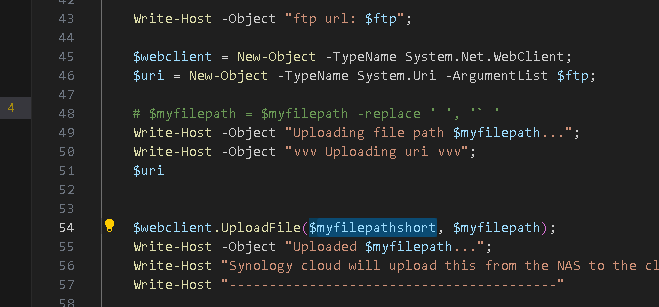
Updated NAS upload code
`Write-Host "Process Started for daily recordings"
$param1=$args[0]
write-host $param1
cd "C:\Users\Pexabo\Videos"
if($param1 -eq $Null)
{
$param1 = 1
Write-Host "No value added we are using yesterday"
}else {
Write-Host " we are taking this many days back: $param1"
}
$myDaysGoBack = $param1
$myday = (Get-Date).AddDays(-$myDaysGoBack).ToString('dd')
$mymonth = (Get-Date).AddDays(-$myDaysGoBack).ToString('MM')
$myyear = (Get-Date).AddDays(-$myDaysGoBack).ToString('yyyy')
$myserverip = ""
$myserverusername = ""
$myserverpassword = ""
$yesterday = (get-ChildItem "C:\Users\Pexabo\Videos\" -recurse -exclude .mkv | where {$_.name -like "$myyear-$mymonth-$myday*"})
Write-Host "Yesterdays recordings"
$yesterday
if($yesterday -eq $Null)
{
Write-Host "No videos yesterday >> $myyear-$mymonth-$myday"
}
foreach($myfile in $yesterday)
{
Write-Host "-----------------------------------------"
$myfilepath = $myfile.FullName
Write-Host $myfile.FullName " to be processed"
$myfilepathshort = $myfile.Name
$myfilepathshort = $myfilepathshort.Replace(" ","").Trim().Replace("-","")
$ftp = "ftp://$myserverusername`:$myserverpassword@$myserverip/CreativeRepository/VideoClips/$myyear/$mymonth/($myday)/$myfilepathshort";
Write-Host -Object "ftp url: $ftp";

                $webclient = New-Object -TypeName System.Net.WebClient;
                $uri = New-Object -TypeName System.Uri -ArgumentList $ftp;

                # $myfilepath = $myfilepath -replace ' ', '` '
                Write-Host -Object "Uploading file path $myfilepath...";
                Write-Host -Object "vvv Uploading uri vvv";
                $uri

                $webclient.UploadFile($myfilepathshort, $myfilepath);
                Write-Host -Object "Uploaded $myfilepath...";
                Write-Host "Synology cloud will upload this from the NAS to the cloud"
                Write-Host "-----------------------------------------"
}
Write-Host "Process Ended for daily recordings"
Write-Host " Processed videos from this many days back: $param1"
Write-Host "Todo 1: add count try catch error"
Write-Host "Todo 2: number of videos processed"`
Epic fail in the code base
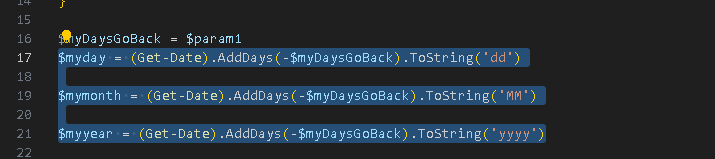
yesterdays data landed into wrong folder
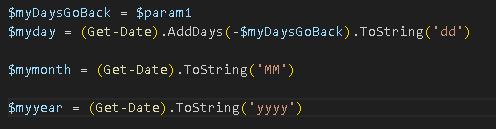
Add the console check code

test with 9 days in the past
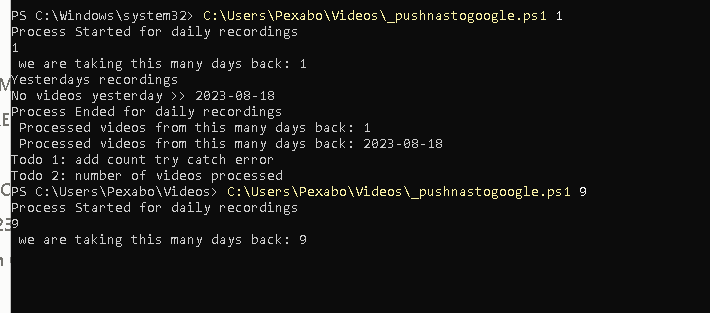
Check the code
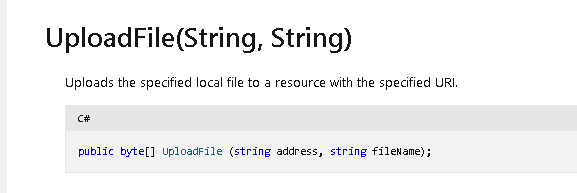
https://learn.microsoft.com/en-us/dotnet/api/system.net.webclient.uploadfile?view=net-7.0
Testing code is a thing
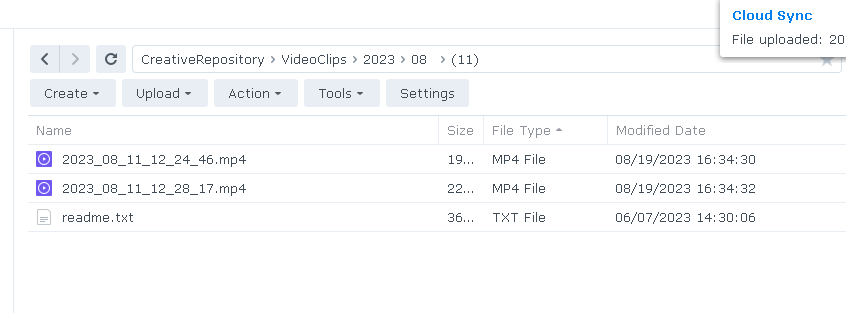
New iteration
`Write-Host "Config start"
$myserverip = ""
$myserverusername = ""
$myserverpassword = ""
Write-Host "Config end"
Write-Host "Process Started for daily recordings"
$param1=$args[0]
write-host $param1
cd "C:\Users\Pexabo\Videos"
if($param1 -eq $Null)
{
$param1 = 1
Write-Host "No value added we are using yesterday"
}else {
Write-Host " we are taking this many days back: $param1"
}
$myDaysGoBack = $param1
$myday = (Get-Date).AddDays(-$myDaysGoBack).ToString('dd')
$mymonth = (Get-Date).ToString('MM')
$myyear = (Get-Date).ToString('yyyy')
$yesterday = (get-ChildItem "C:\Users\Pexabo\Videos\" -recurse -exclude .mkv | where {$_.name -like "$myyear-$mymonth-$myday*"})
Write-Host "Yesterdays recordings"
$yesterday
if($yesterday -eq $Null)
{
Write-Host "No videos yesterday >> $myyear-$mymonth-$myday"
}
foreach($myfile in $yesterday)
{
Write-Host "-----------------------------------------"
$myfilepath = $myfile.FullName
Write-Host $myfile.FullName " to be processed"
$myfilepathshort = $myfile.Name
$myfilepathshort = $myfilepathshort.Replace(" ","").Trim().Replace("-","")
$ftp = "ftp://$myserverusername`:$myserverpassword@$myserverip/CreativeRepository/VideoClips/$myyear/$mymonth/($myday)/$myfilepathshort";
Write-Host -Object "ftp url: $ftp";

                $webclient = New-Object -TypeName System.Net.WebClient;
                $uri = New-Object -TypeName System.Uri -ArgumentList $ftp;
                Write-Host "----------------XXX---------------------"
                Write-Host -Object "Uploading myfilepathshort $myfilepathshort...";
                Write-Host -Object "Uploading myfilepath $myfilepath...";
                Write-Host "----------------XXX------------------"
                Write-Host -Object "vvv Uploading uri vvv";
                $uri
                # first destination than source https://learn.microsoft.com/en-us/dotnet/api/system.net.webclient.uploadfile?view=net-7.0

                $webclient.UploadFile($uri.OriginalString,$myfilepath);
                Write-Host -Object "Uploaded $myfilepath...";
                Write-Host "Synology cloud will upload this from the NAS to the cloud"
                Write-Host "-----------------------------------------"
}
Write-Host "Process Ended for daily recordings"
Write-Host " Check Processed videos from this many days back: $param1"
Write-Host " Check Processed videos from this many days back: $myyear-$mymonth-$myday"
Write-Host "Todo 1: add count try catch error"
Write-Host "Todo 2: number of videos processed"`
Now testing more than once
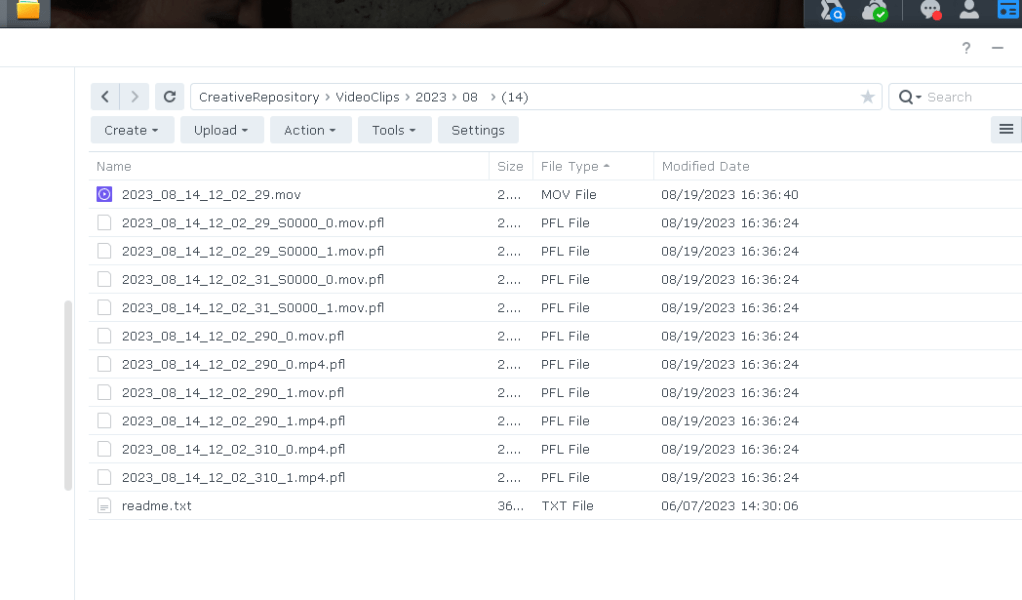
Backing up the script to the main folder as well
Imported from rifaterdemsahin.com · 2023